
STEP 1: Log into your Bizfox account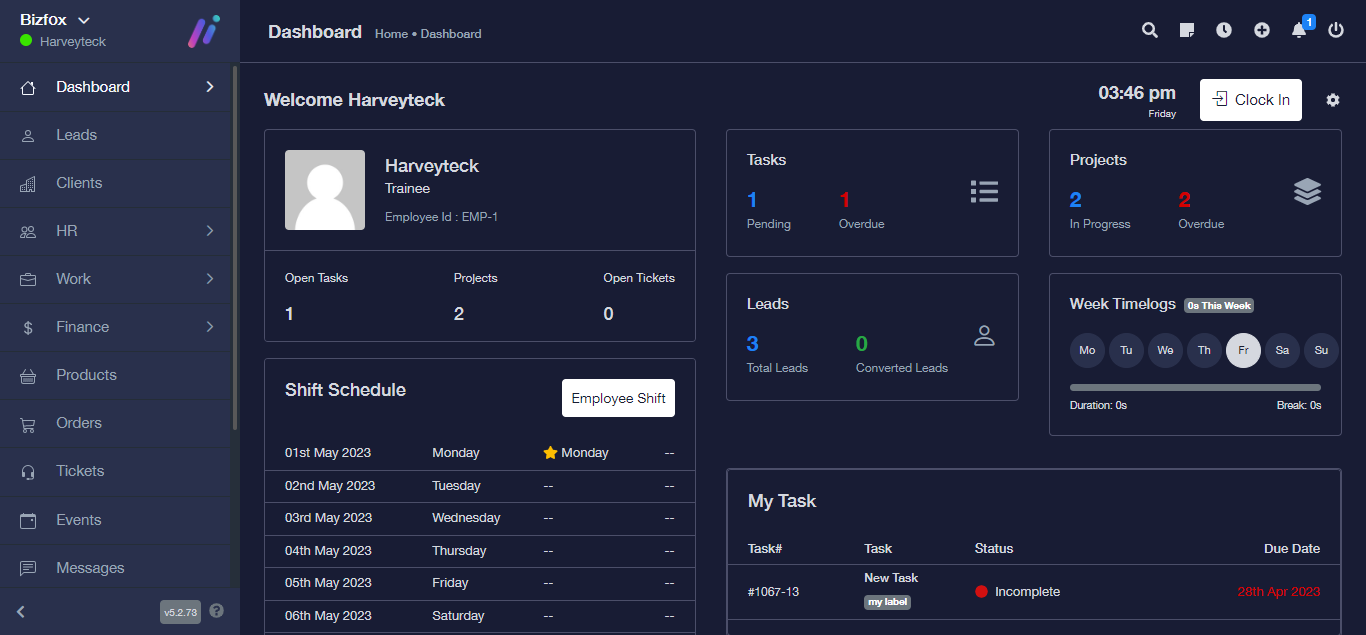
STEP 2: At the right side of your dashboard, click on “Leads”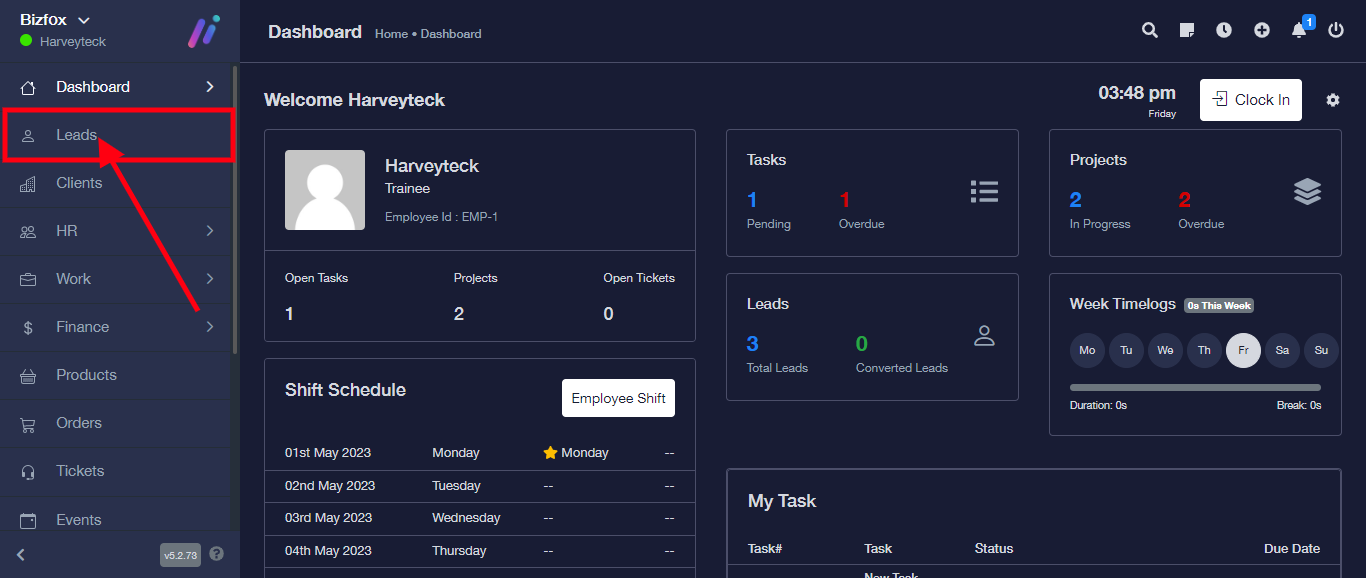
STEP 3: Click on the lead you wish to send the proposal to open it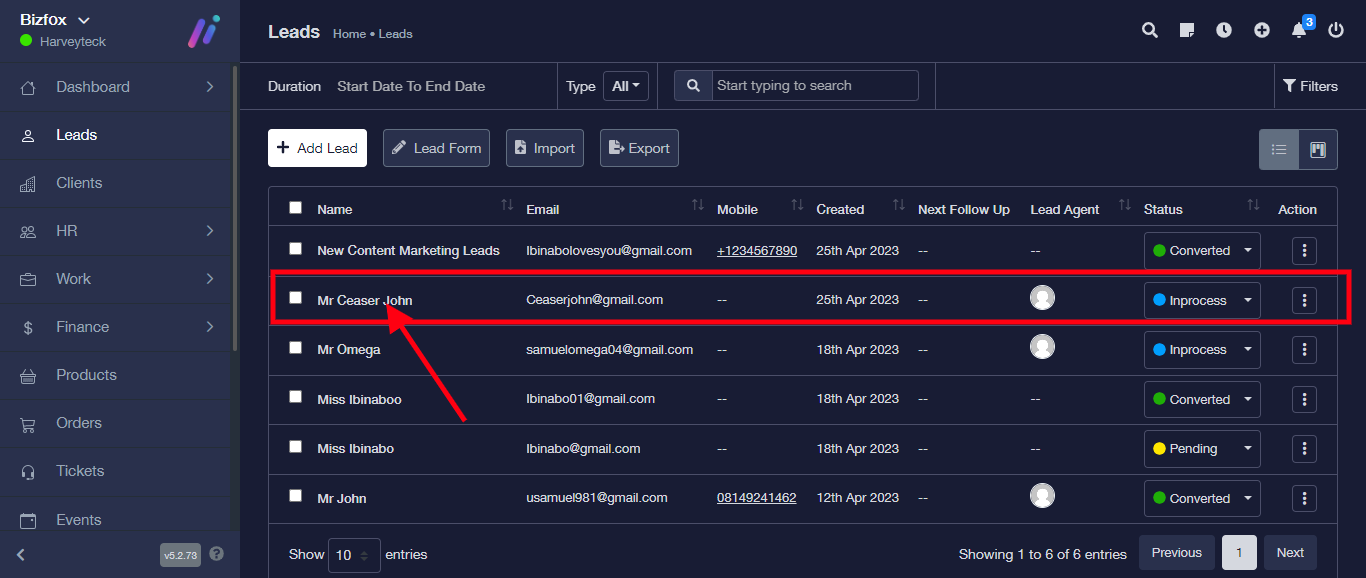
STEP 4: Click on “Proposal” from the top menu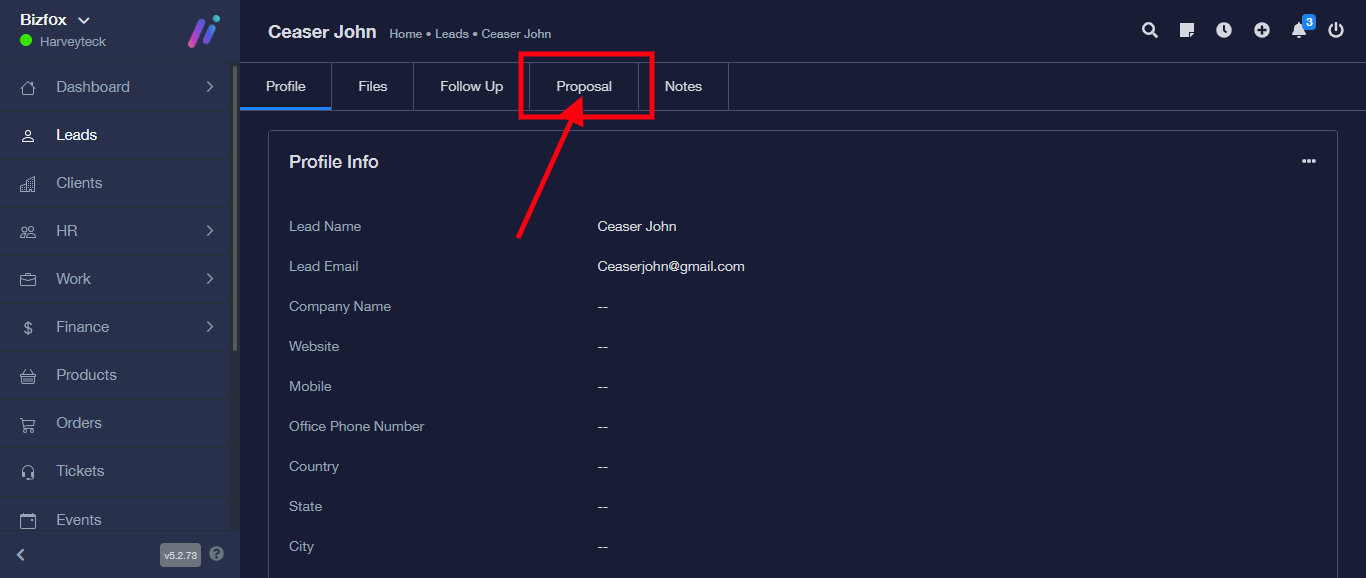
STEP 5: Click on “Create Proposal” to create a proposal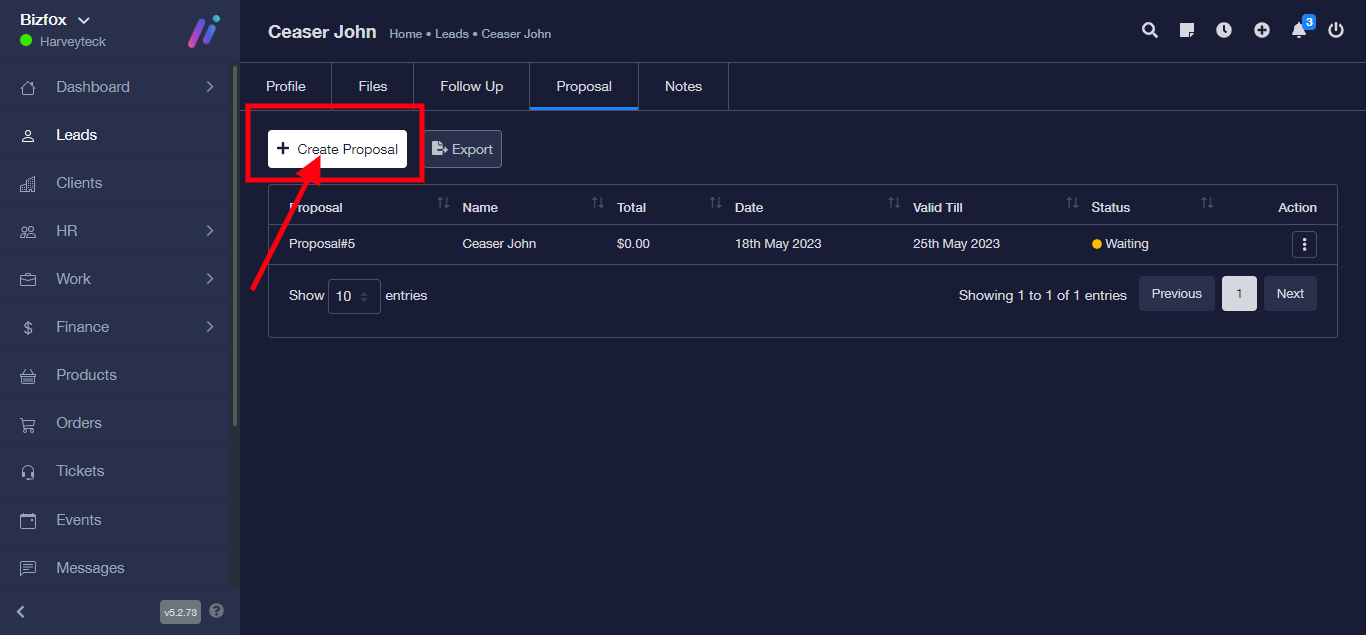
STEP 6: Enter the proposal details accordingly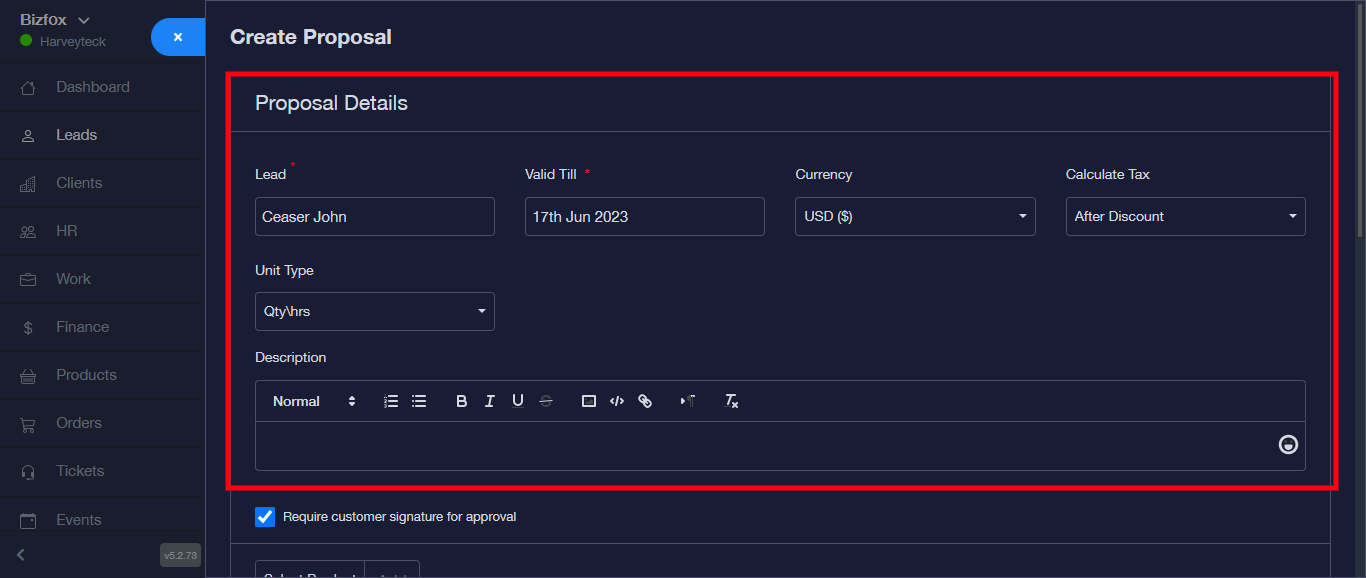
Enter the validity period of the proposal here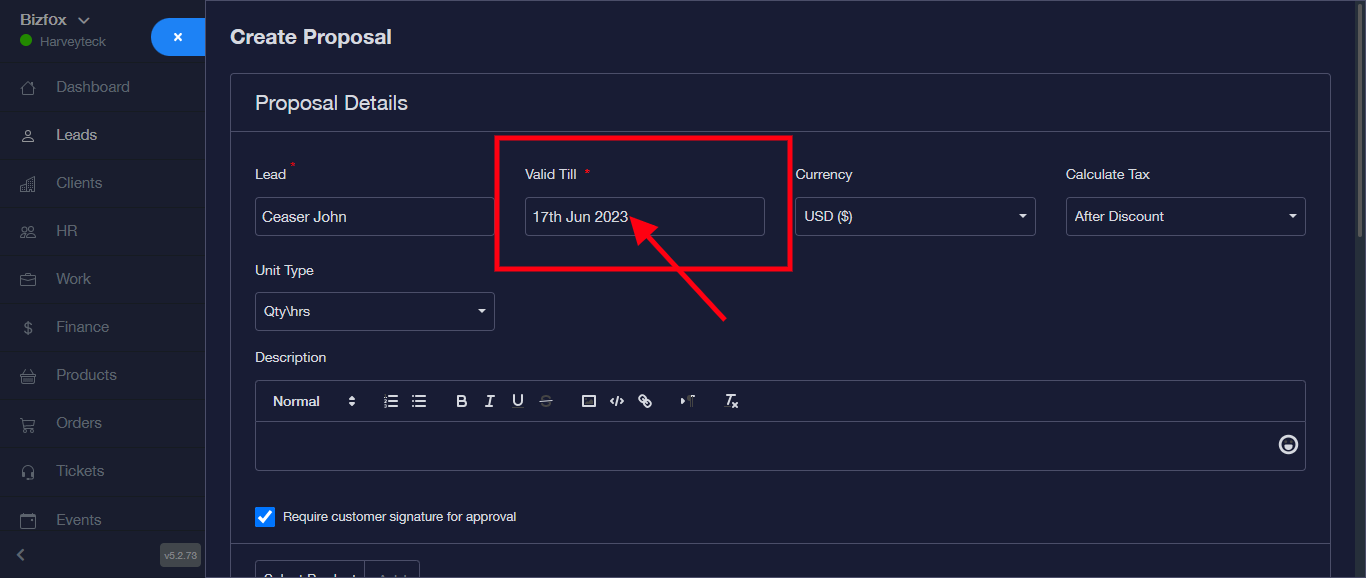
For Currency, click on the drop down to select the currency you want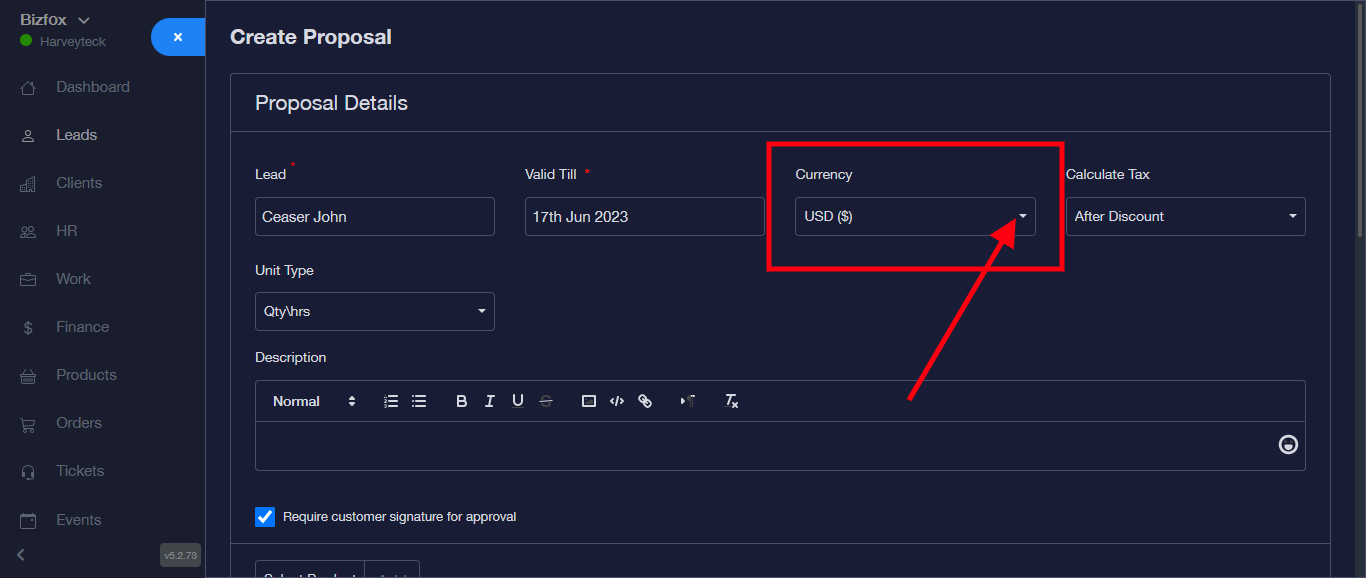
For calculate tax, click on the drop down to select either before or after discount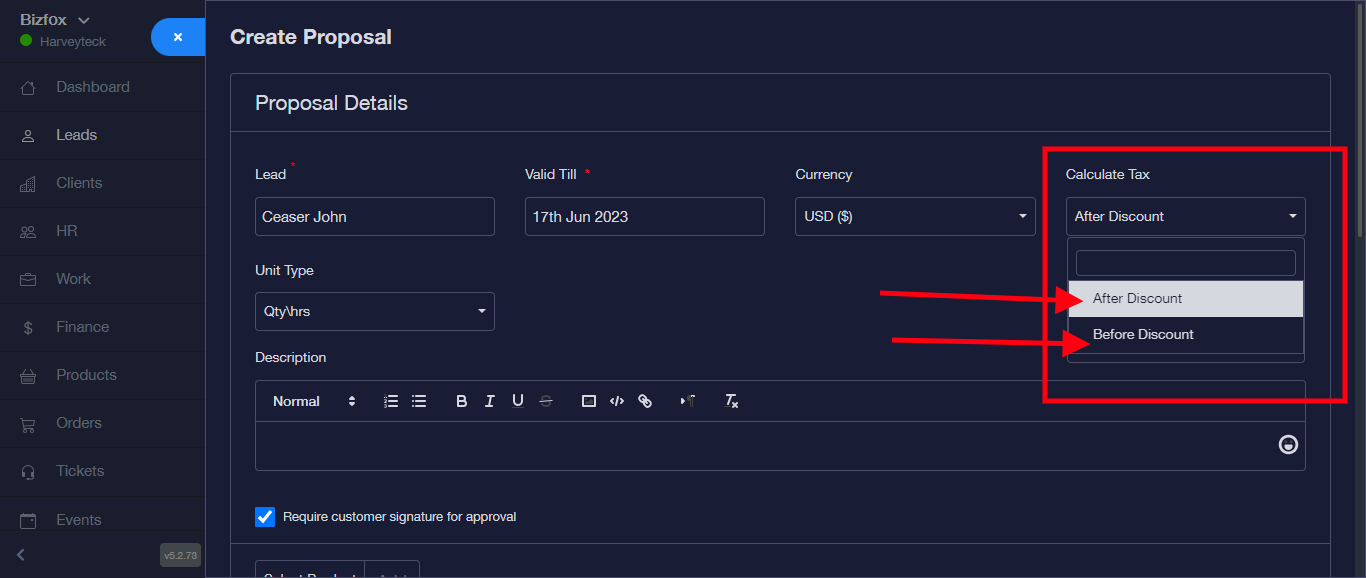
For unit type, click on the dropdown and select Qty/hrs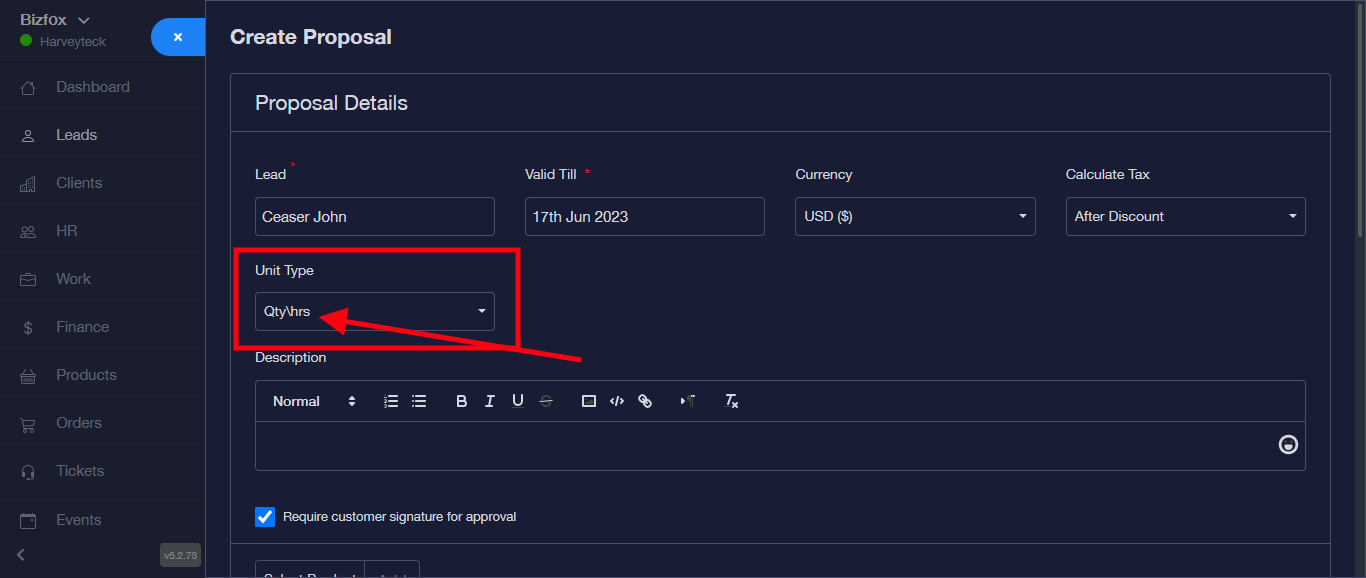
For the Description, make a brief description of what the proposal is about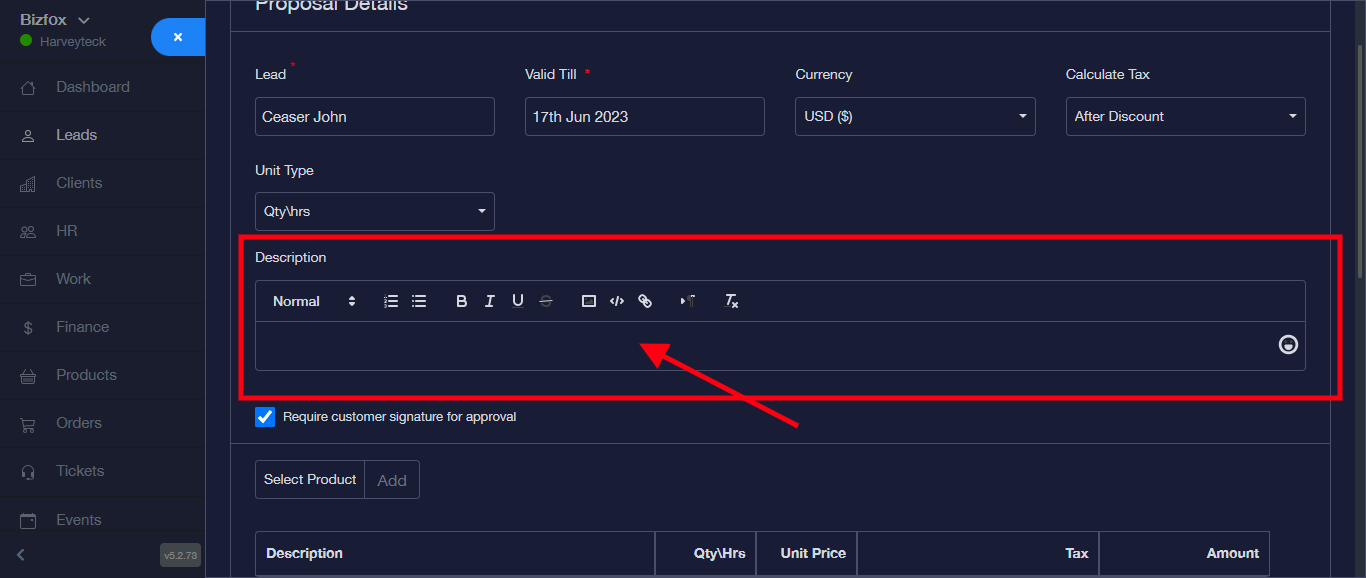
For Select products, click on the click on add to add a product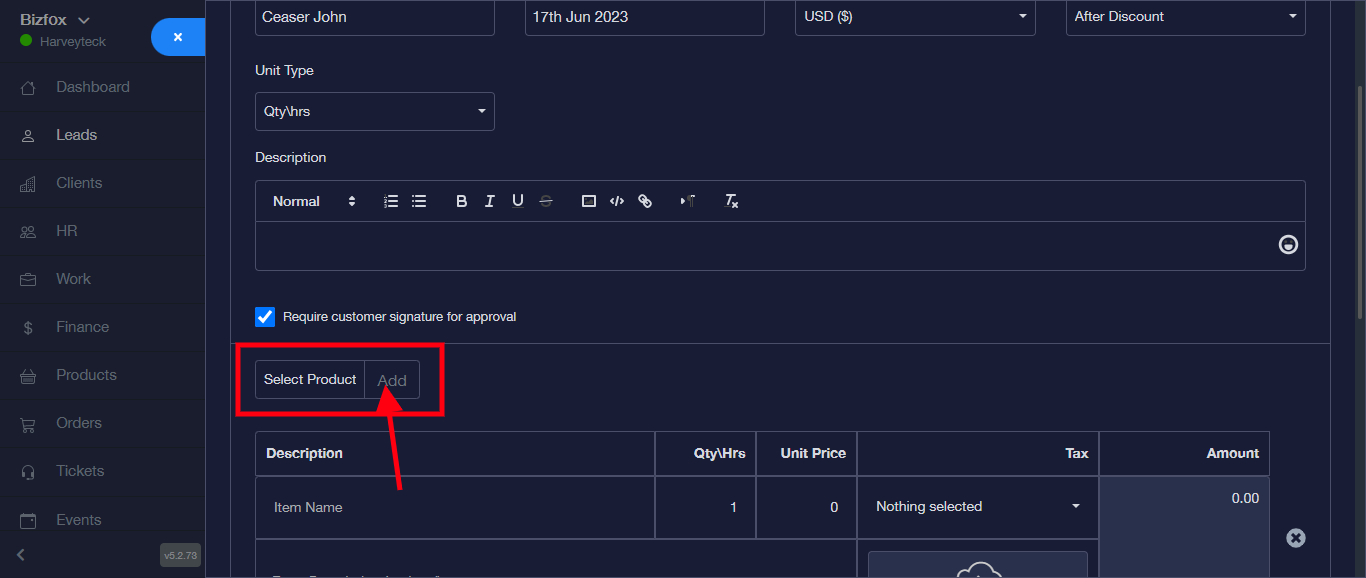
For the Description, Enter the item name and write a short description of the item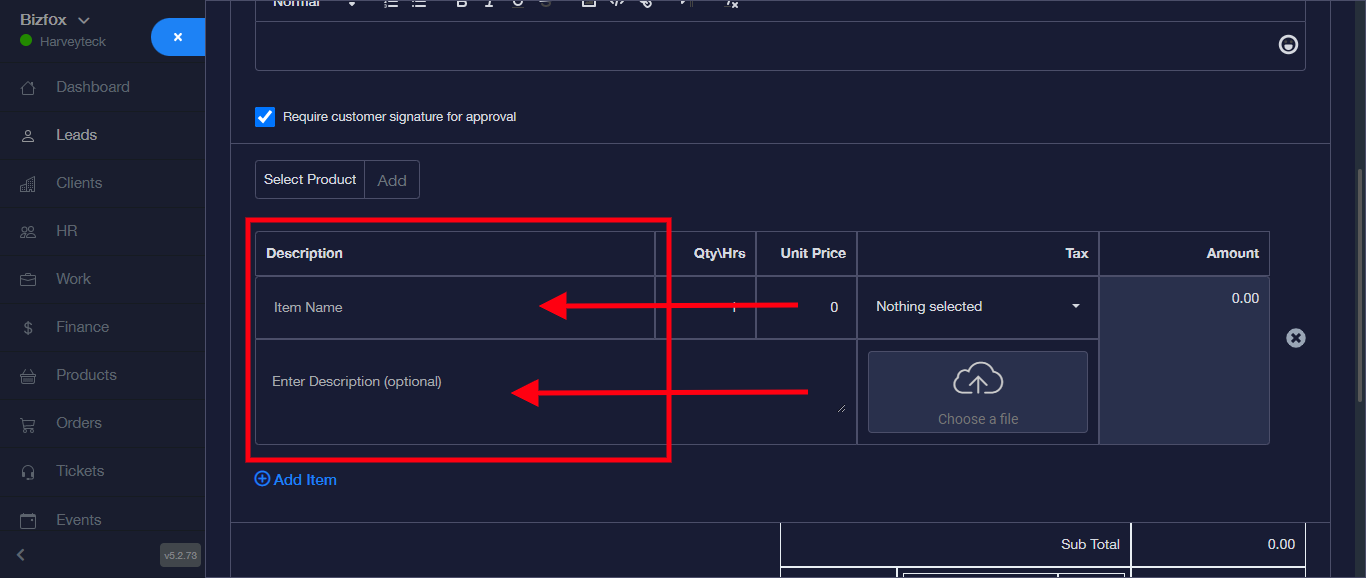
For the Qty/Hrs, enter the quantity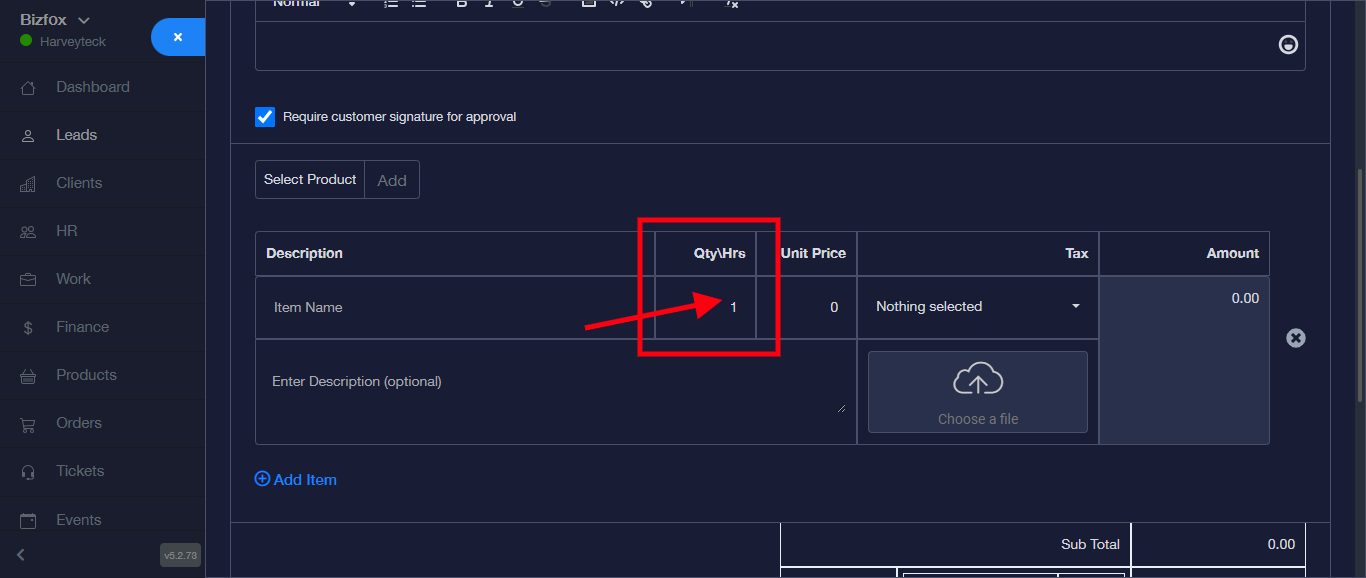
For the Unit Price, enter the price of each item.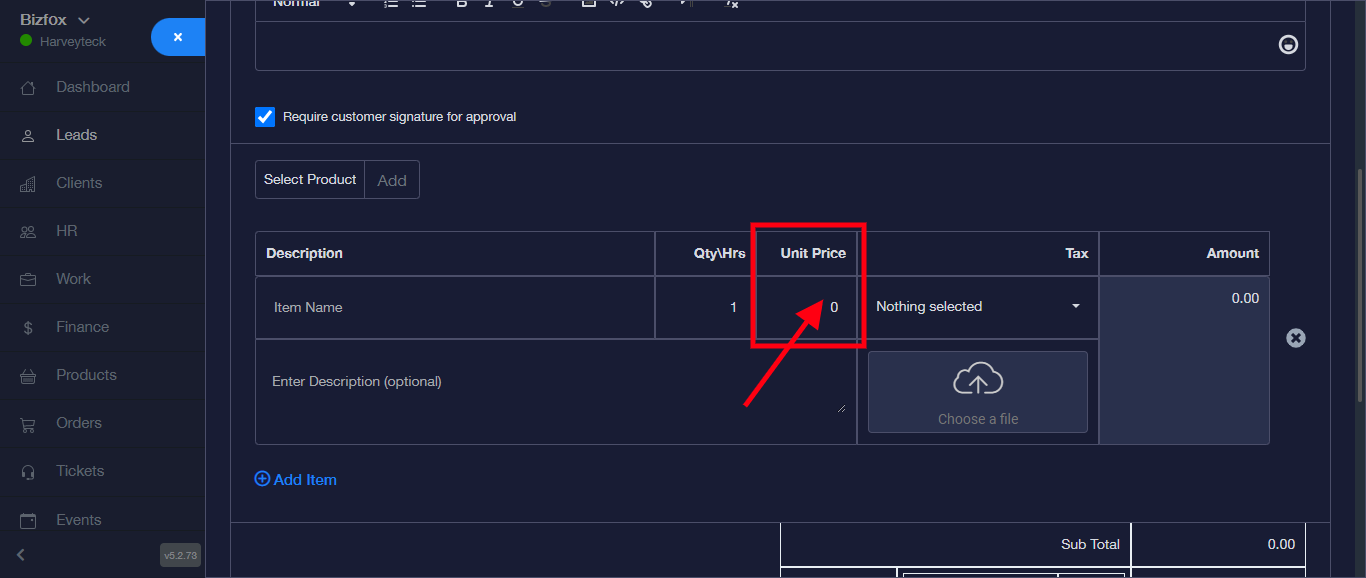
For Tax, click on the first row for a dropdown to select a tax percentage and choose a file.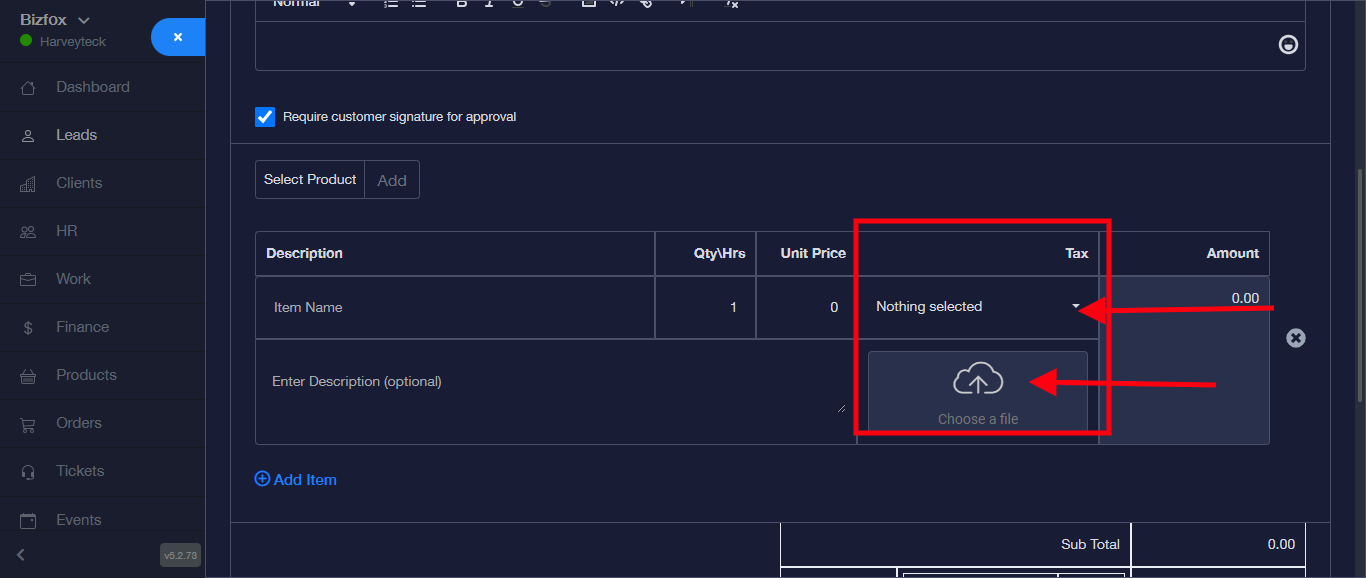
For the Amount, enter the total amount of the quantity of items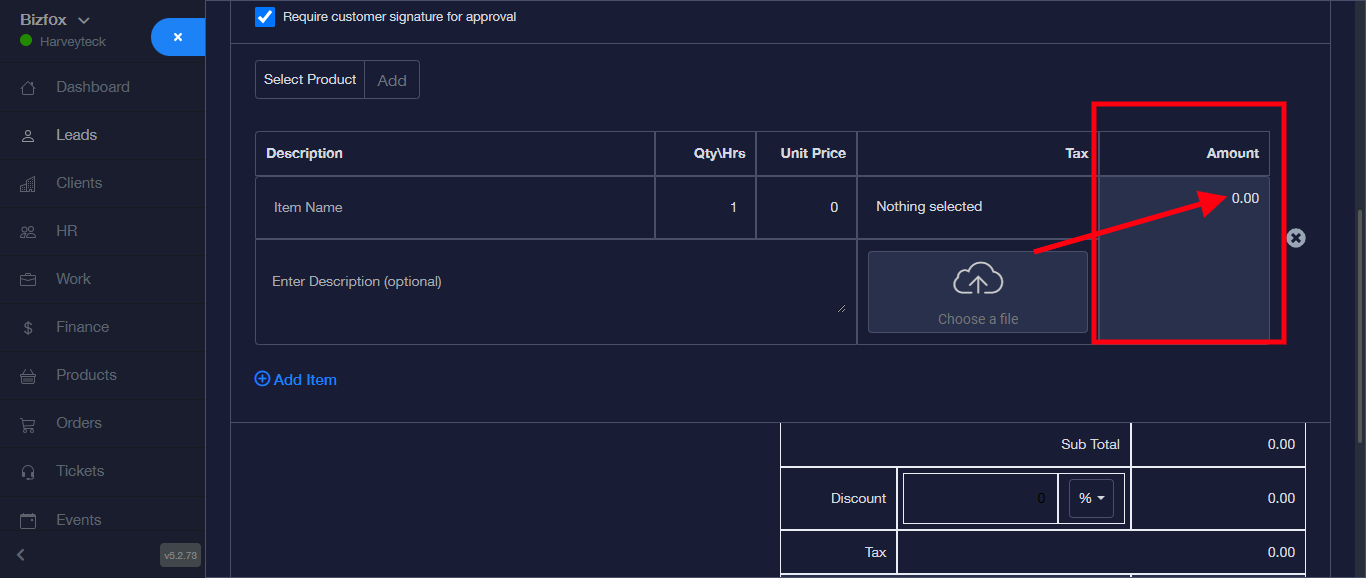
Click on Add Item, to add another table to add more items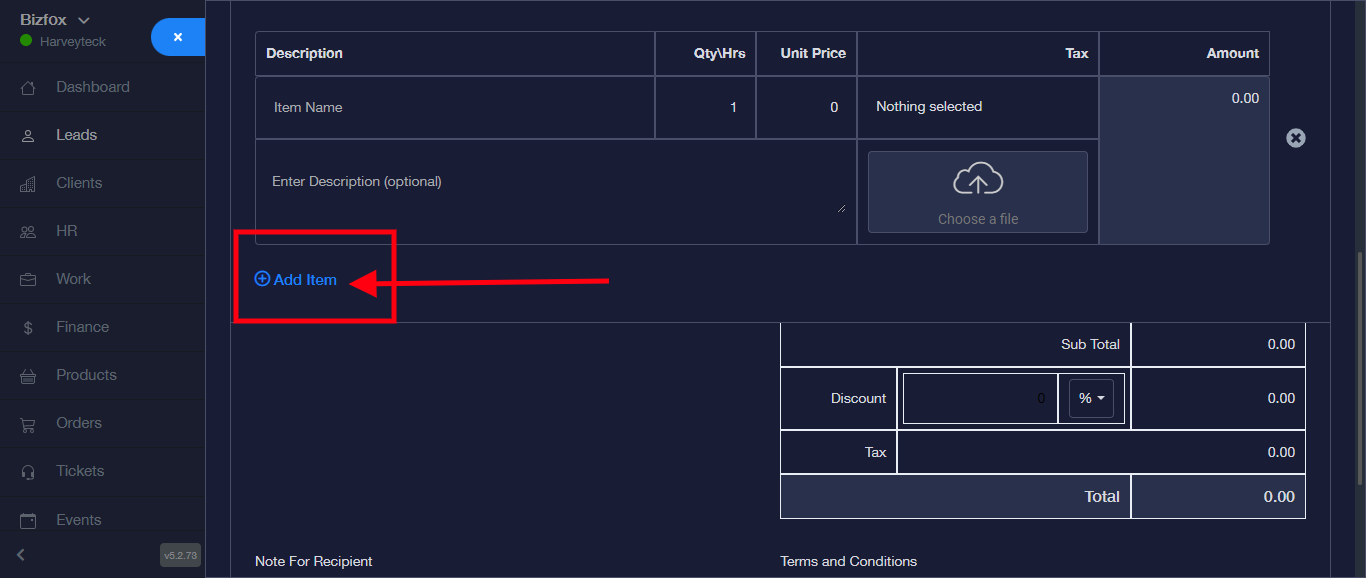
Enter a short note for the Recipient. Example is given in the space as seen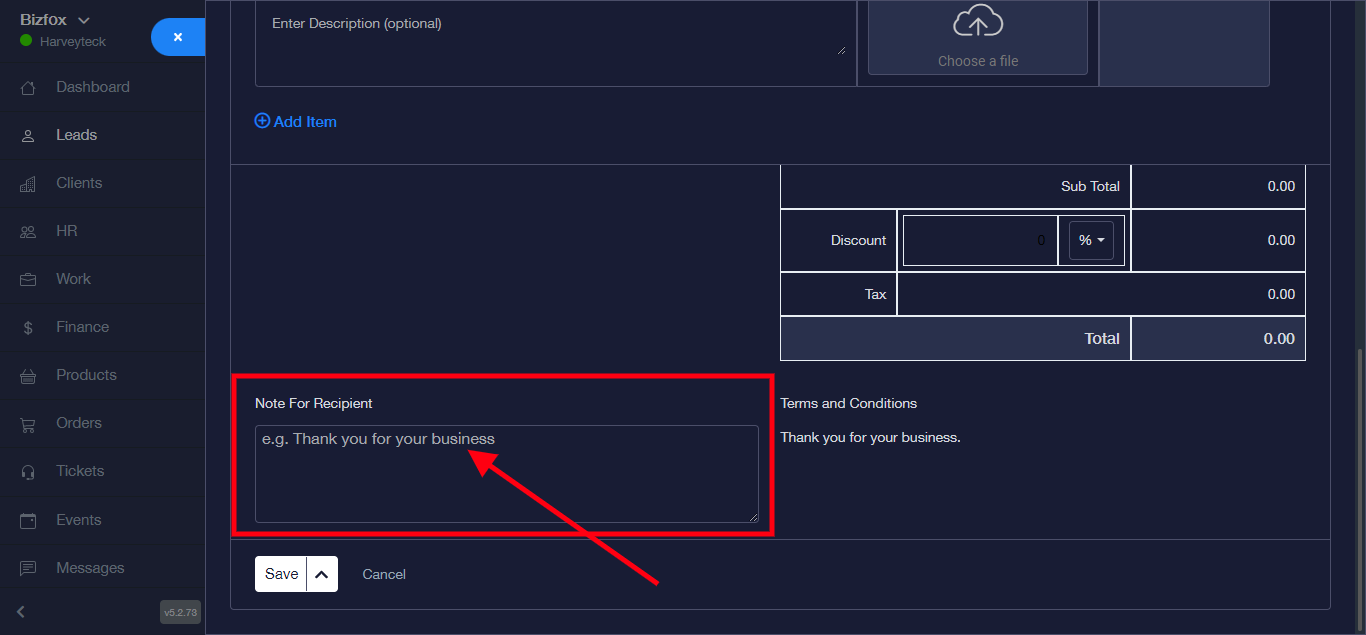
Click the dropdown on the send button and click on the “save & send” to create and send to your lead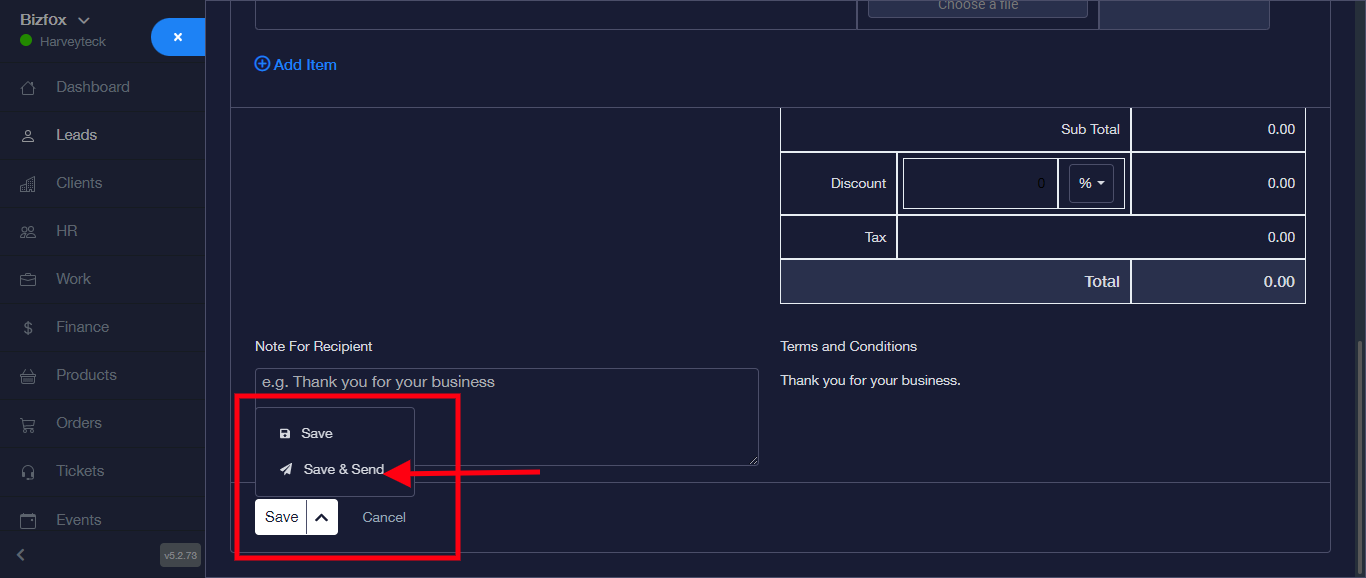
Proposal was successfully created and sent to the lead.