STEP 1: After logging into your Business managers account. First thing that appears is the dashboard, the dashboard has a left side nav-bar.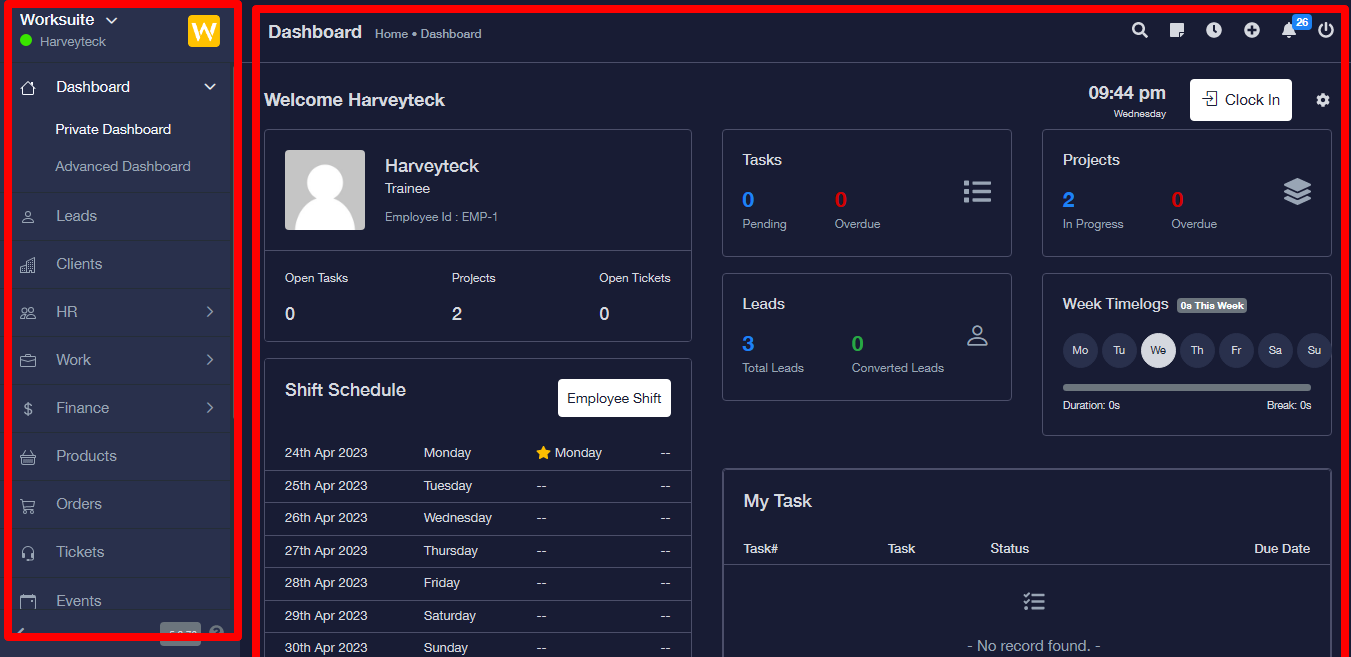
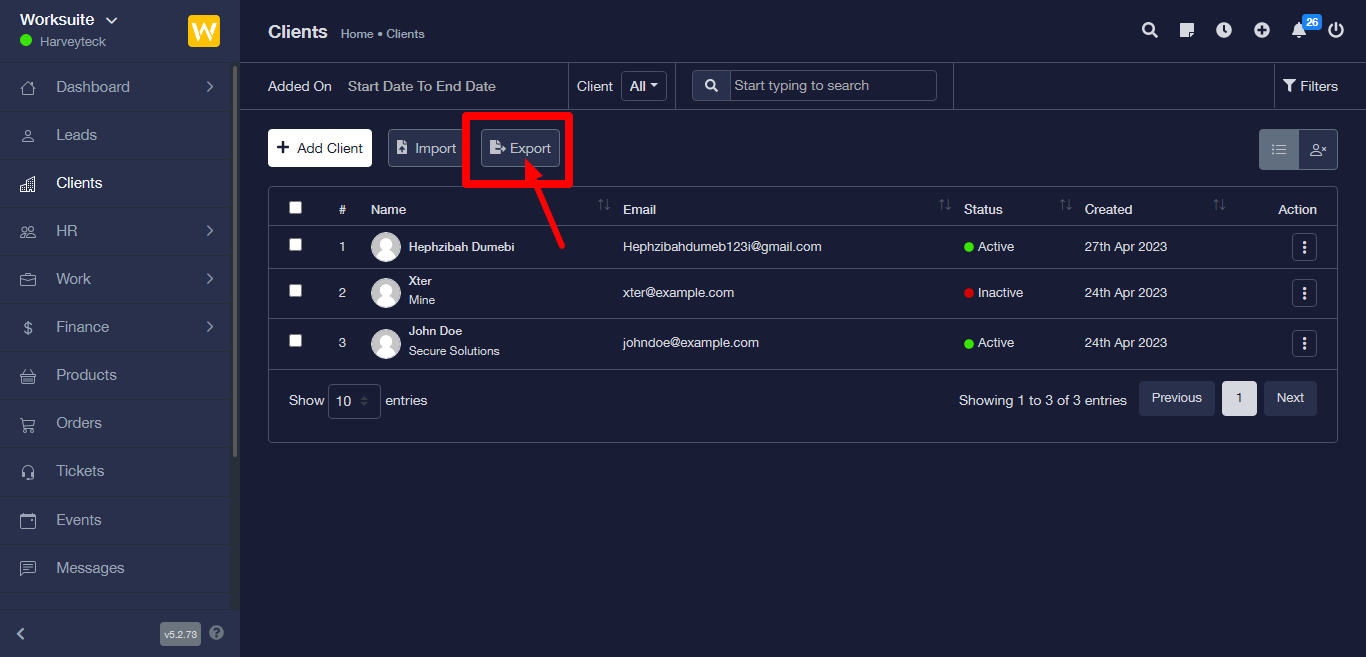
STEP 2: Next is to click on client, it will then direct you to the client dashboard.
STEP 3: Click on the export button next, it gets downloaded to your device immediately.