STEP 1: After logging into your Business managers account. First thing that appears is the dashboard, the dashboard has a left side nav-bar.
STEP 2: Next is to click on client, it will then direct you to the client dashboard.
STEP 3: Click on the action button of any client.
STEP 4: A dropdown option will appear, click on the view button.
STEP 5: You will be directed to the selected client profile information dashboard.
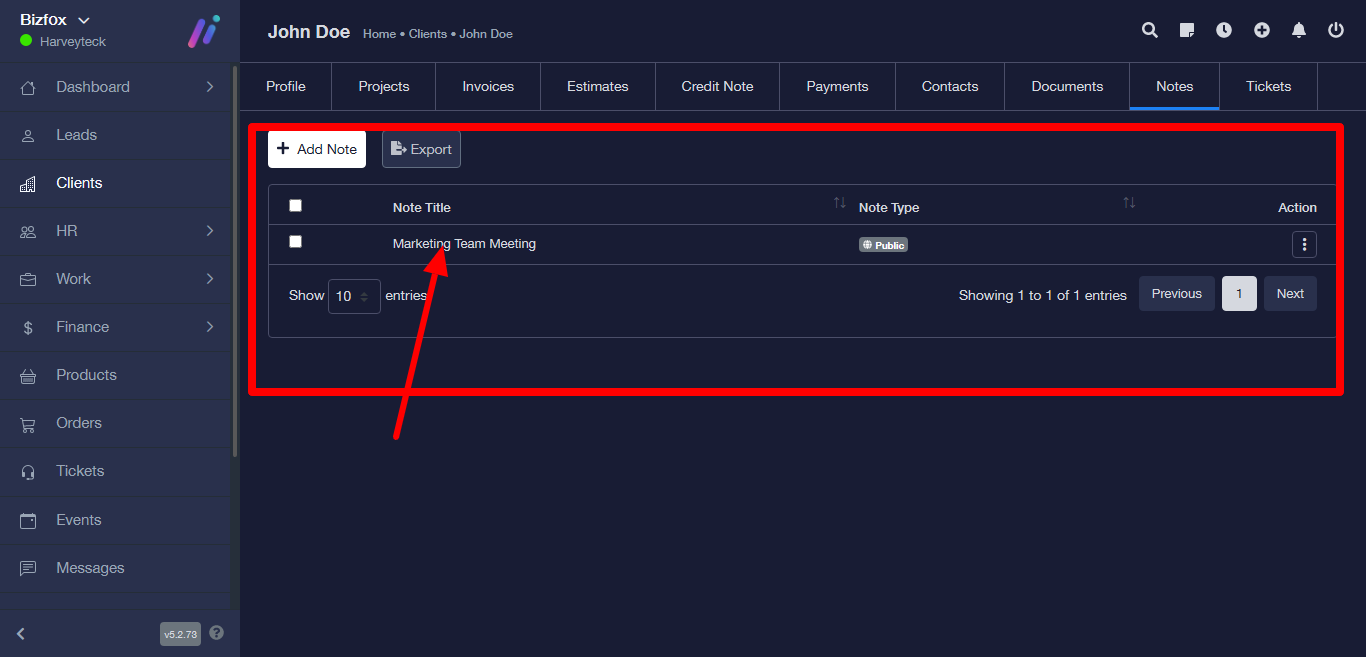
STEP 6: Click on note at the top bar next, it will then direct you to the note page with options to add note and export. Then click on the add note button.
STEP 7: A note page form will appear after clicking on the add note button.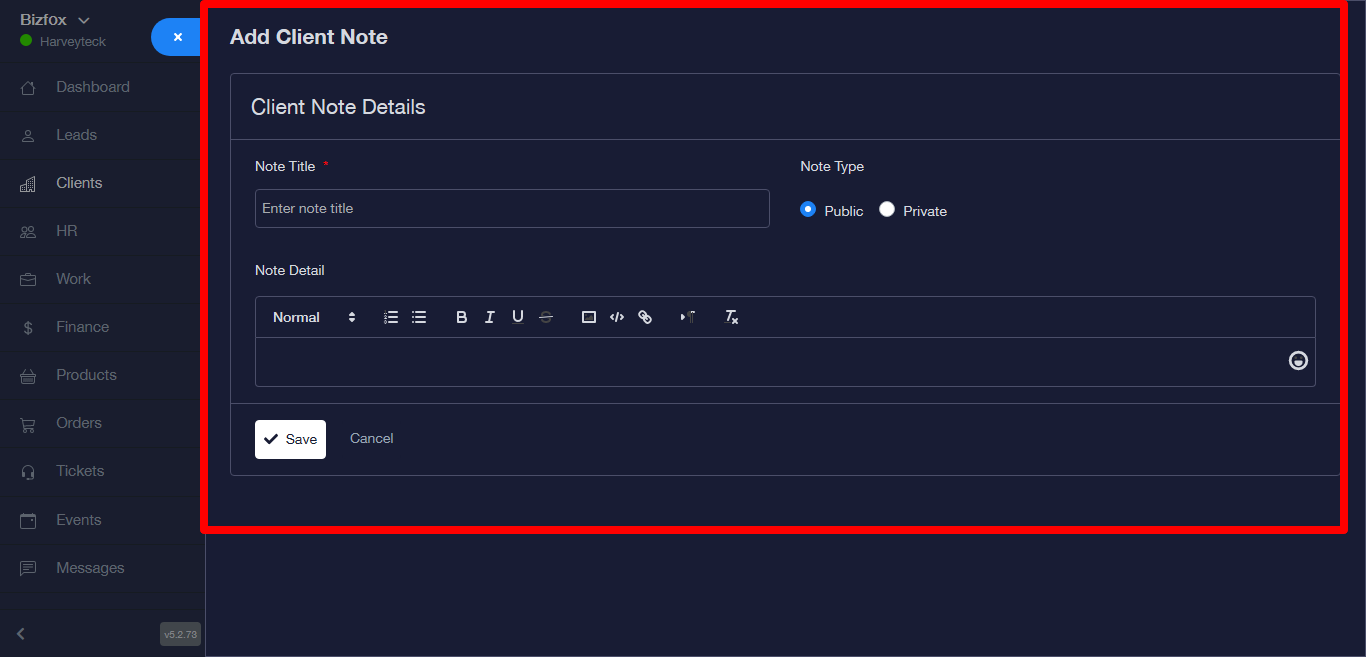
STEP 8: Fill in the details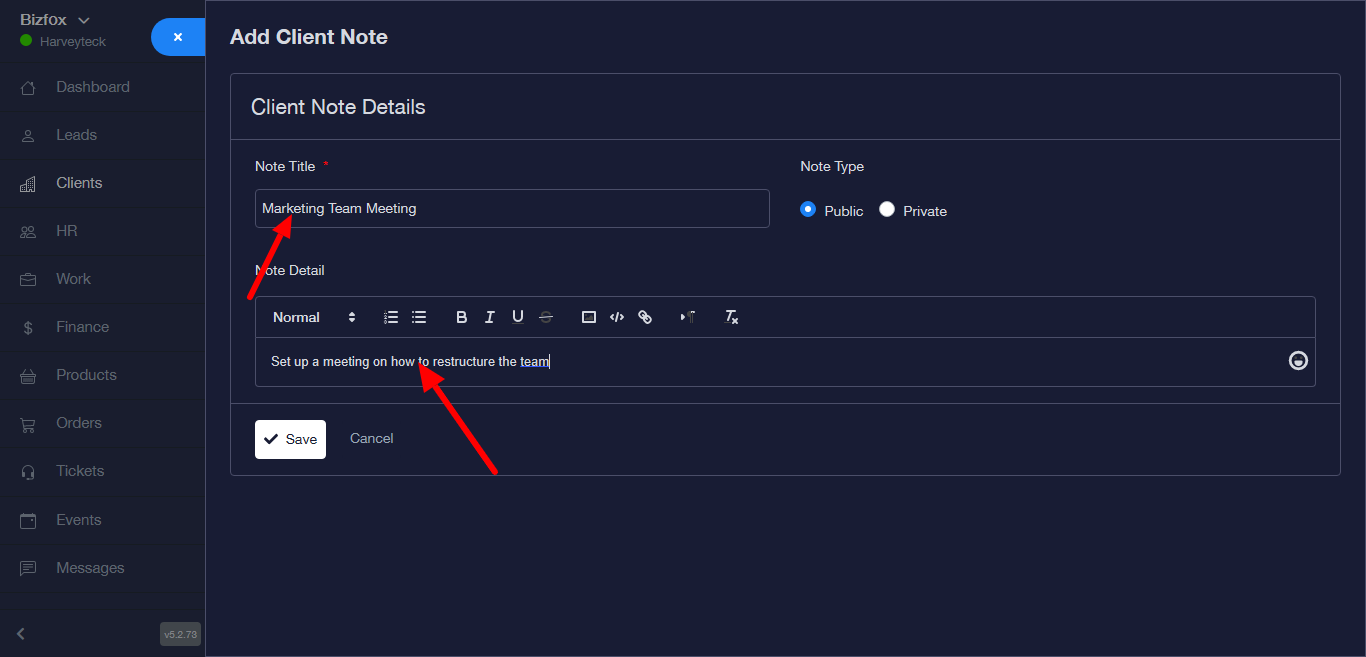
STEP 9: while filling the form you can either make it public or private.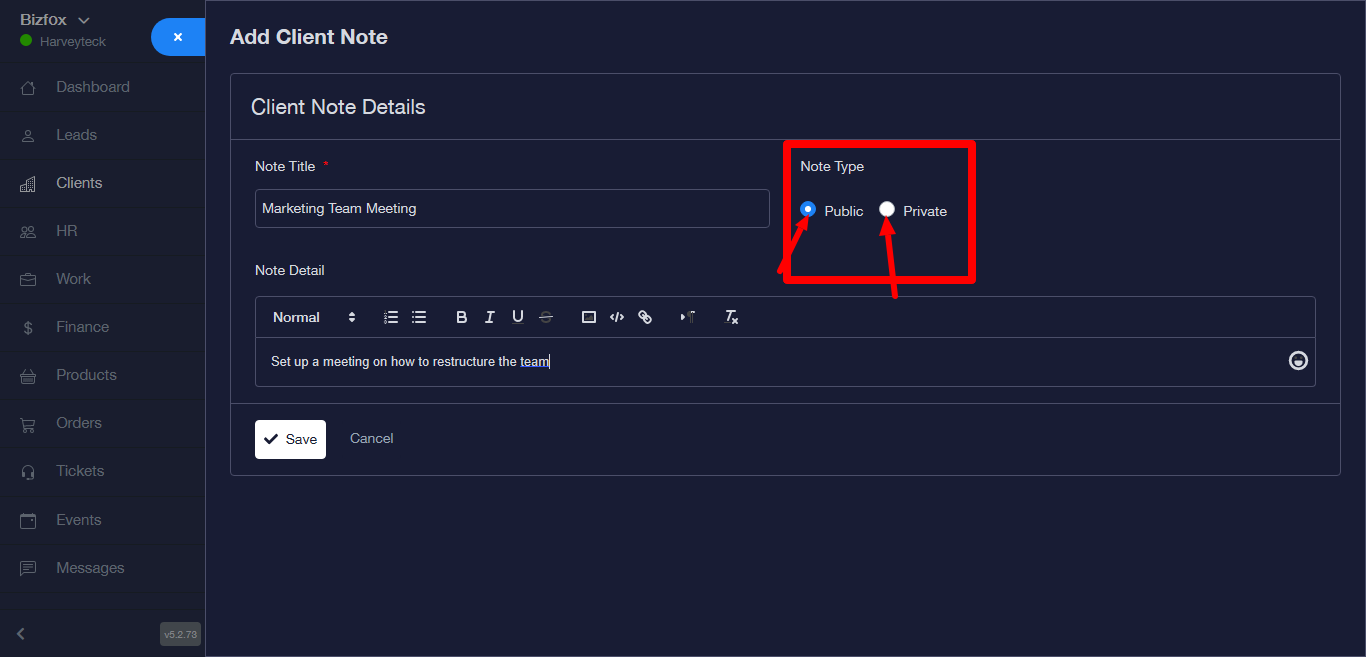
STEP 10: Click on the save button to save note.
STEP 11: Success message would appear at the top left corner and you will get directed to a page where the data has been saved in a table.