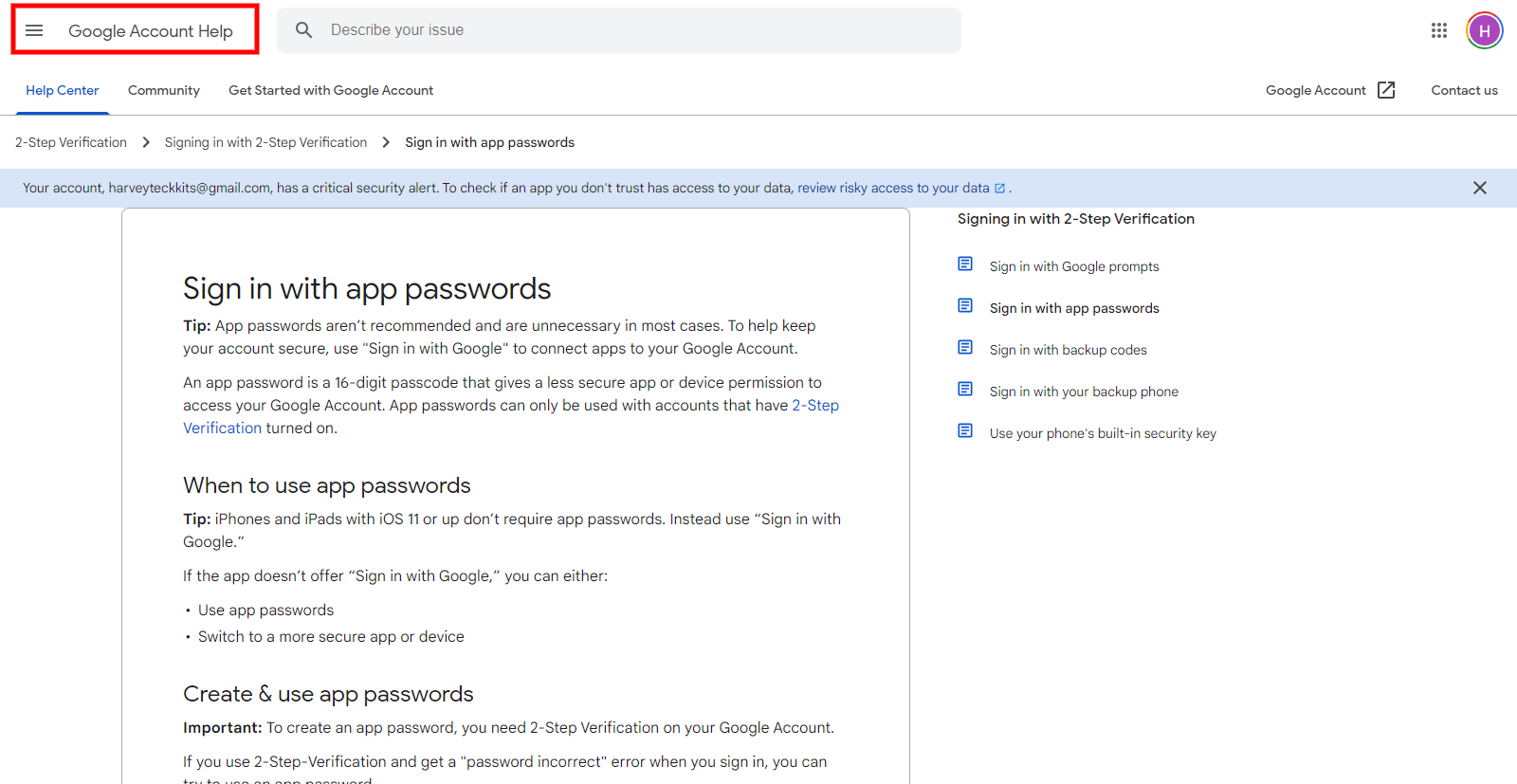
Step 1: Click on this link to your Google account help.
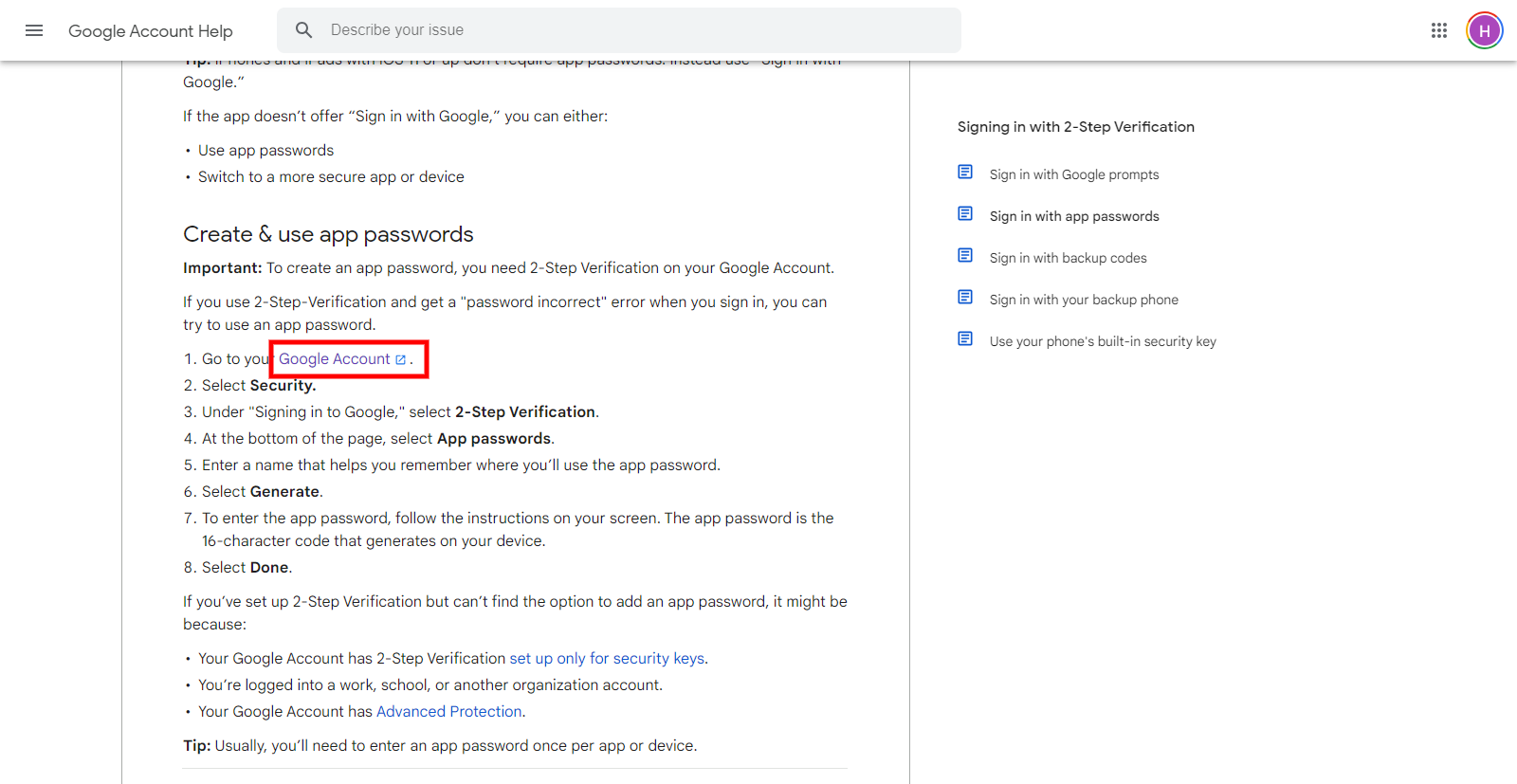
Step 2: Click on the Google Account link
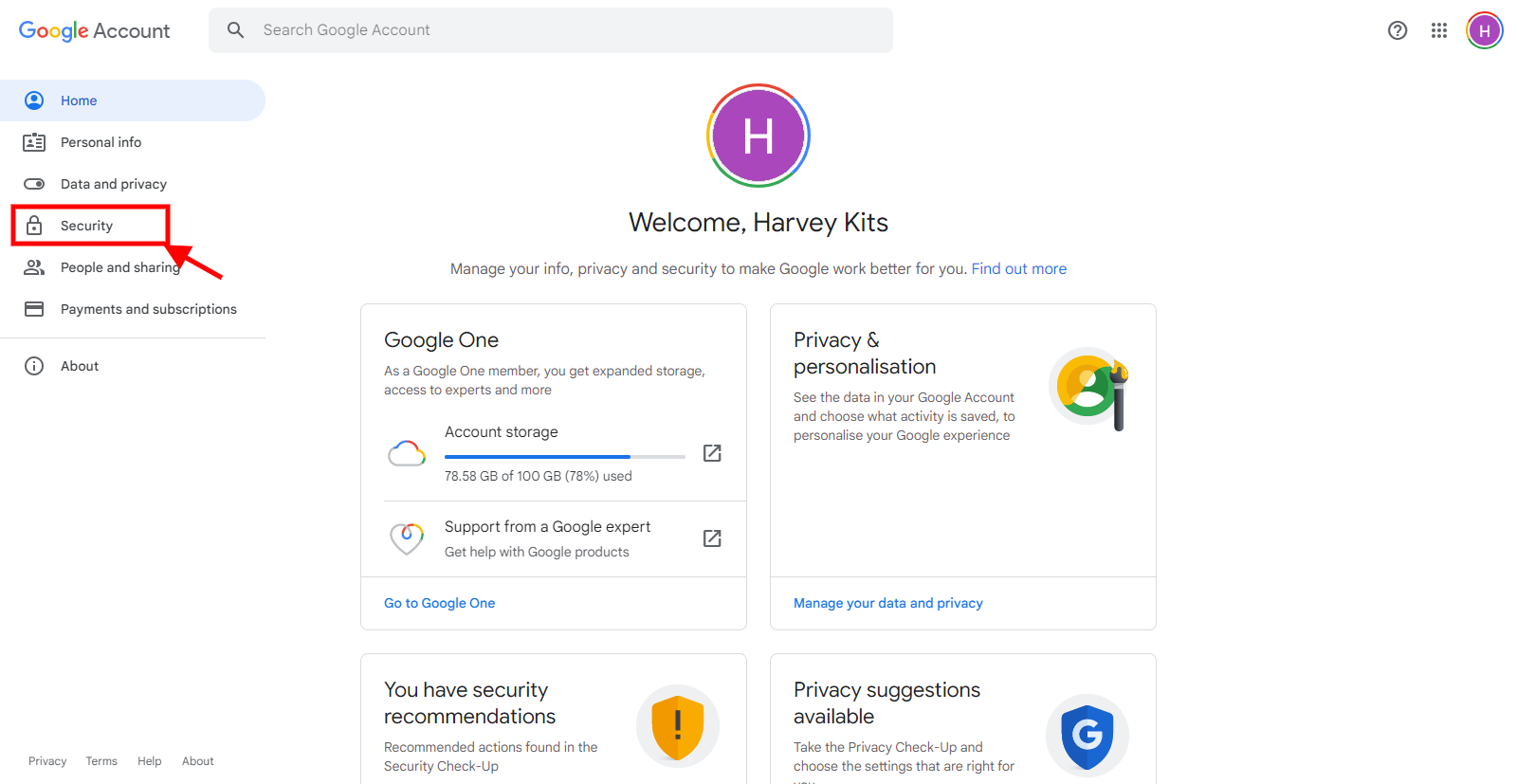
Step 3: Click on security in the left-hand side menu
Step 4: Click on 2-step verification (if indicated off)
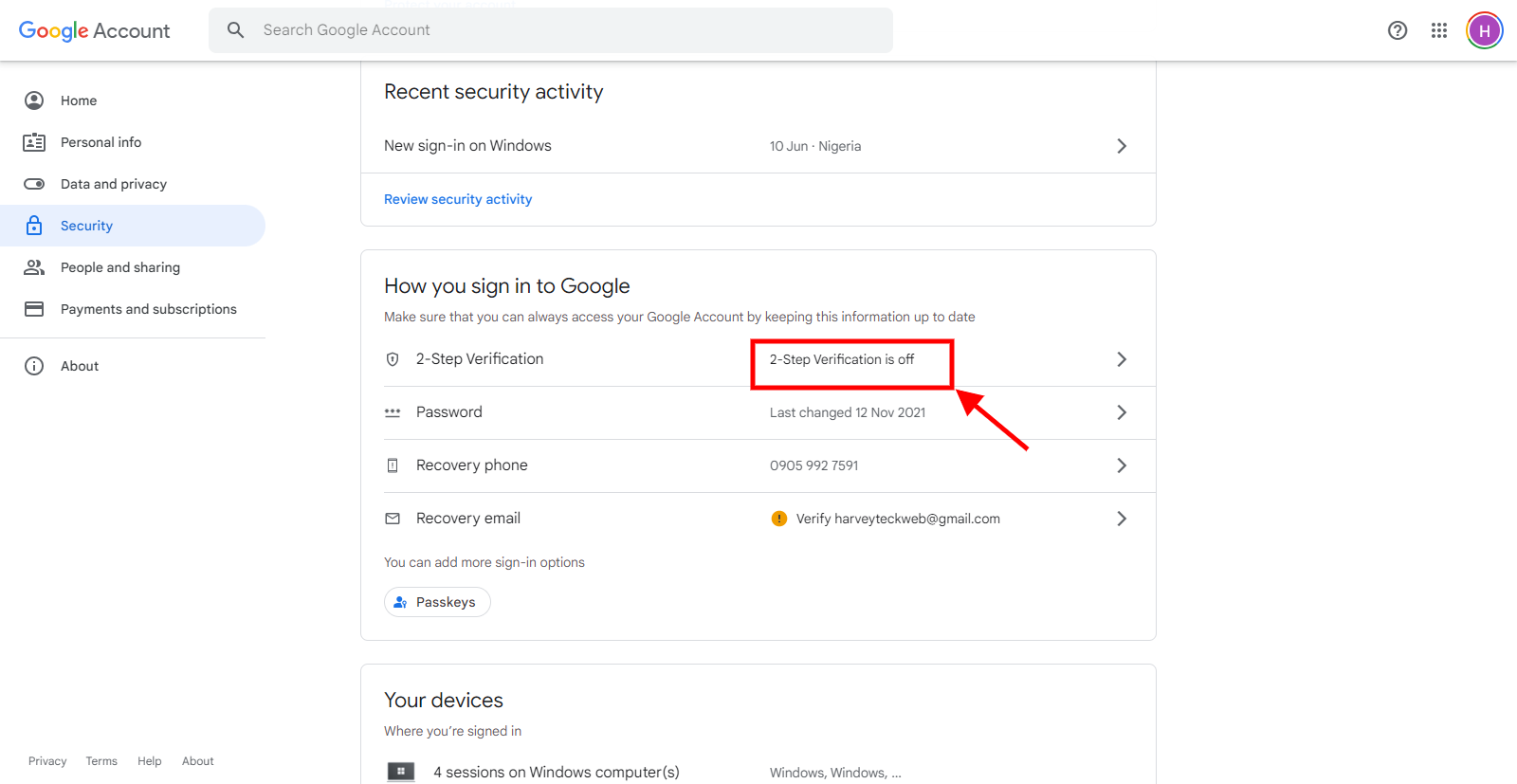
Then click on the Get started button
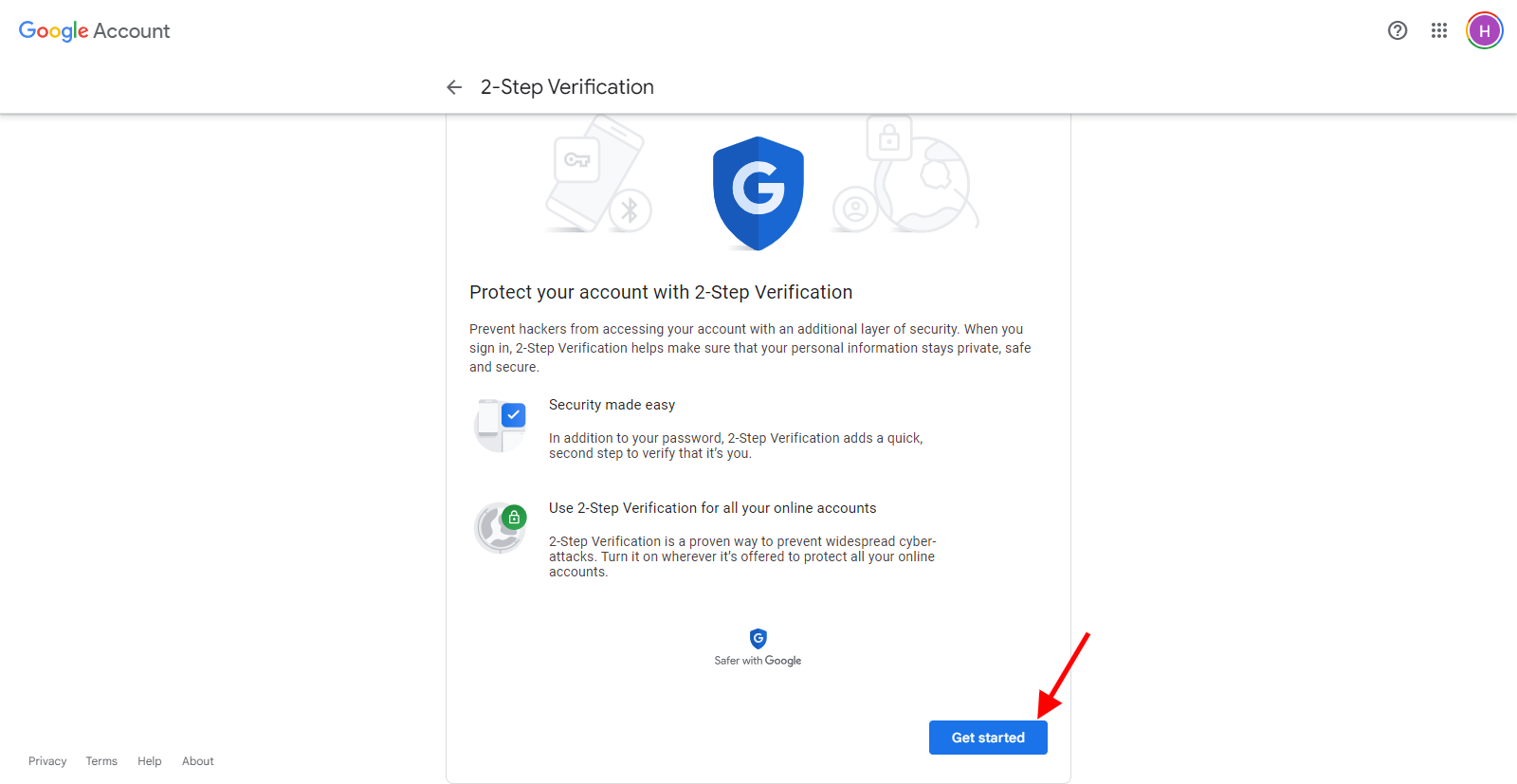
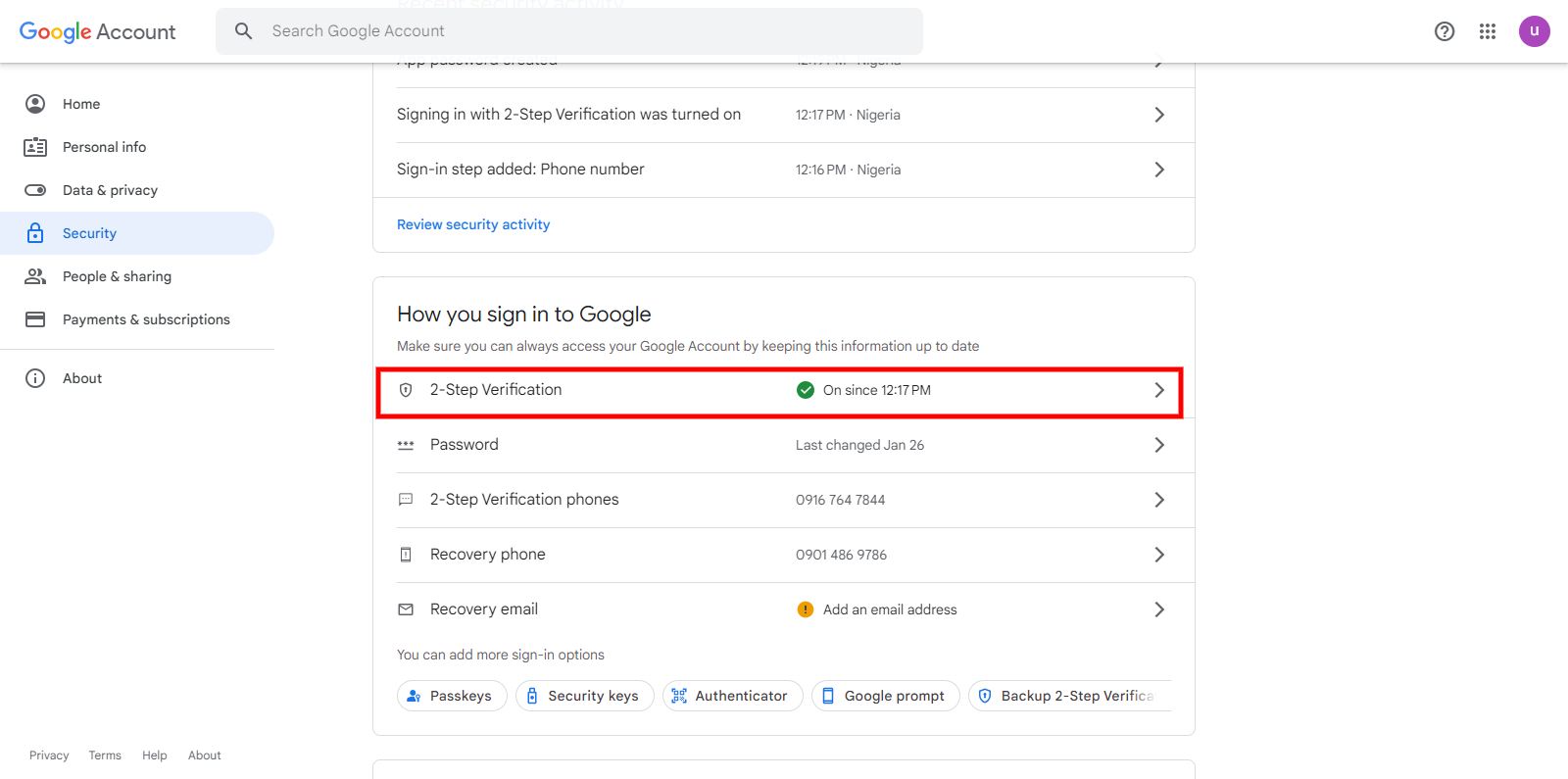
You will be redirected to the Gmail login form to enter your password
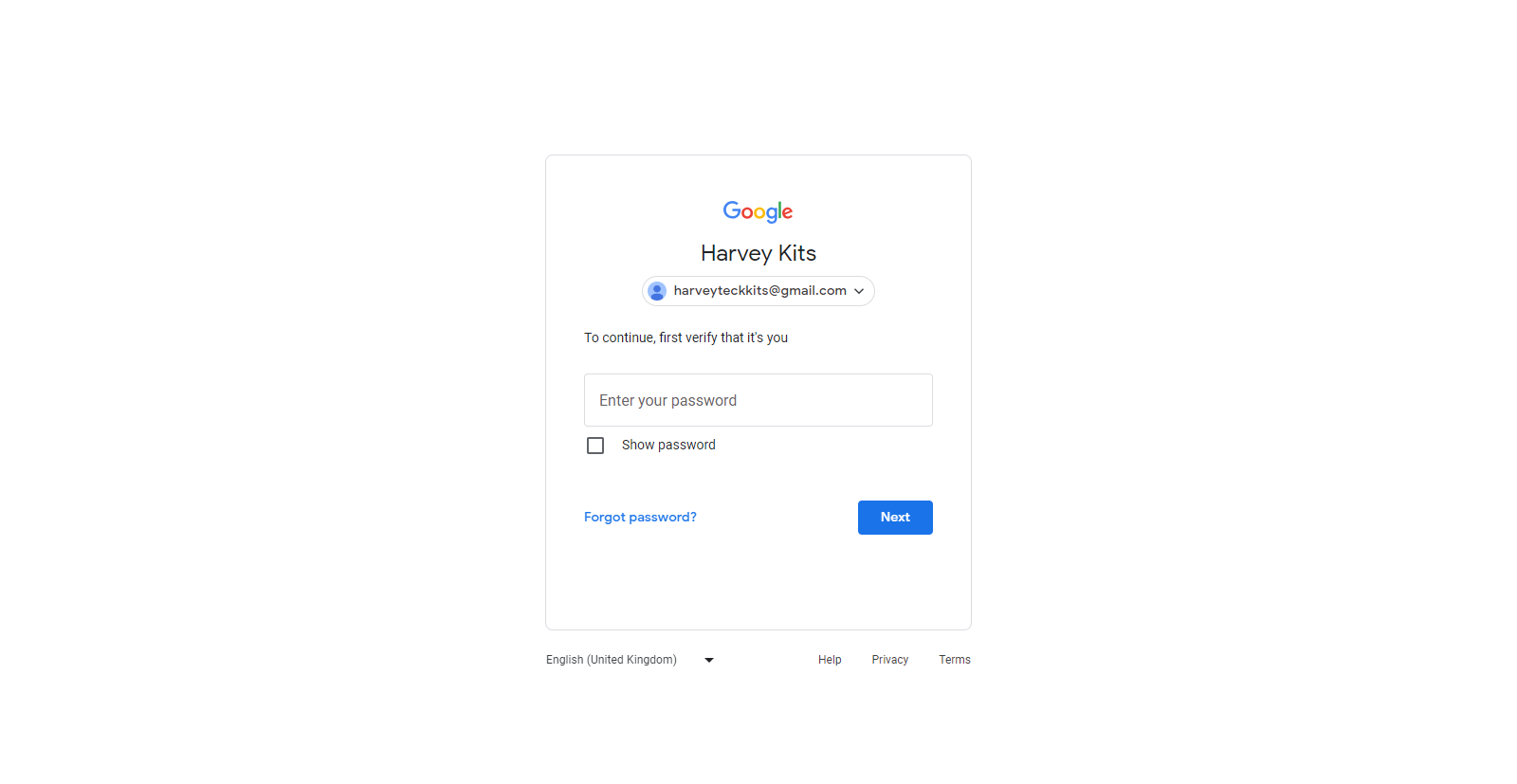
Enter your password and click on the next button
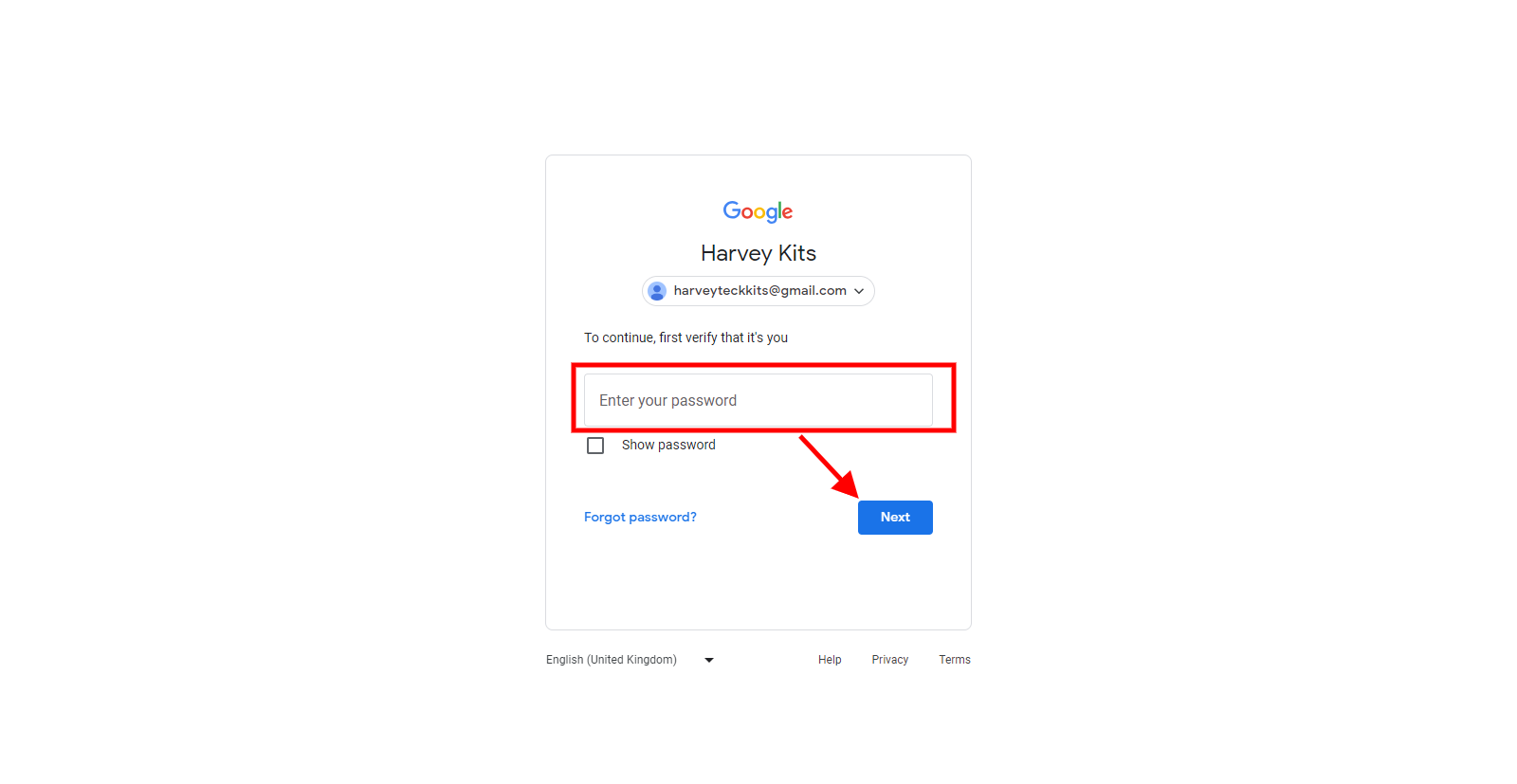
Enter your phone number to get verification for the authentication
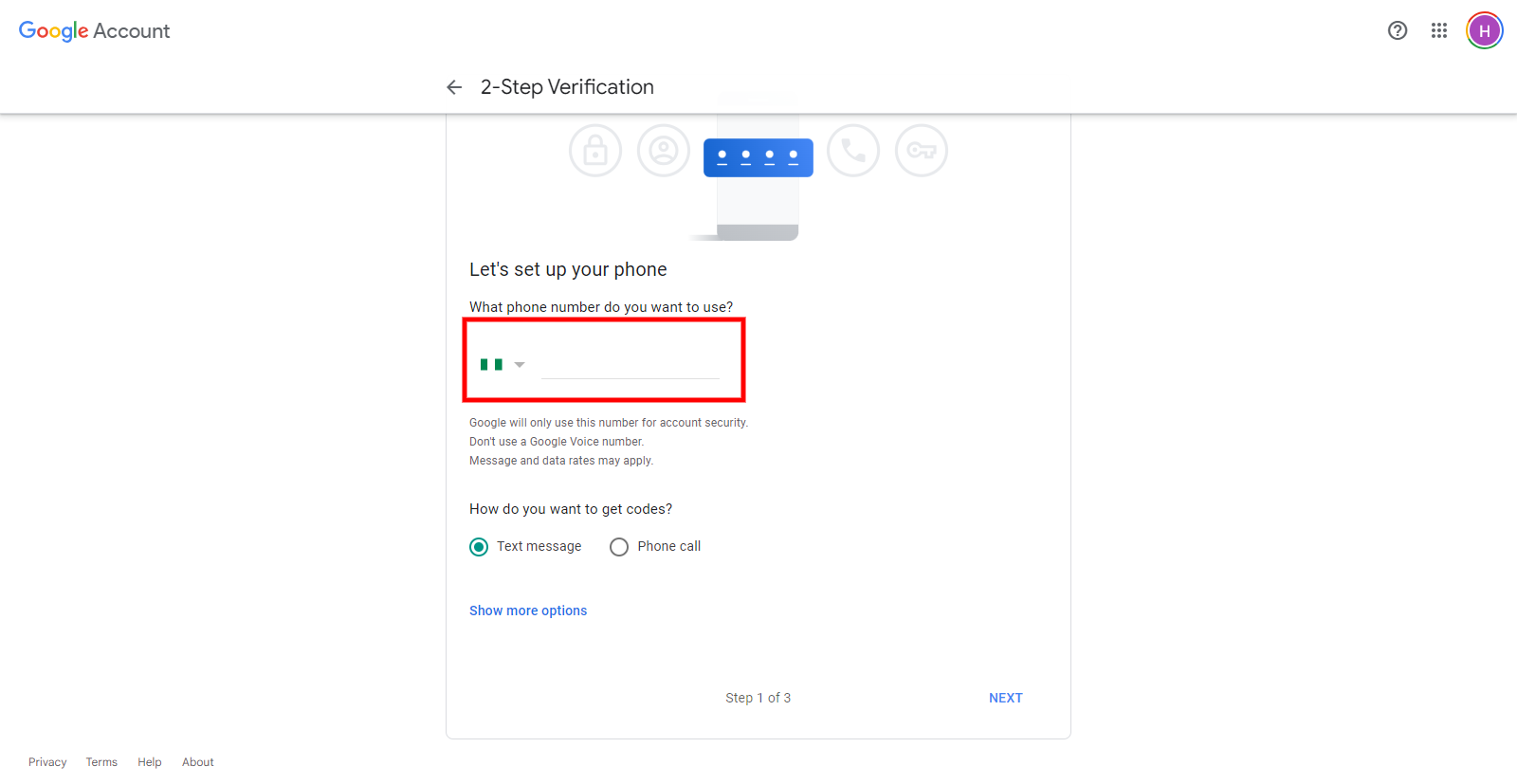
You will then enter the verification code and click next. You will see this when it is on
Step 5: Then click on it and scroll to the App password section
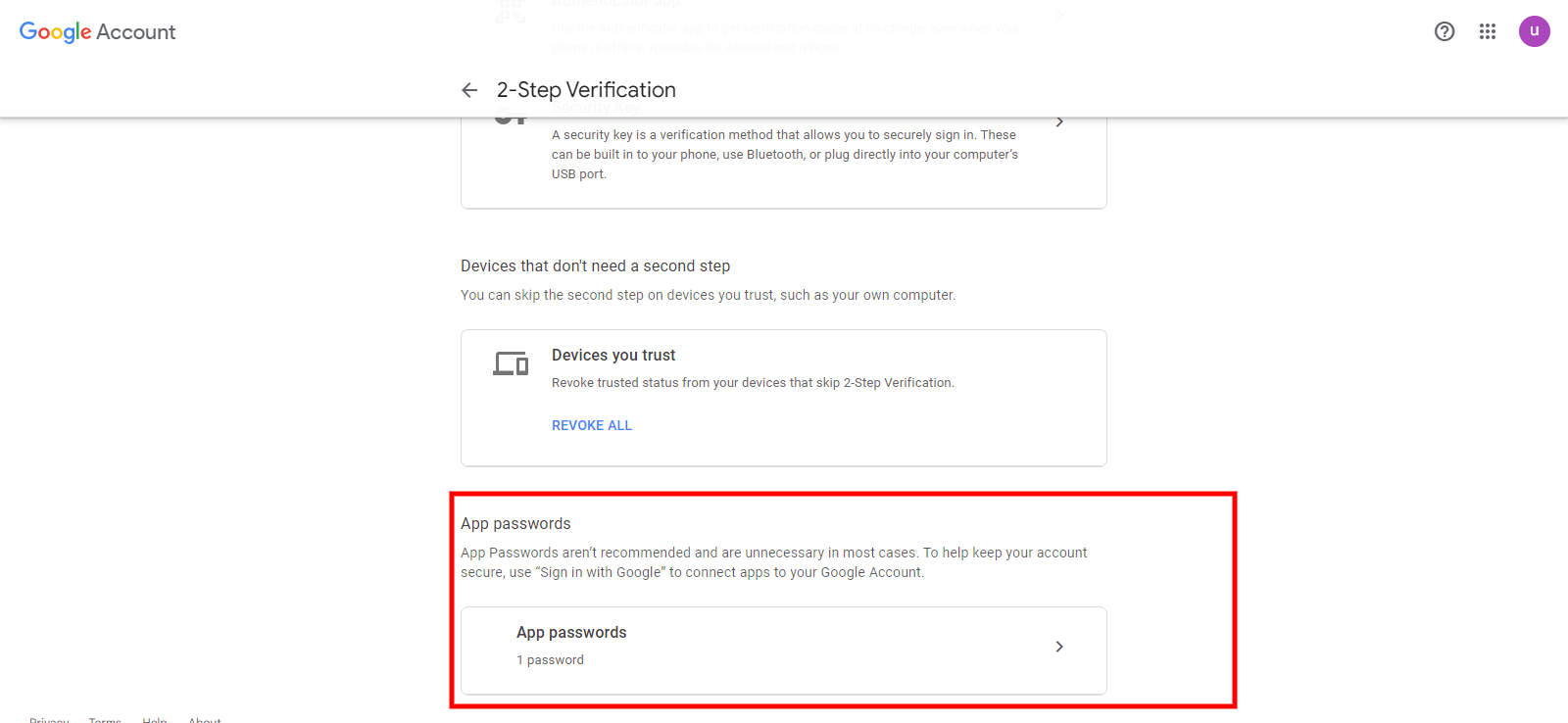
Now click on the app password tab
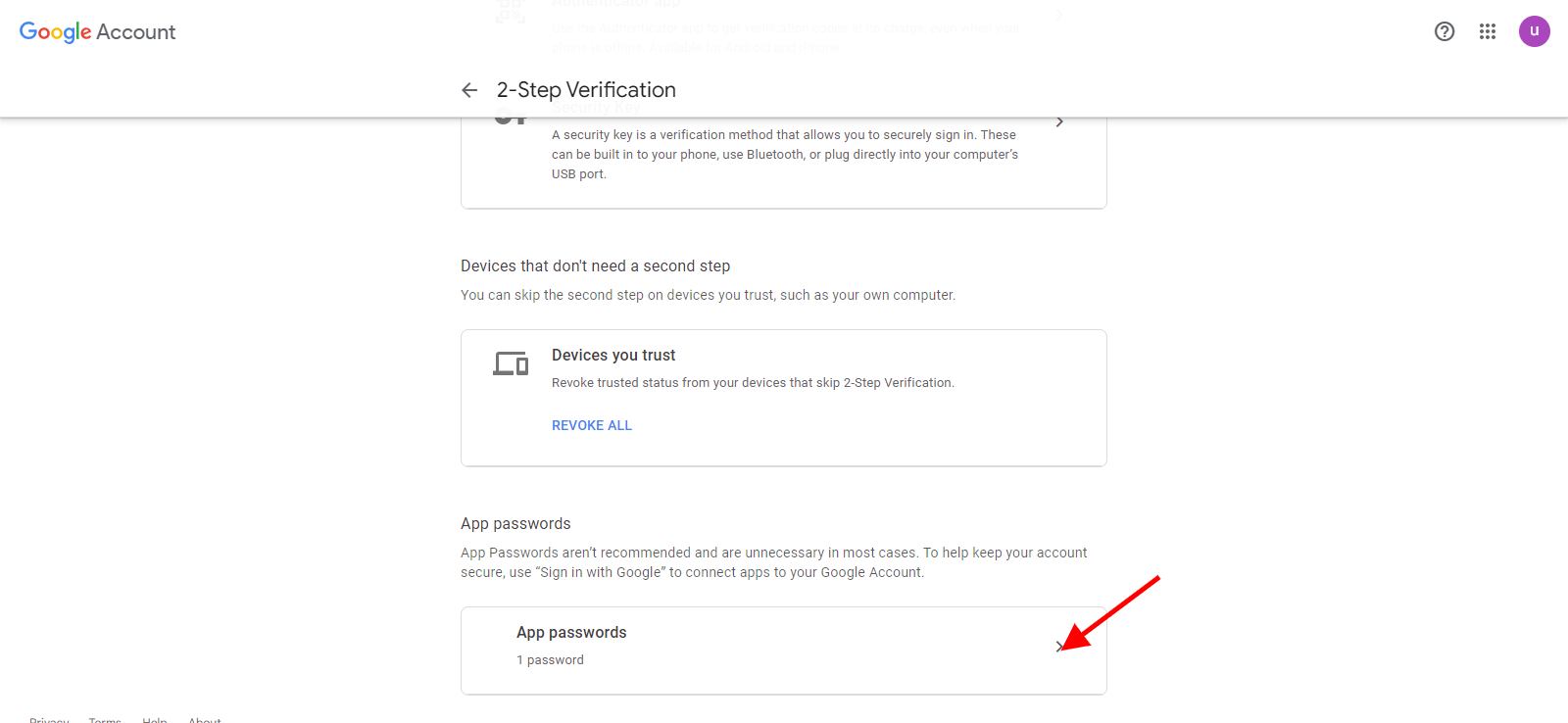
You will be taken to this page to generate the app password
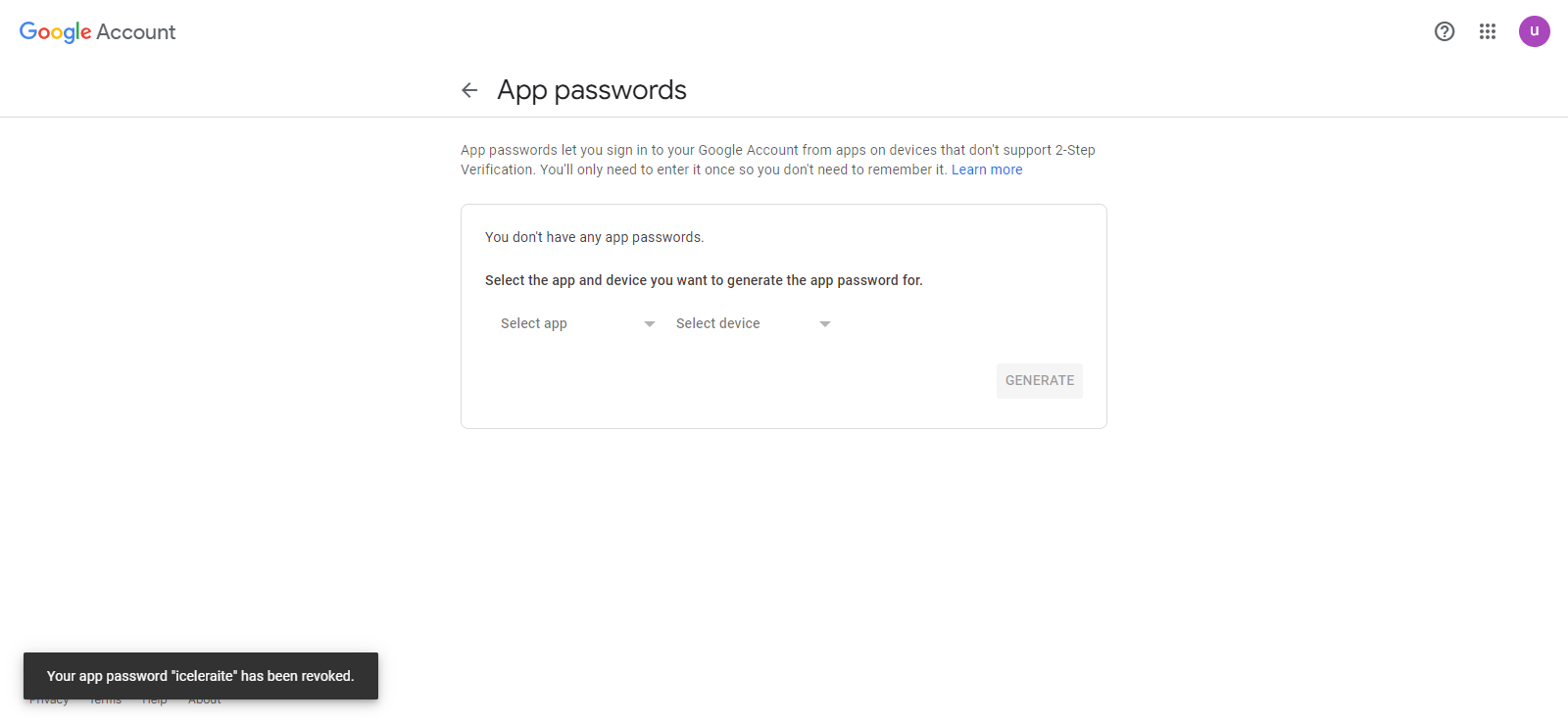
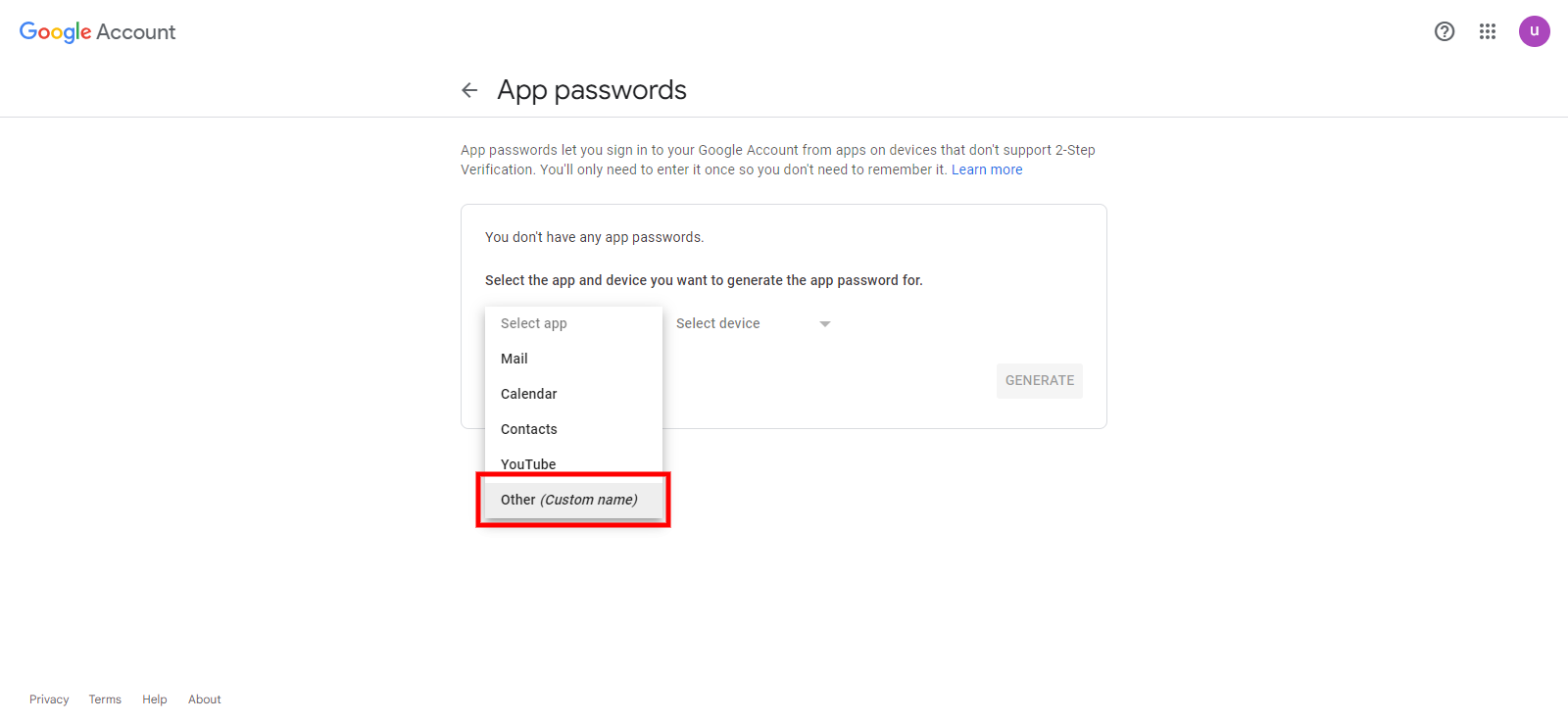
For the Select app field choose the “other(custom name)”
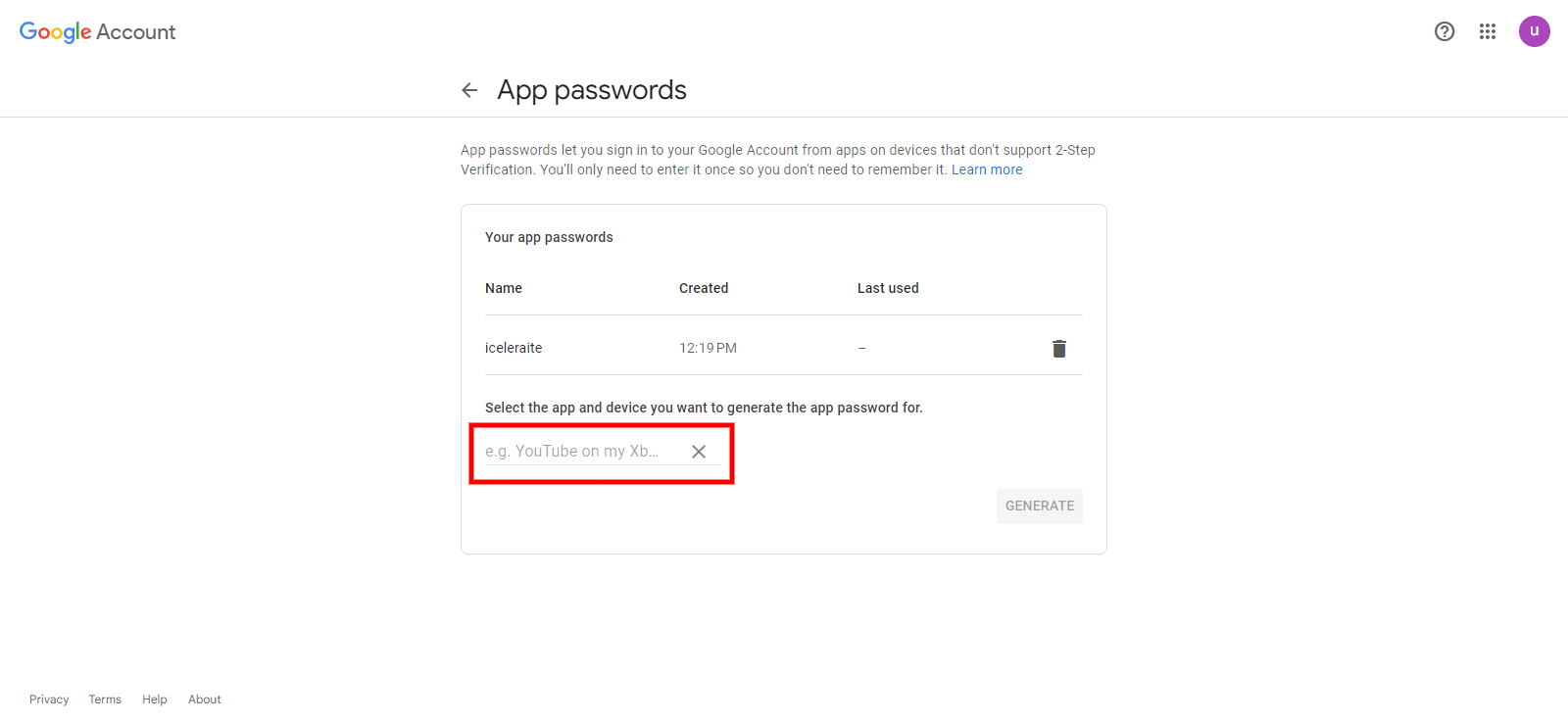
Enter a name for the app. You may use iceleraite as the app name
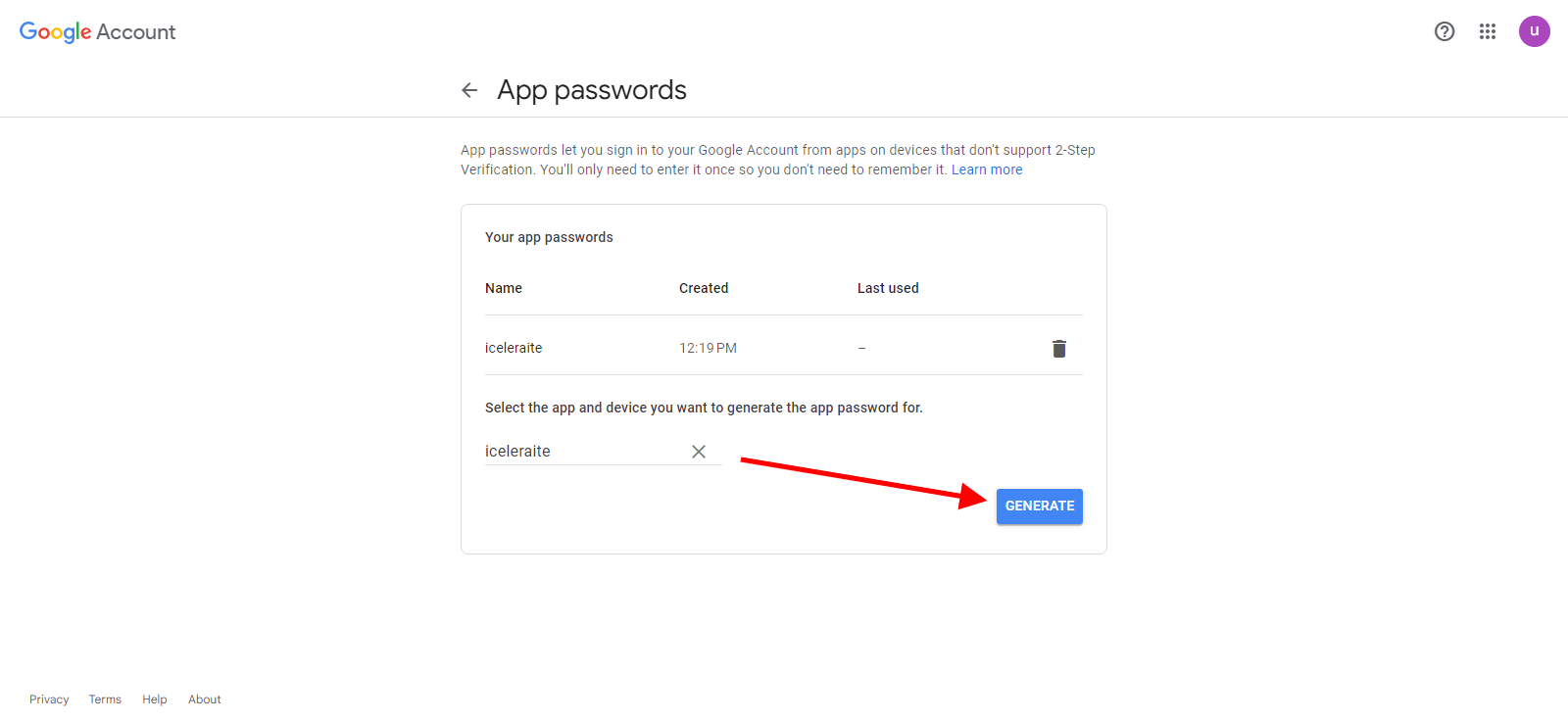
click on the generate button
Your app password will be generated
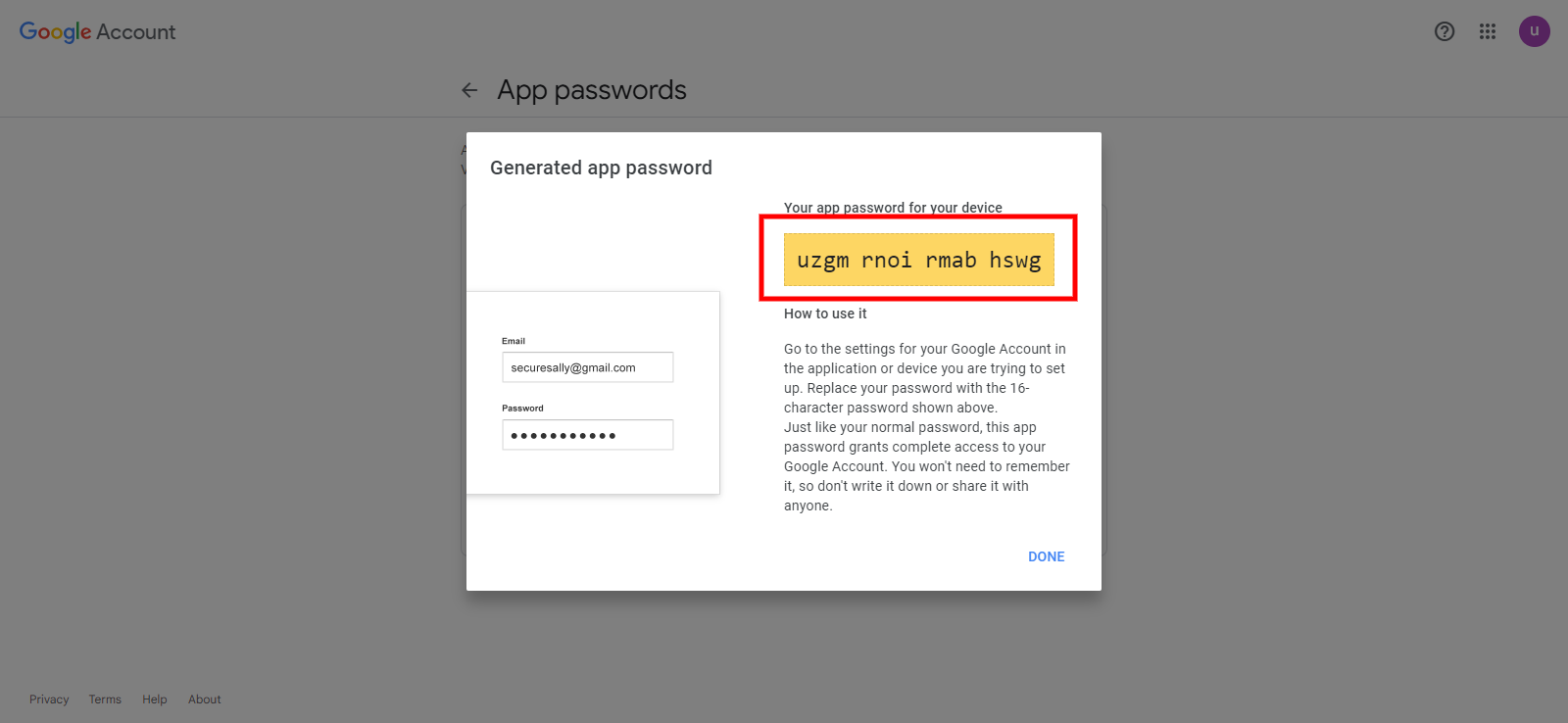
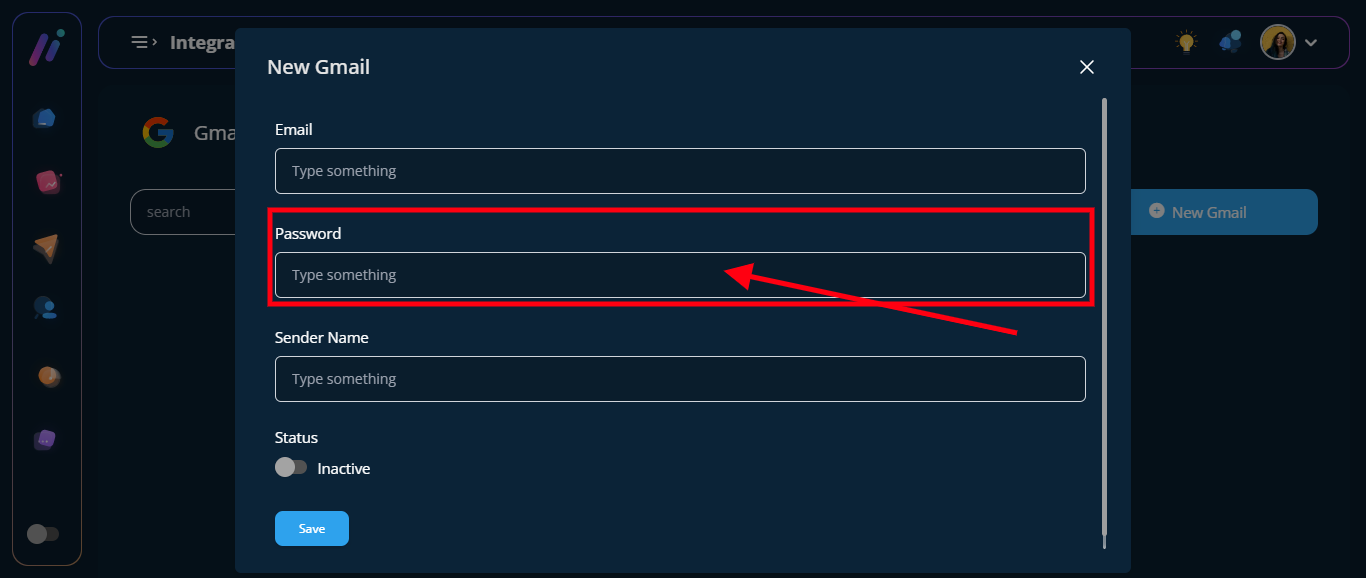
Copy the password and enter it into the password field in the Gmail integration
Step 6: Copy the app password and enter it into the password field in the Gmail integration