To assign sequence, go to the broadcast campaign page, then click on contact on the contact card.

You will be taken to contact book page with already saved contacts,click on the action button menu and a drop down will appear.
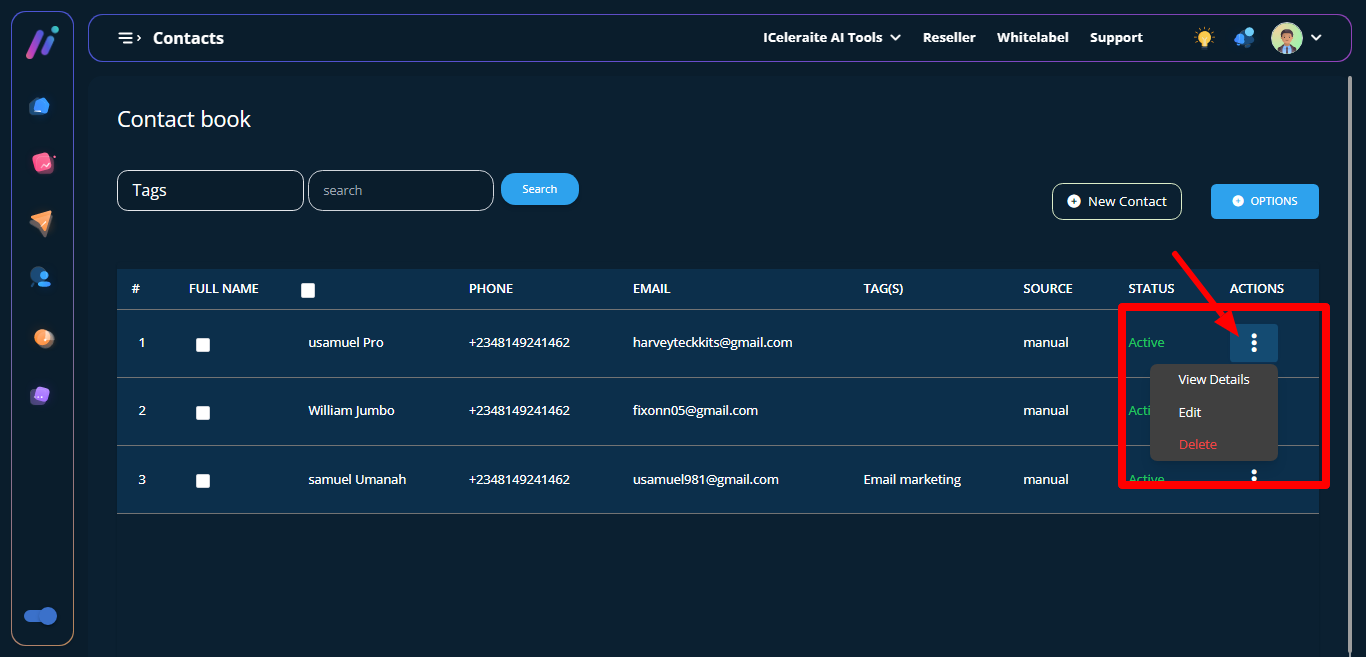
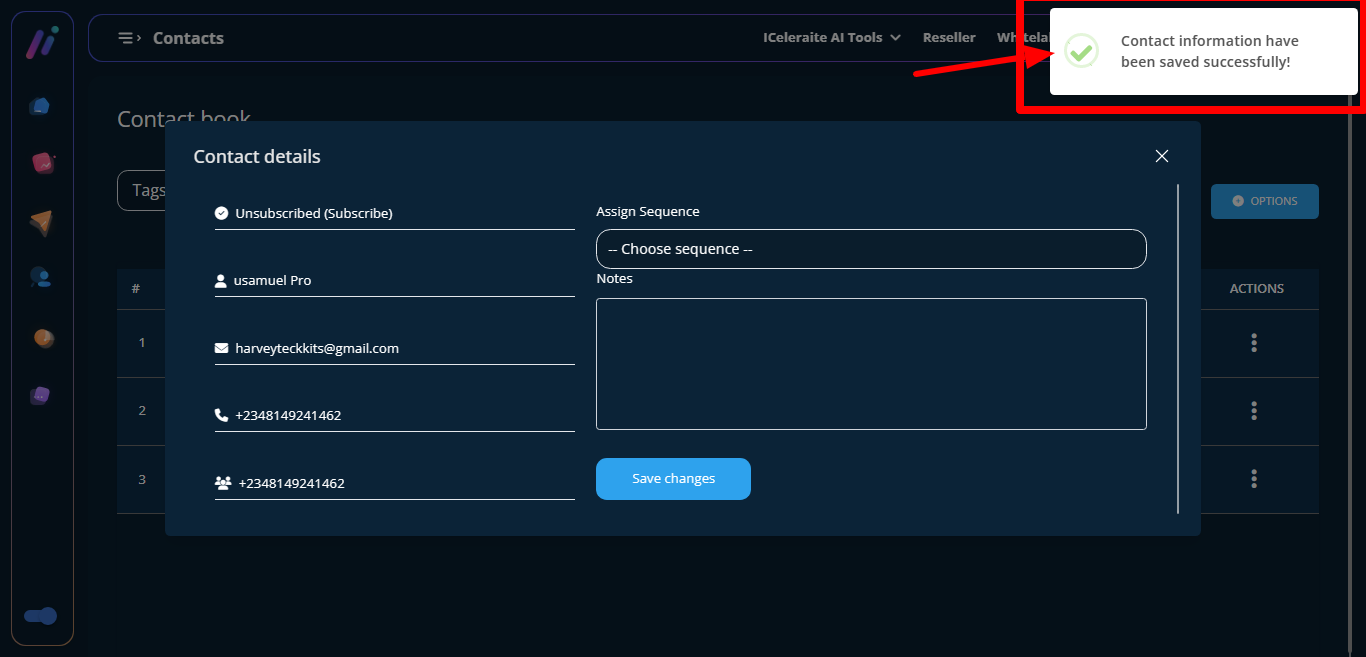
Click on view details a modal form titled contact details will appear.
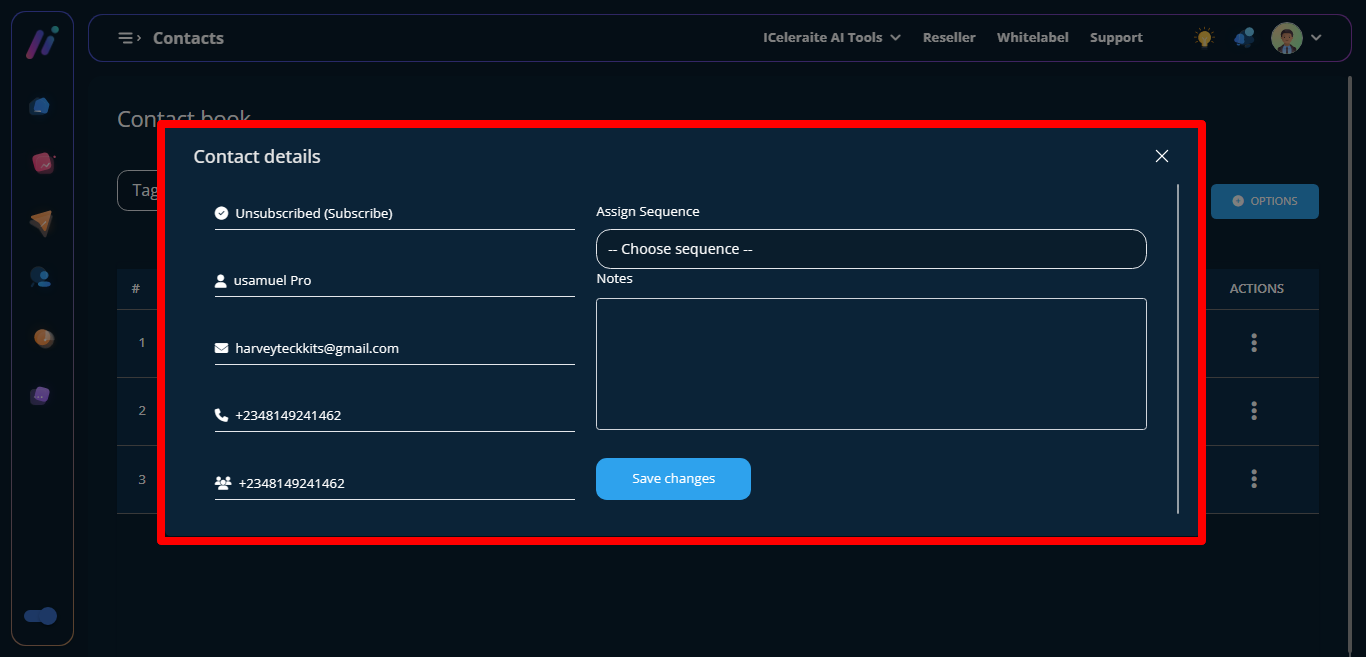
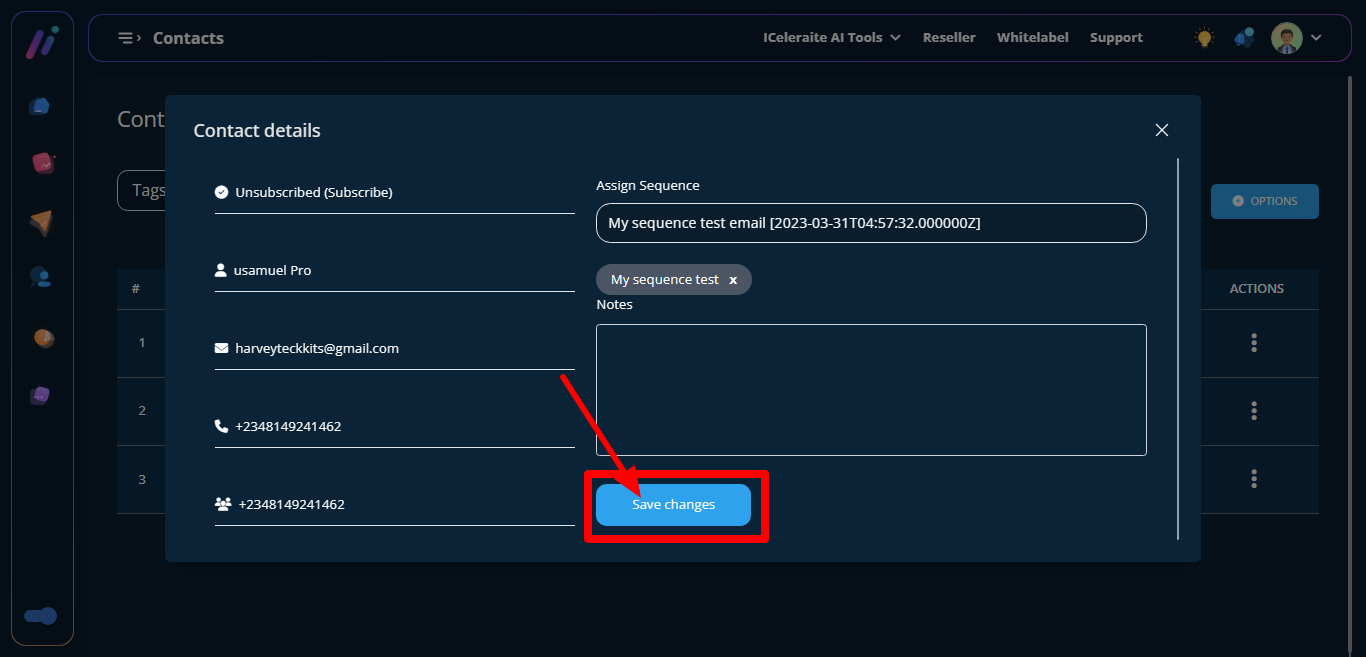
assign sequence by clicking on the choose sequence field ,a dropdown showing your already saved sequence will appear.

The selected sequence would be updated .

Next is the note section, write a note

Click on the save change button next.
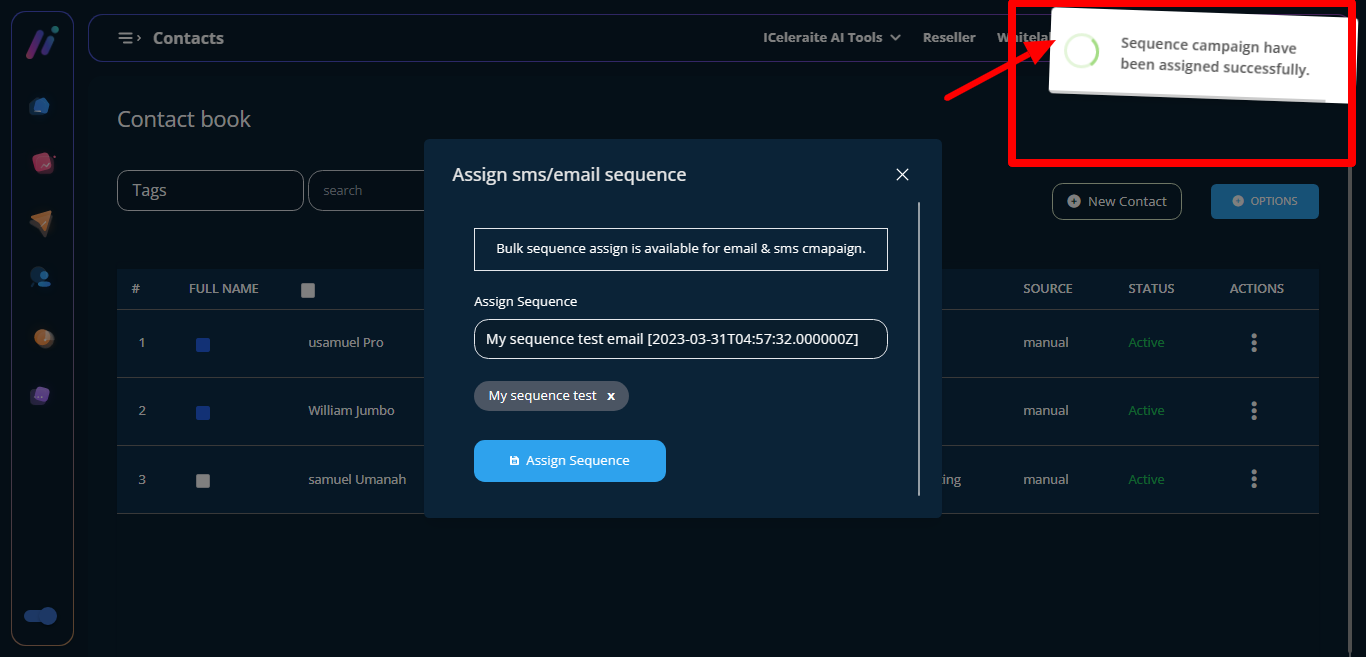
Sequence assigned successfully.
How To Assign Multiple Sequence
go to the broadcast campaign page, then click on contact on the contact card.
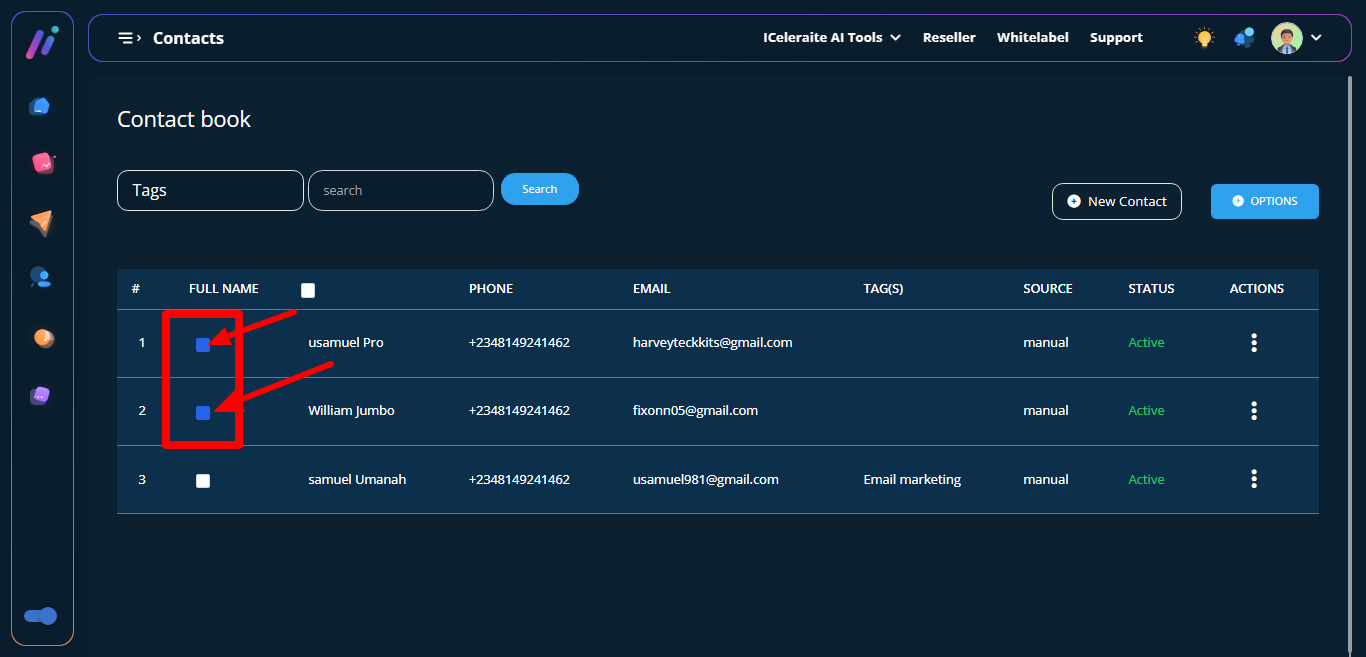
Contact book page would open up showing you options like tags, new contact, options and table carrying records of your already saved contacts.

Click as many contacts by clicking on the box
Click on the option button and a dropdown will appear then click on assign sequence. A
modal form titled assign sms and email sequence will appear

Assign sequence by clicking the choose sequence
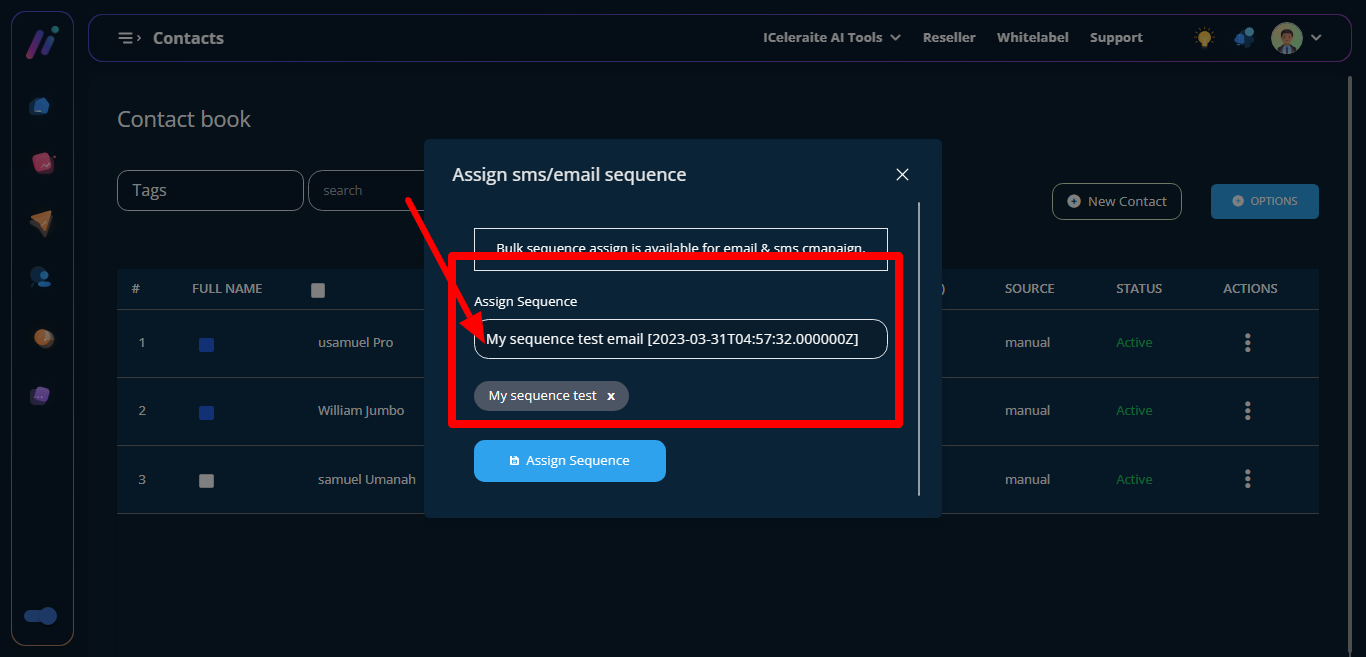
click on the assign sequence button.

Success message follows