
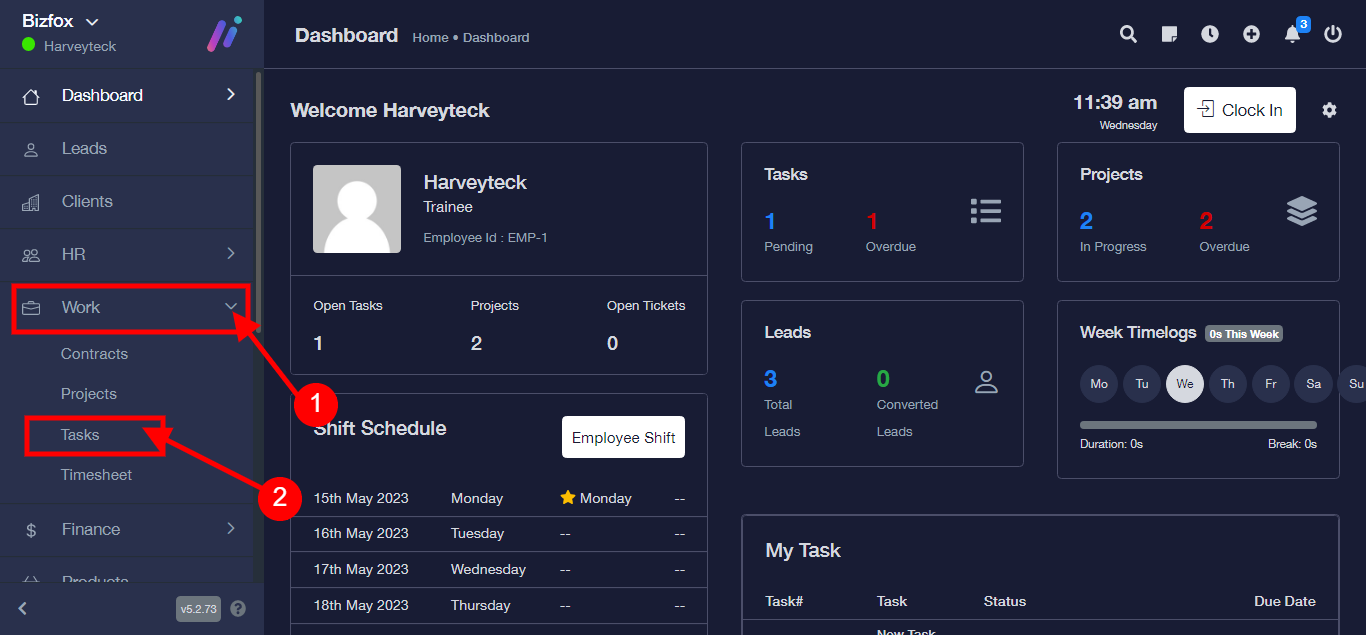
Step 1: After you’ve logged into your Business manager account, it leads you to the dashboard and there you get to see the left nav-bar and a table. On the left-nav bar click on “WORK” dropdown, It takes you to “Task” Click “Task”
Step 2:
- Select an already existing task
- Click “toggle” button
- Select “Edit”

Step 3: After you’ve made all necessary edits, click on the save button.
