
STEP 1: Log into your Bizfox account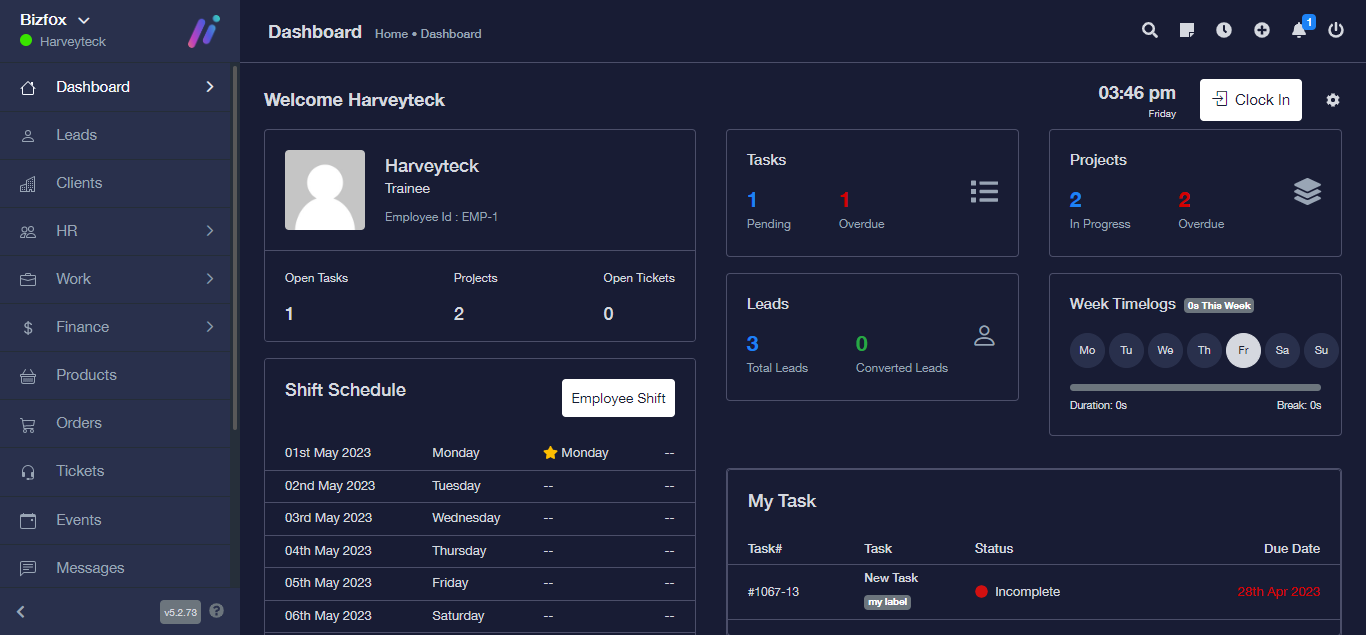
STEP 2: At the right side of your dashboard, click on “Leads”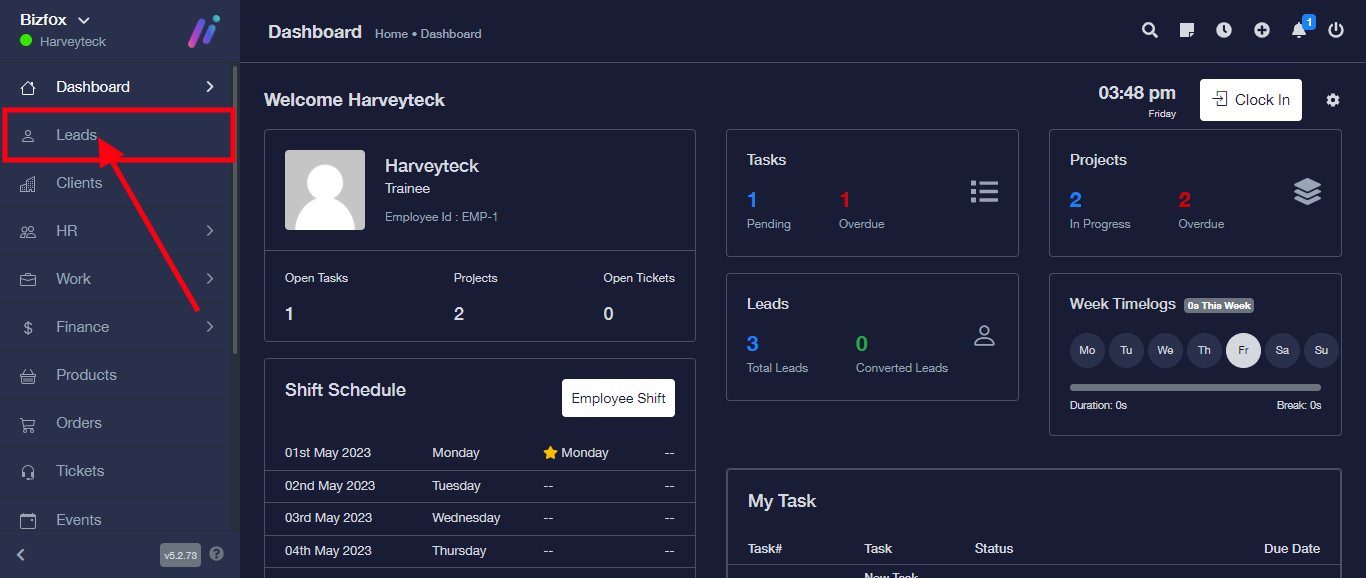
STEP 3: From the top menu, click on “Import”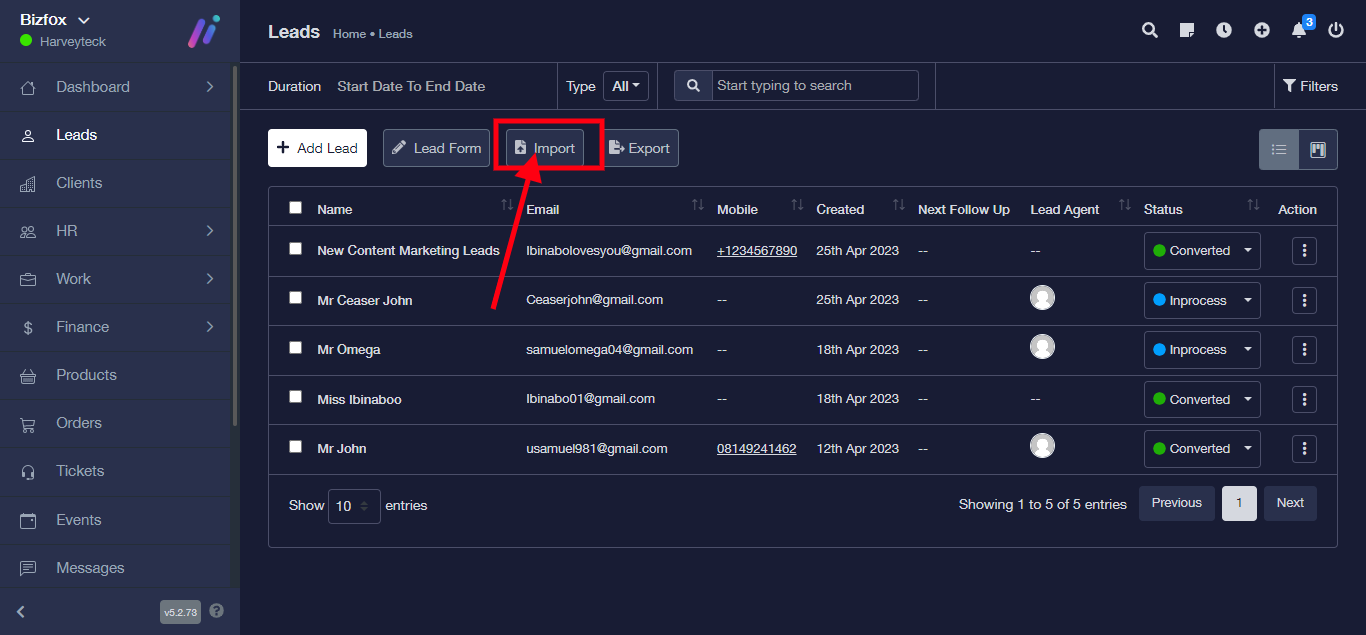
STEP 4: Choose the file to be imported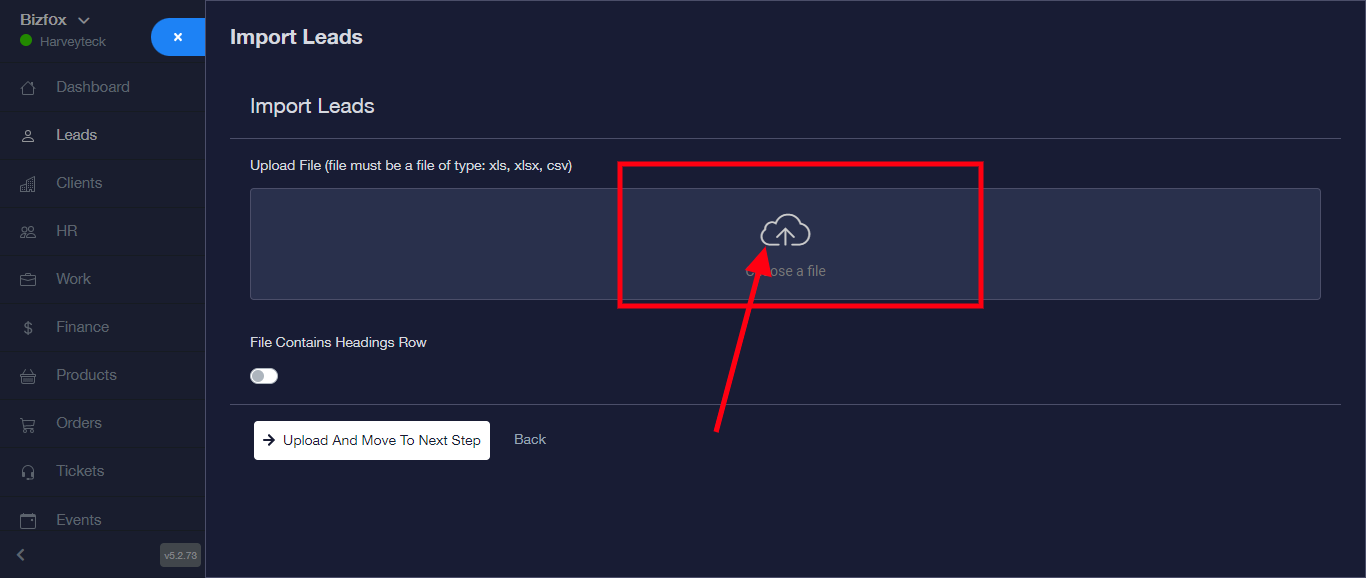
STEP 5: Click on the upload button 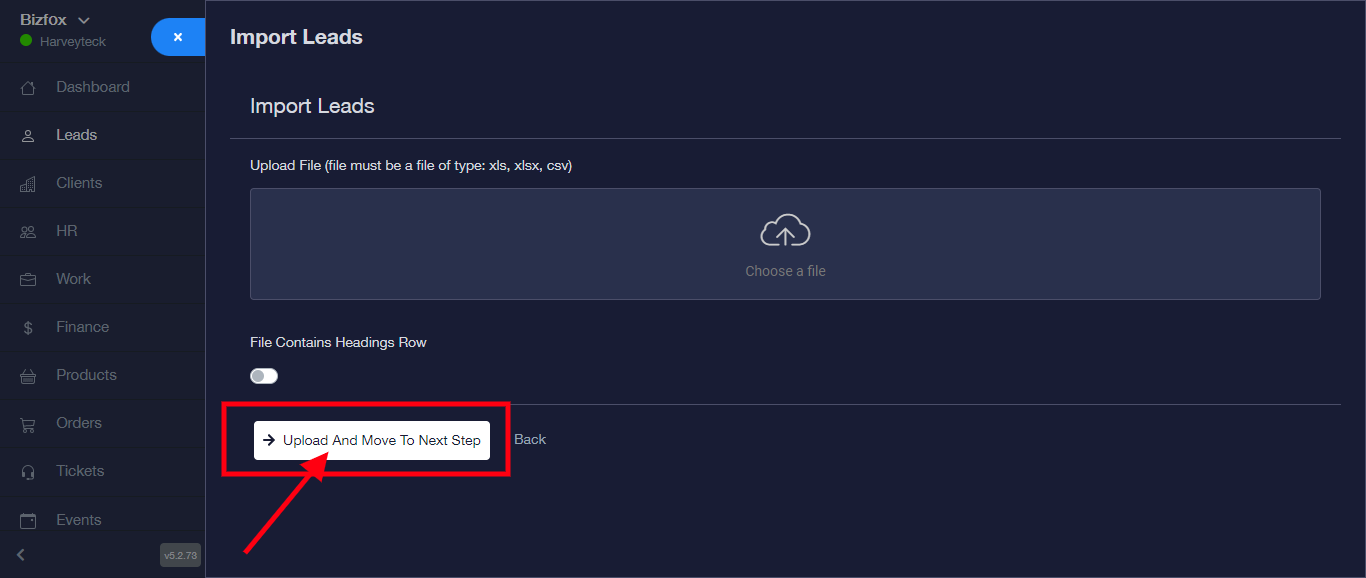
Your Leads has been imported successfully