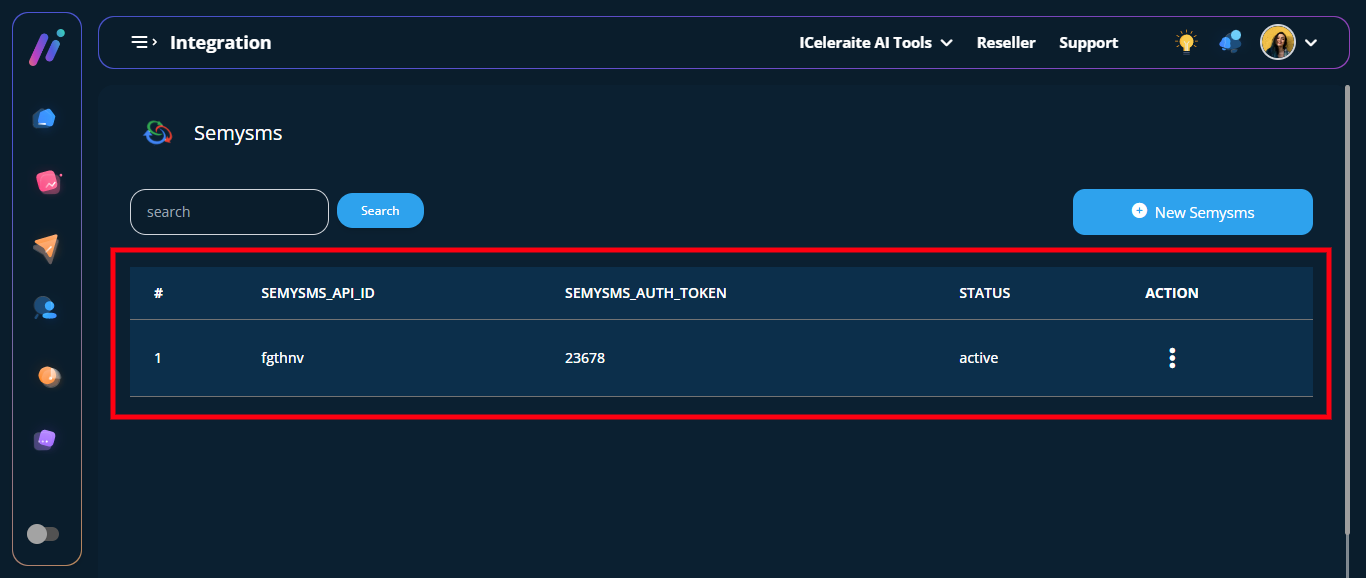
STEP 1: Log in to your iceleraite account.
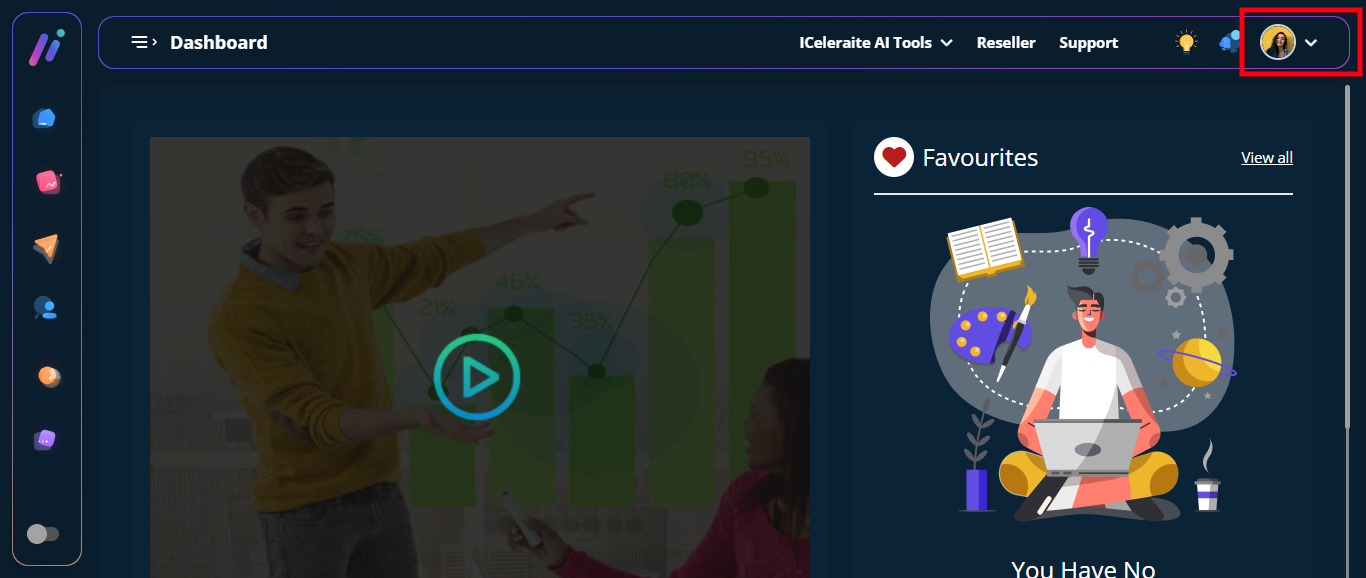
STEP 2: Click on the “Icon” at the top of your dashboard
STEP 3: Click on “Integration” from the drop-down options.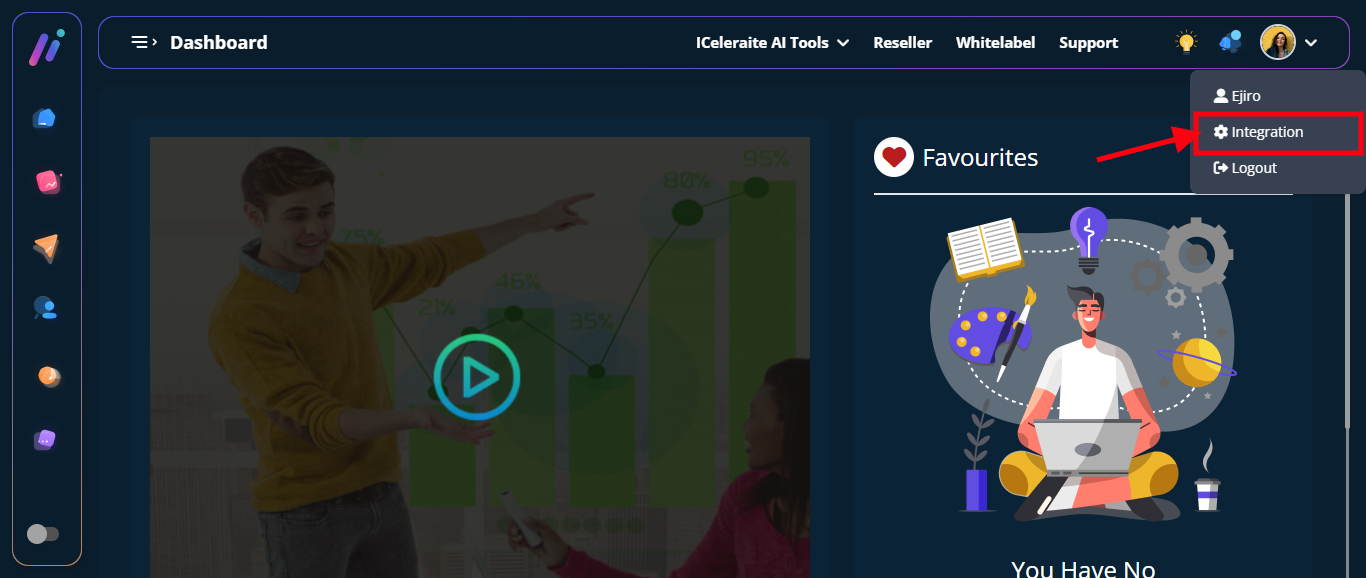
STEP 4: Click on “View Integration”
STEP 5: Click on the “New Semysms” option
STEP 6: From the option below, enter the New Semysms information needed, as shown below.
==> Auth Token: in the “Auth Token ” field enter your Auth Token.
==> API ID: in the “API ID ” field enter your API ID.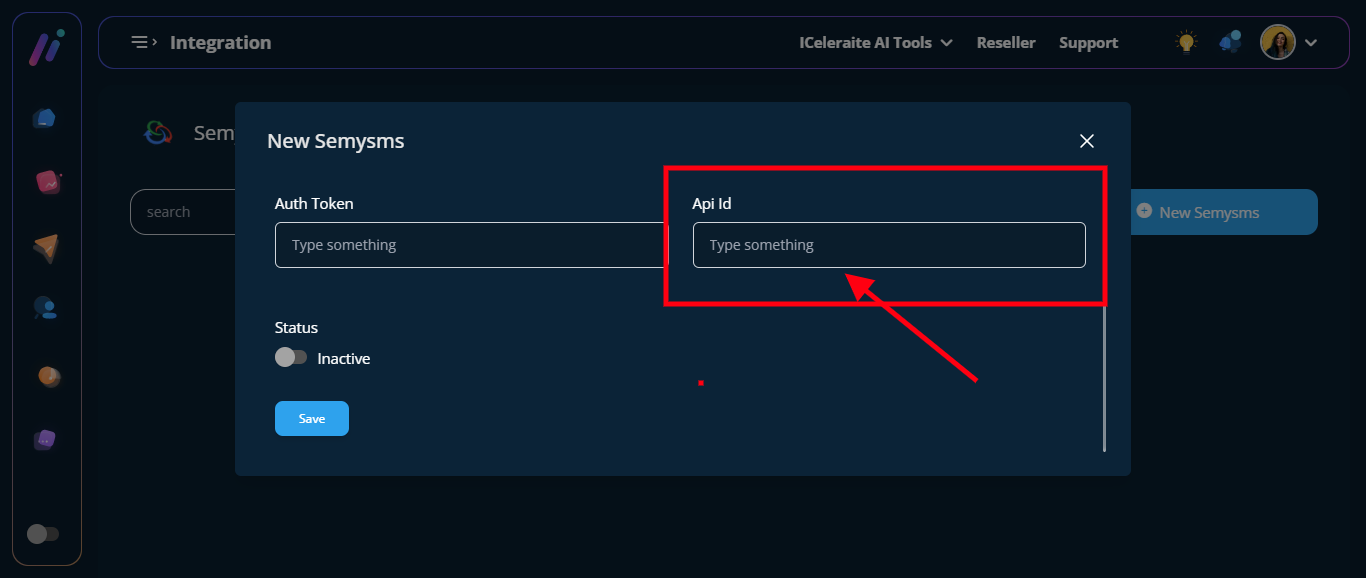
==> Turn on the “Status Toggle Button”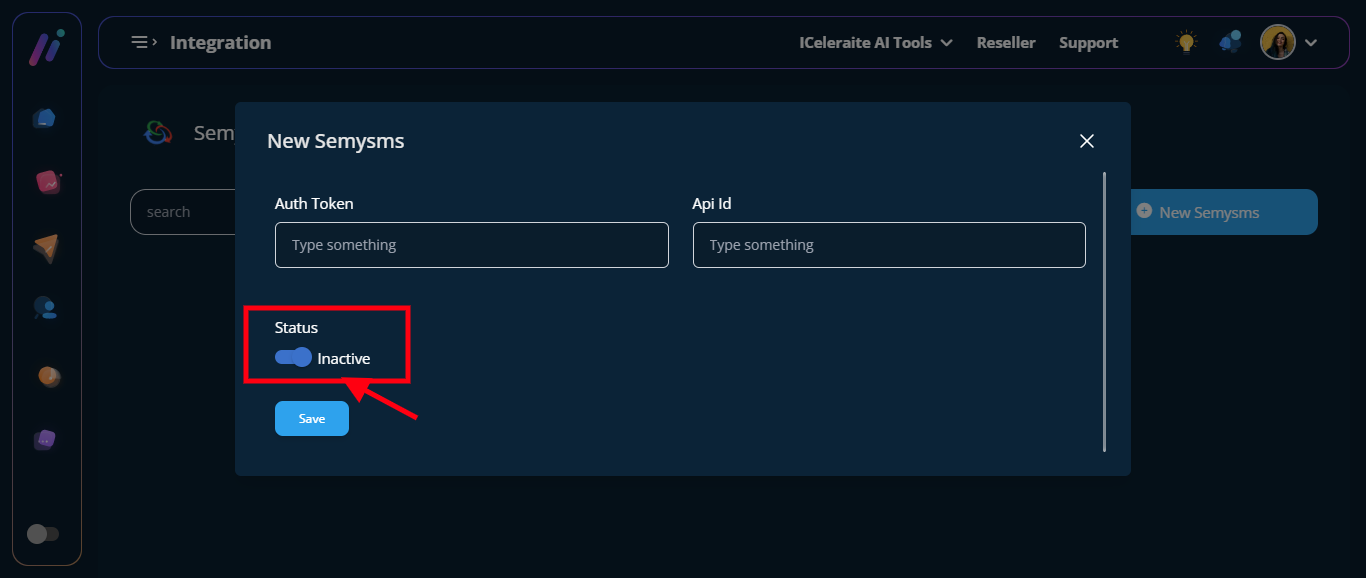
STEP 7: Click the “Blue Save Button”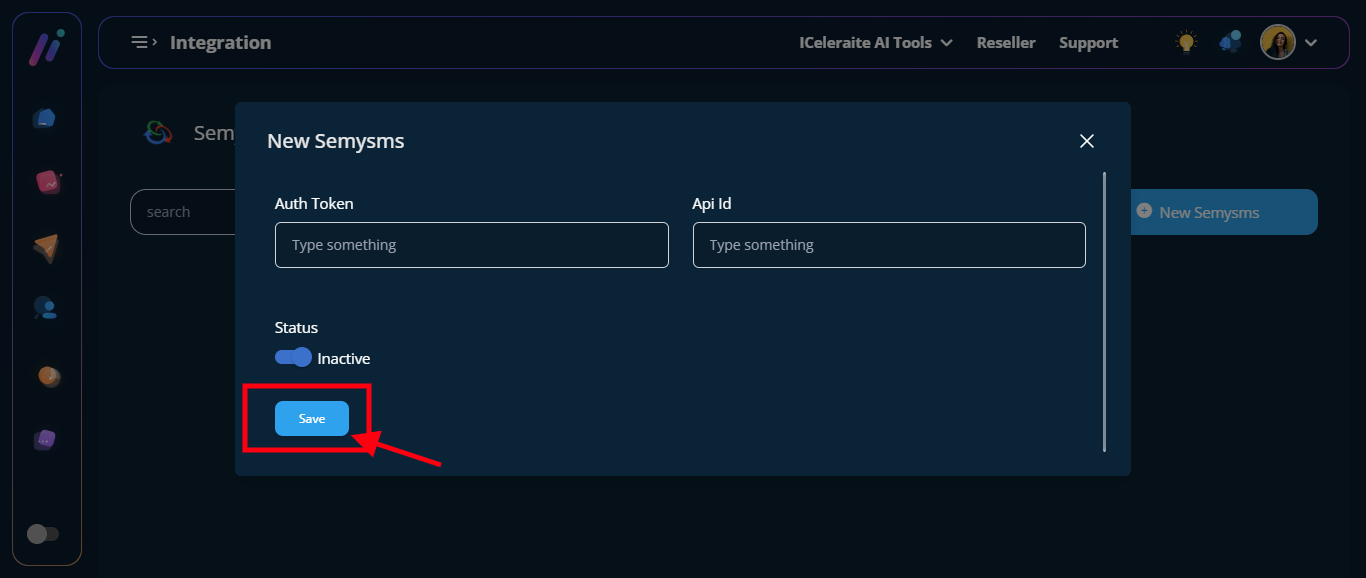
STEP 8: Configuration was saved successfully
View Semysms