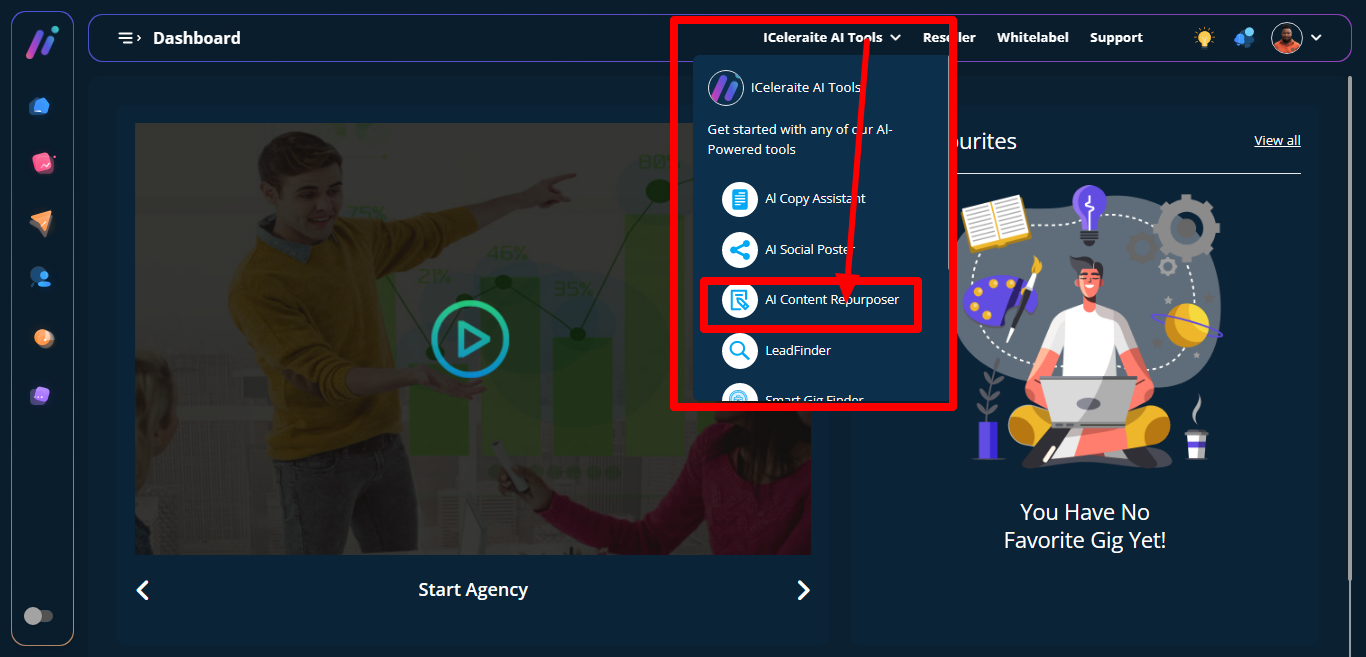
STEP 1: The AI content repurposer is used to generate or rewrite contents, you can access it from the top section. When you click on the iceleriate AI Tools a dropdown will appear showing different AI options. Click on AI content repurposer.
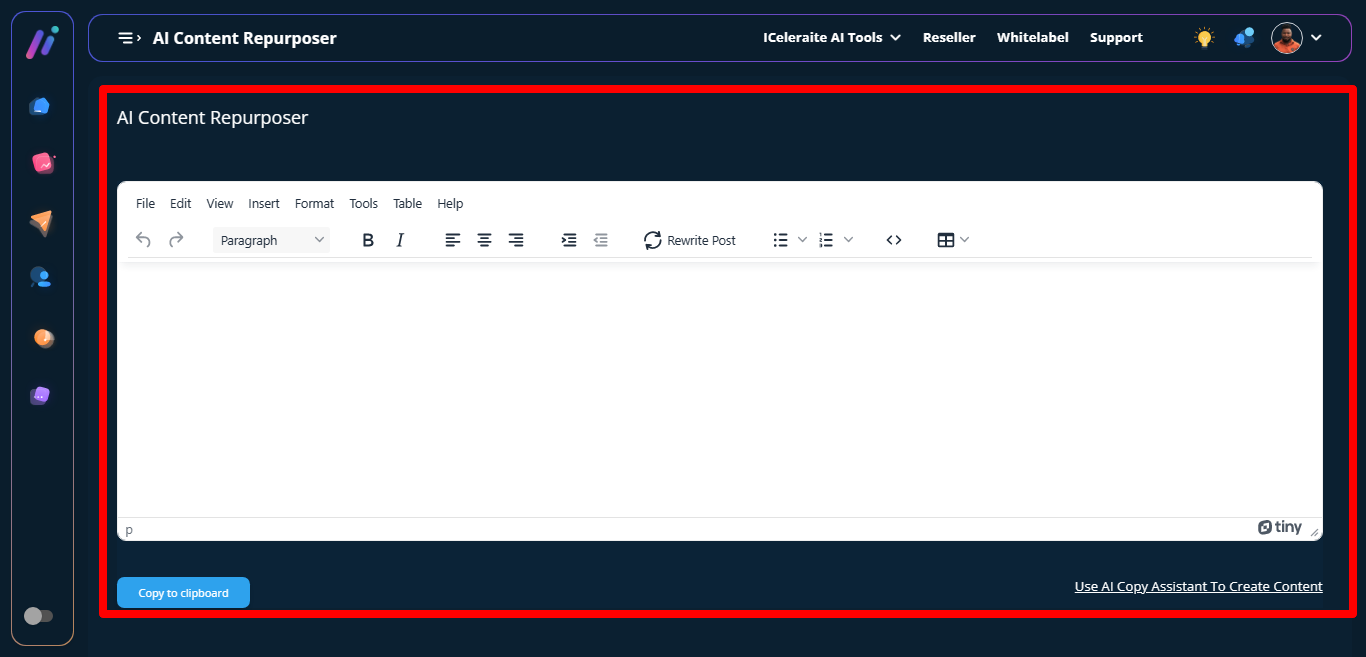
STEP 2: Then the AI Content Repurposer page will appear, you can either paste an already written content then click on rewrite post to restructure the content or click on “use AI copy assistant to create content” to create content.
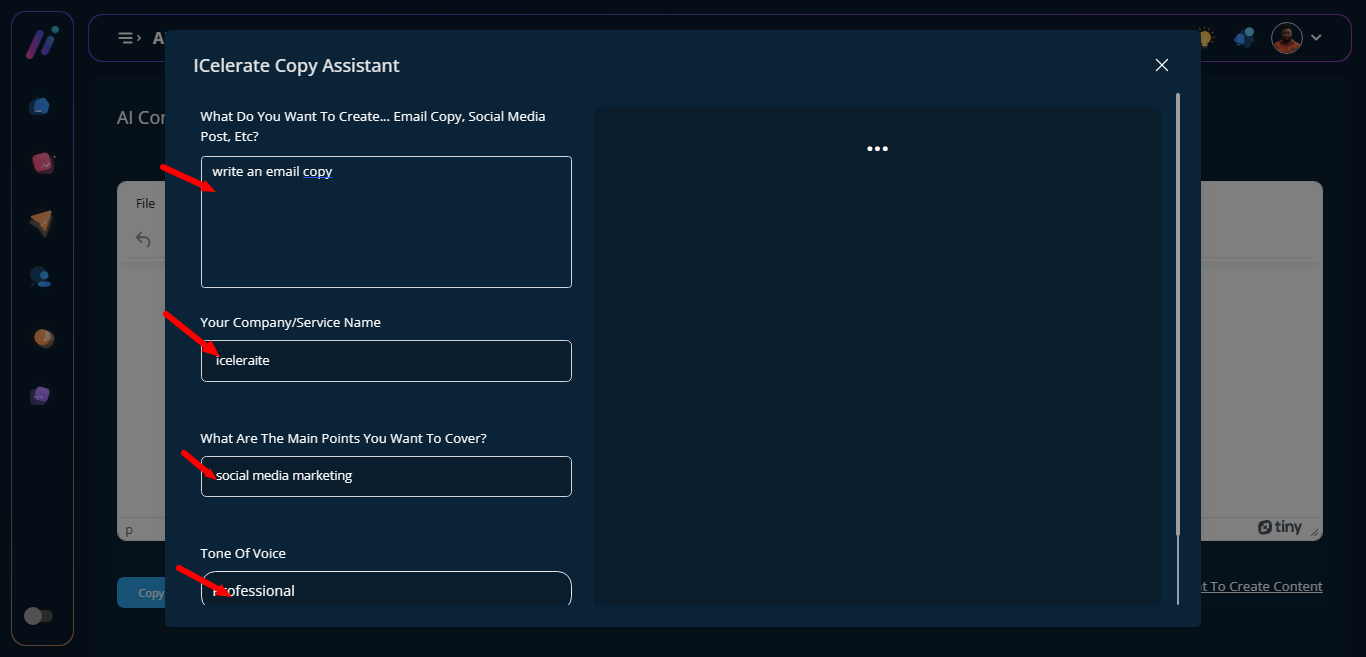
STEP 3: When you click on use AI content to create content it directs you to another page with empty modal form .
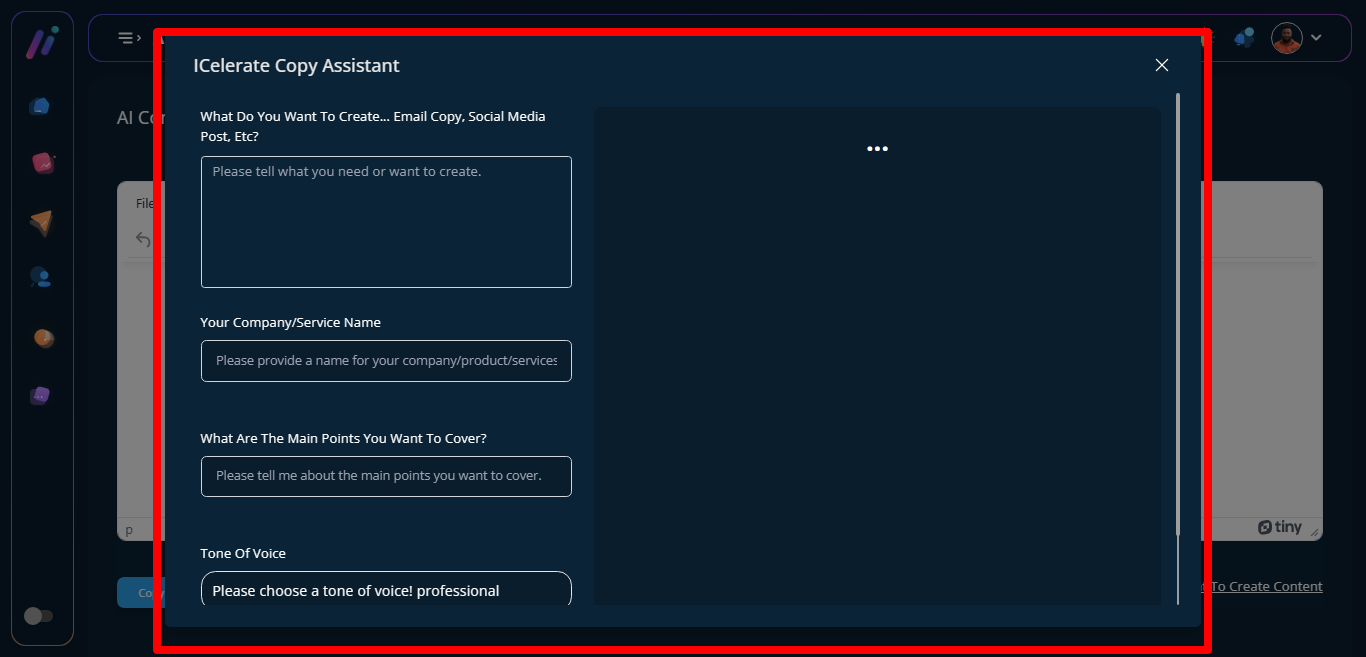
STEP 4: Add details that will help in creating the content.
STEP 5: Click on the create content button to help generate content, you can either broadcast, share, copy, save and delete the already generated content.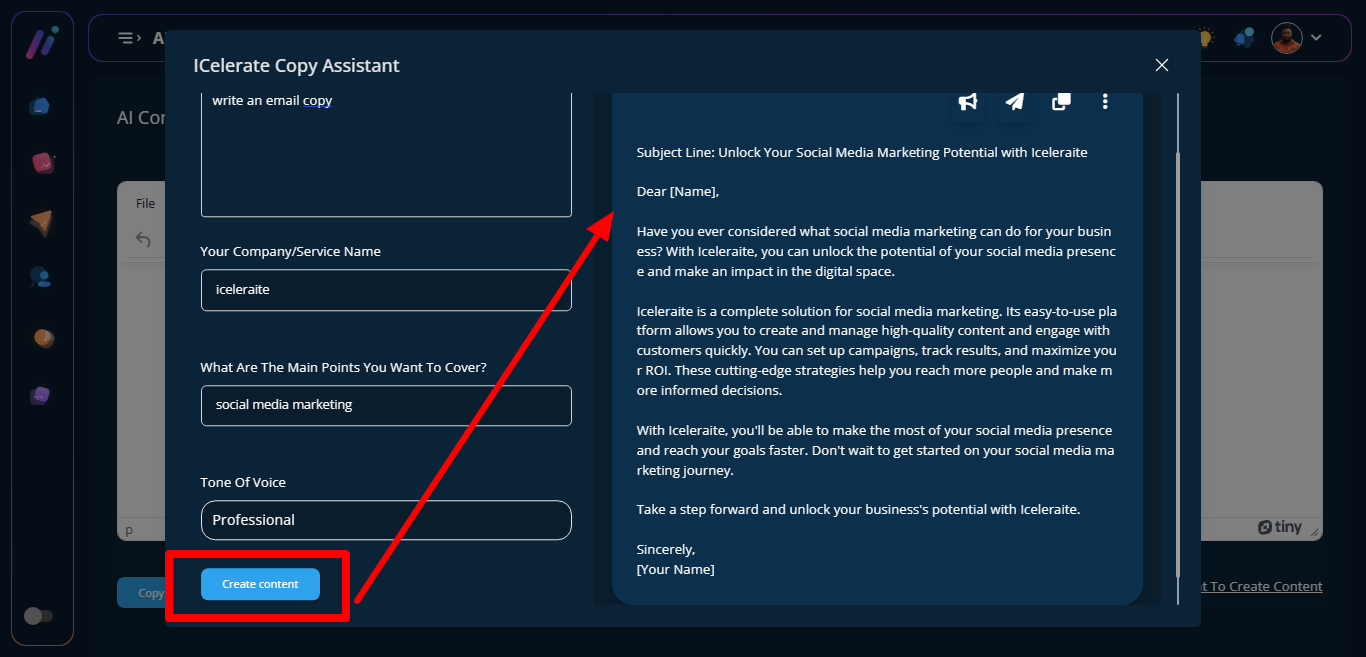
STEP 6: Click on the copy icon to copy content to the 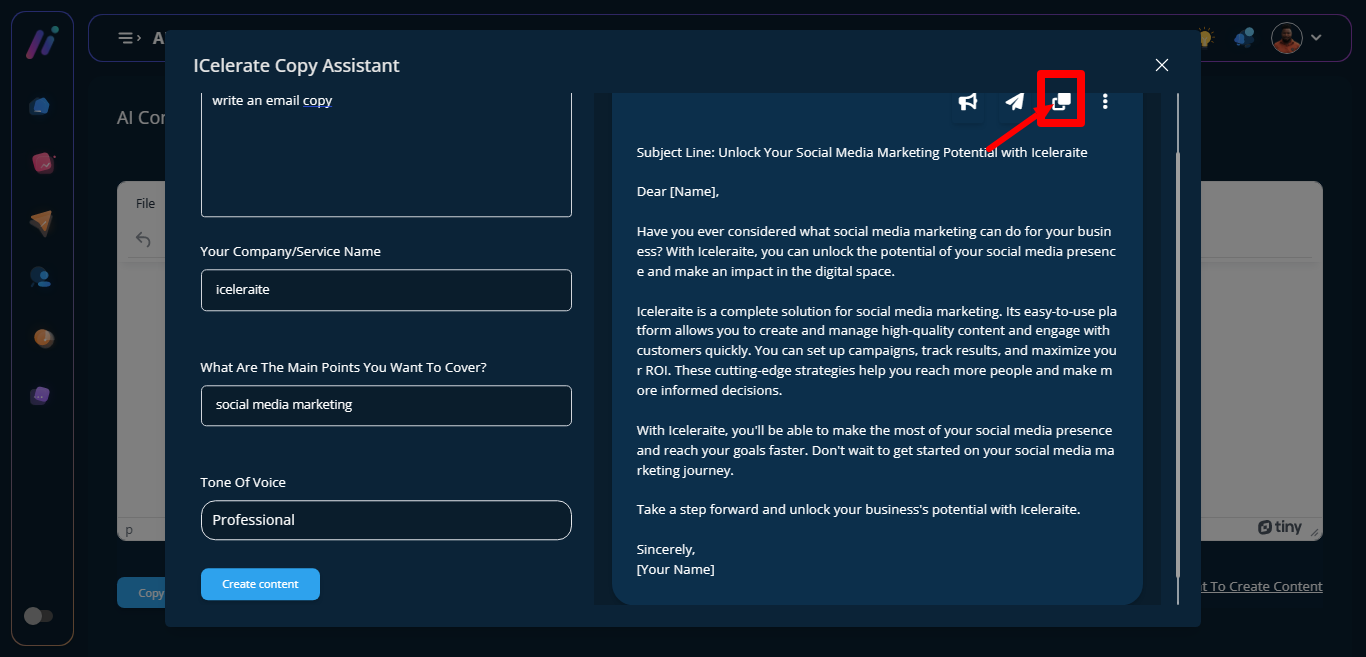
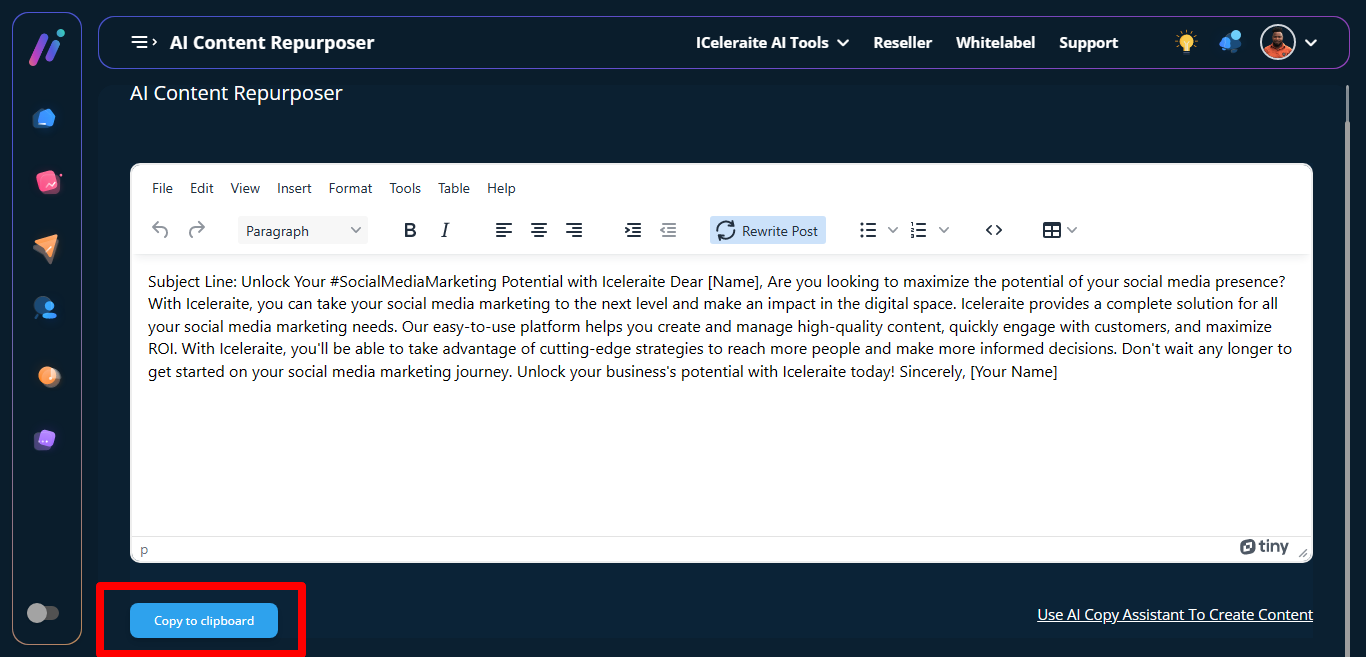
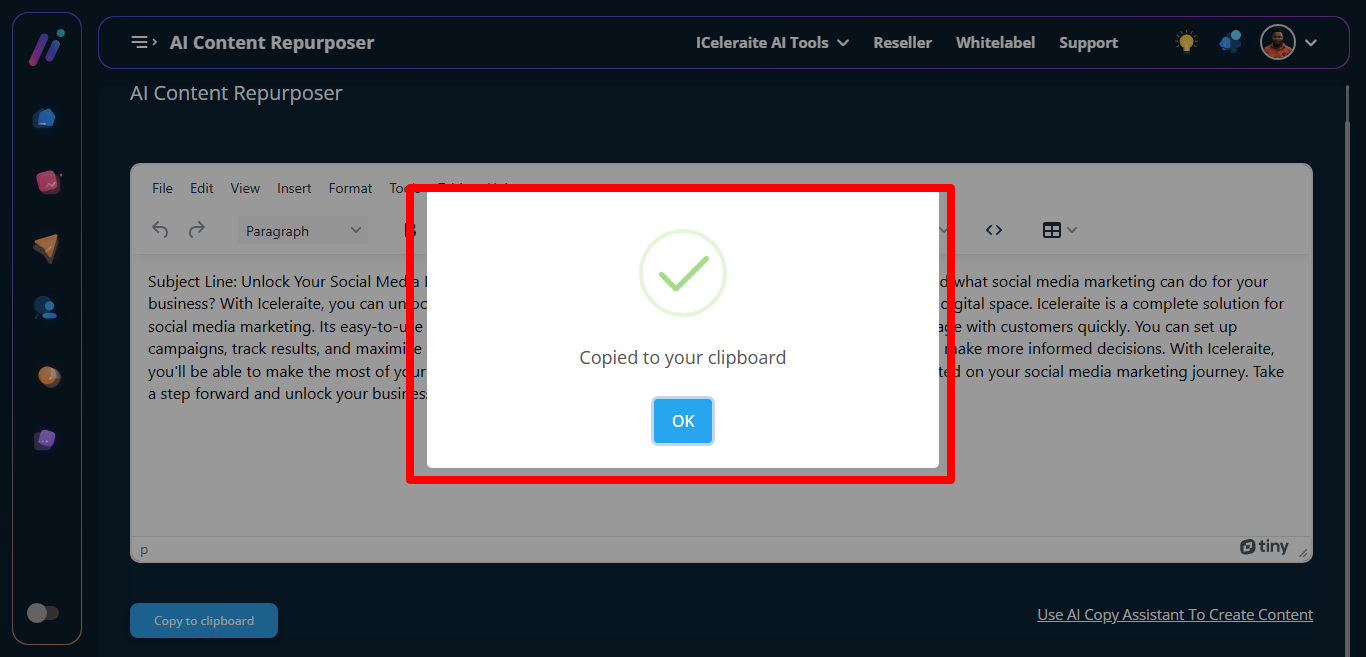
STEP 7: The already generated content will appear automatically then you click on copy to clipboard.
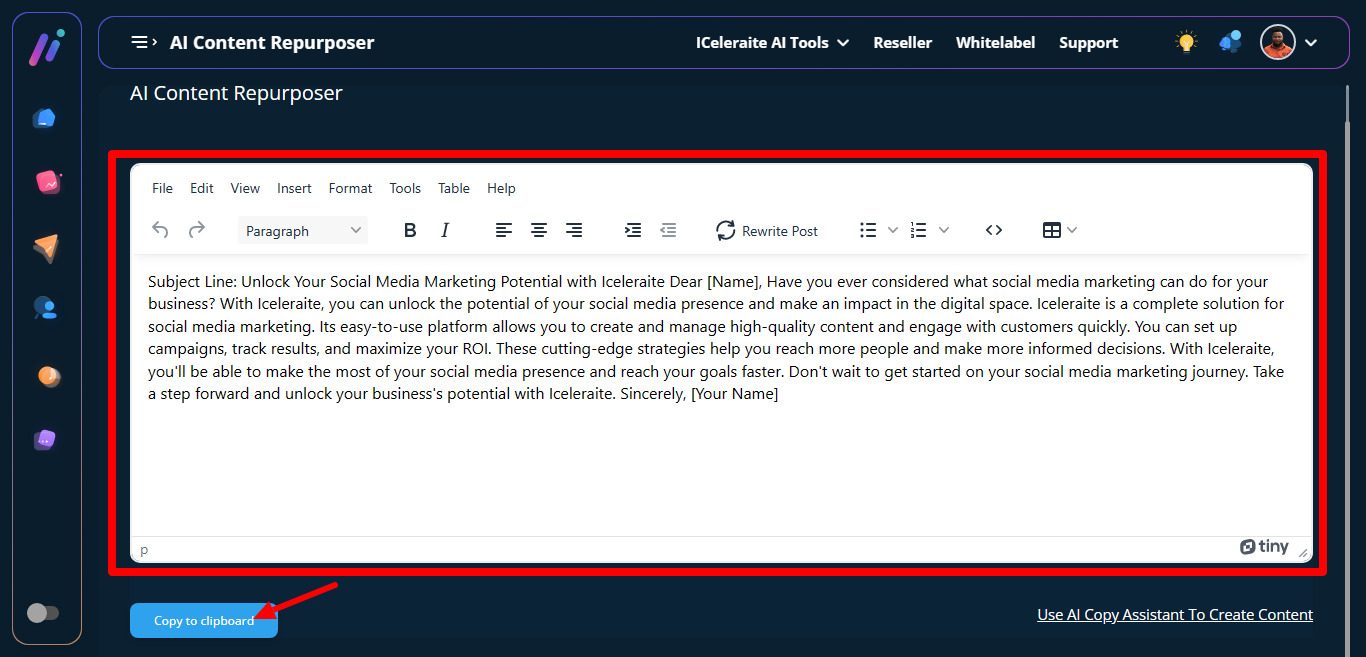
STEP 8: A pop-up will appear notifying you that you have successfully copied to your clipboard
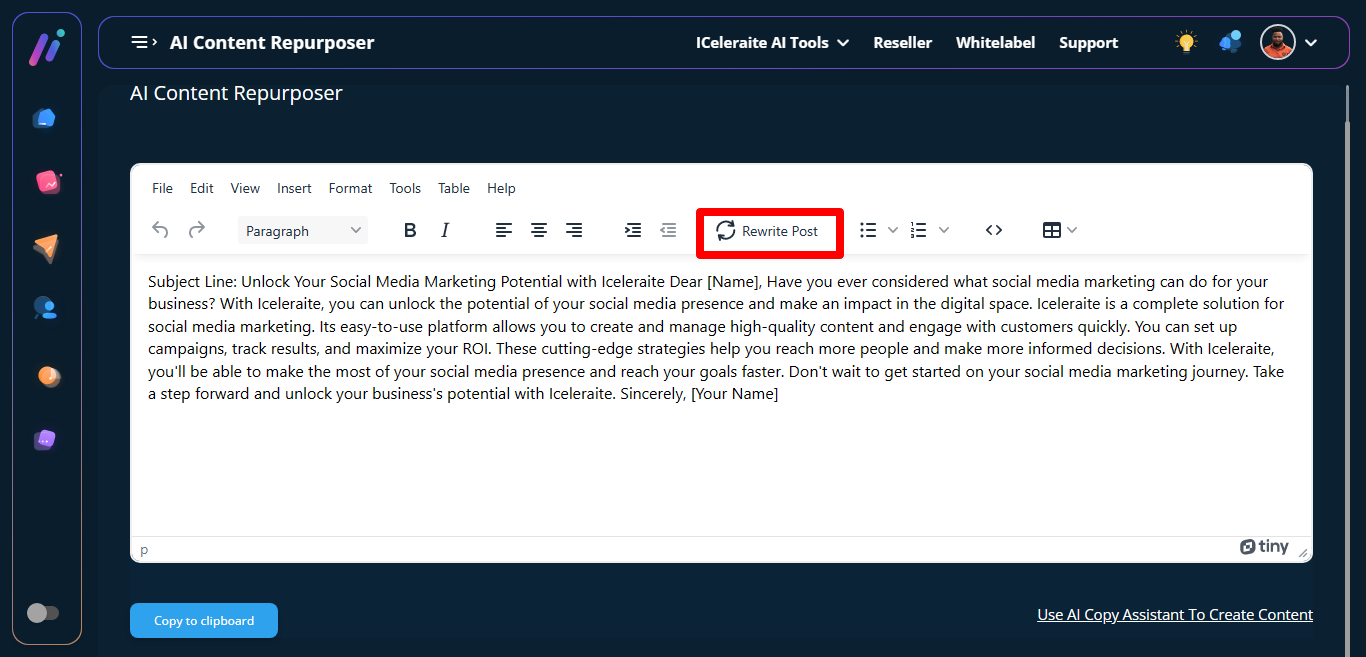
STEP 9: Rewrite Post
You can reconstruct the content by clicking on rewrite post.
STEP 10: Newly regenerated content will appear.
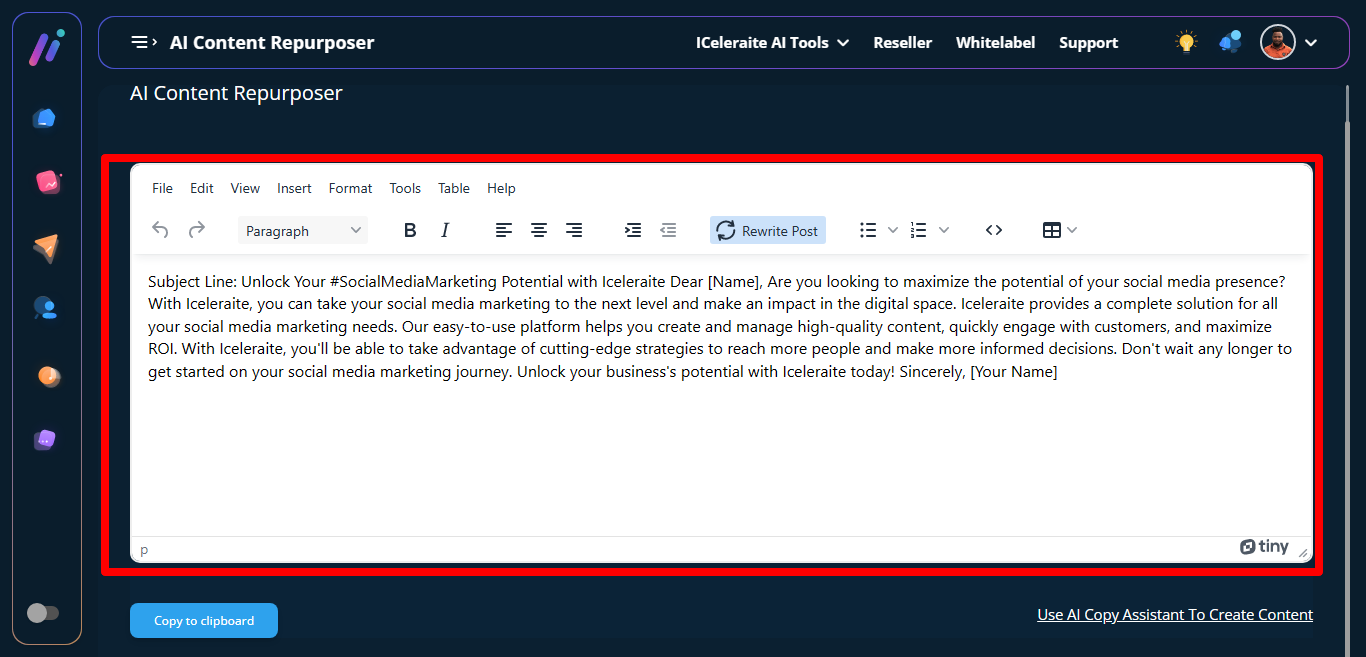
STEP 11: Click on copy to clipboard to copy successfully.