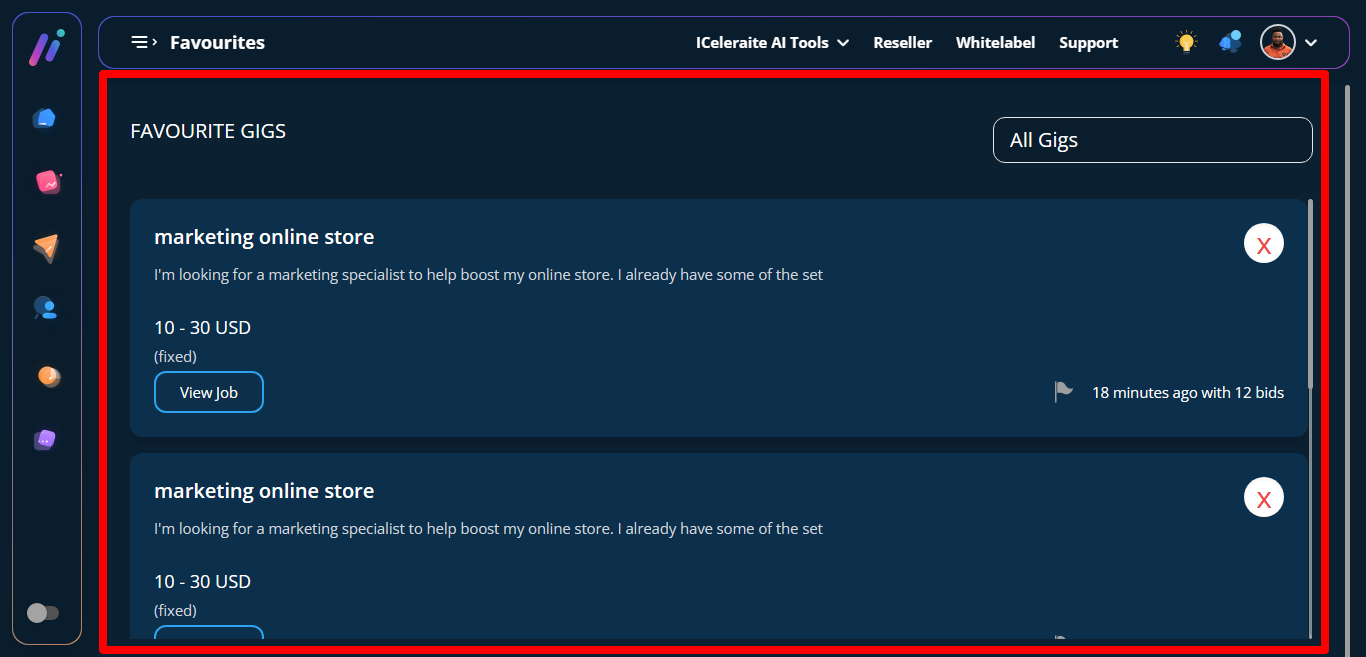
The idea on the smart gig finder is users searching for gigs among all 29 niches and placing liked gigs in favorite list. Smart gig finder can be accessed through 2 ways.
*(1)
STEP 1: From the dashboard click on agency service, it will direct you to a page with different niches where you can choose an agency.
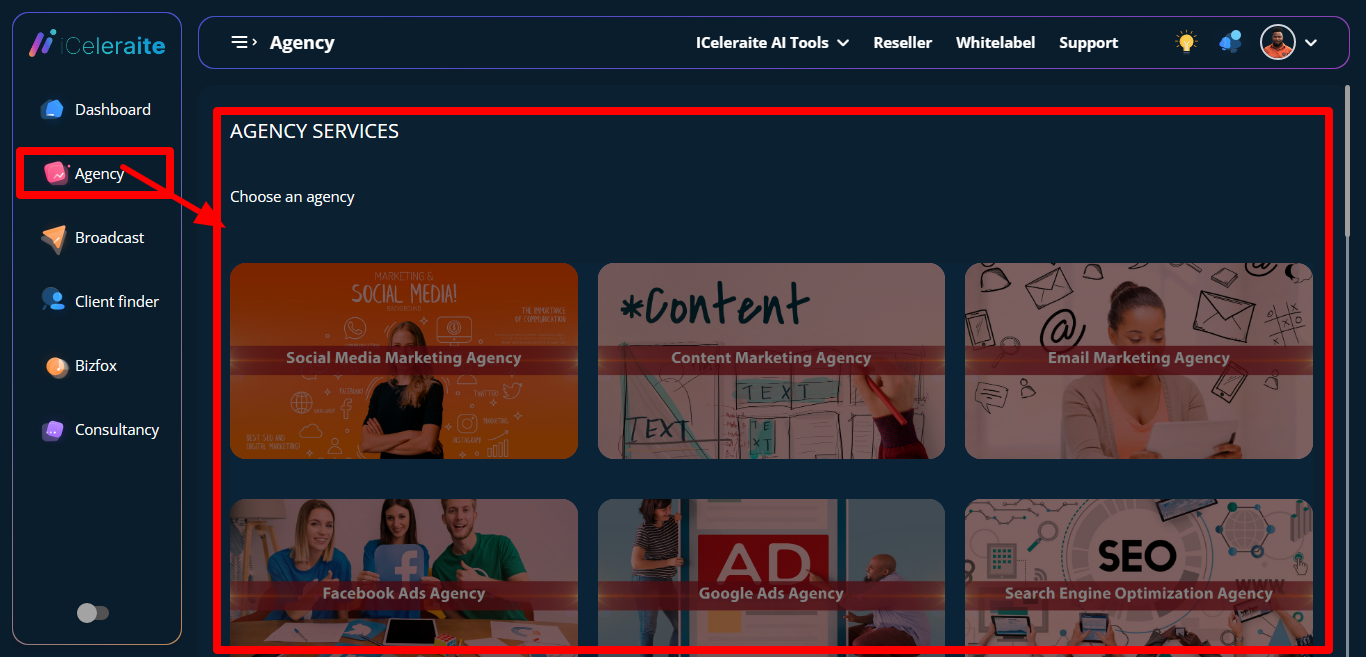
STEP 2: Click on a niche.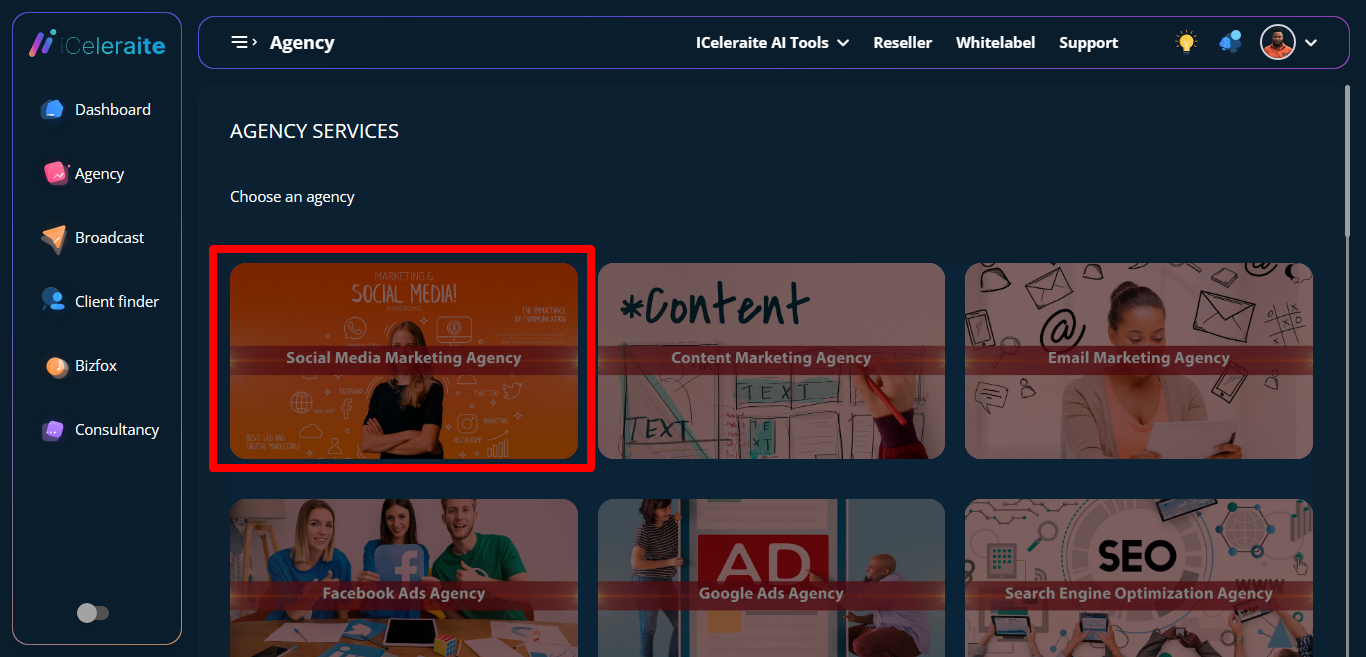
STEP 3: It immediately directs you to a different page.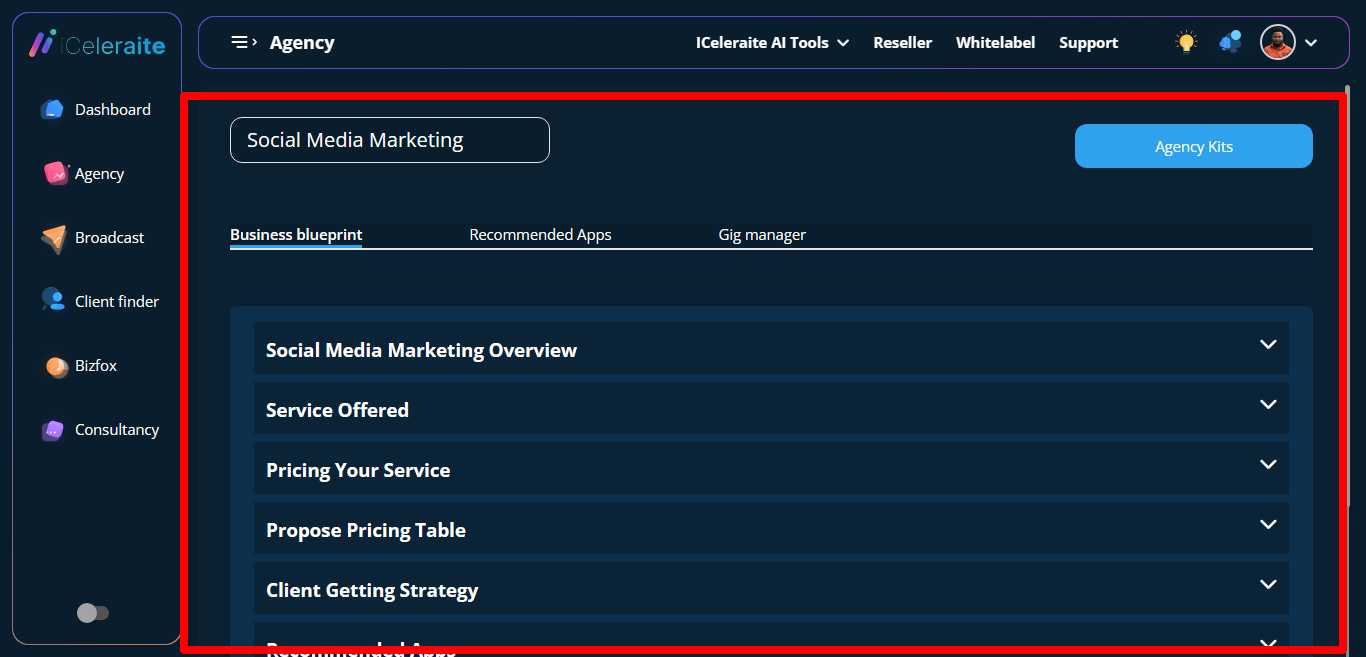
STEP 4: Click on gig manager
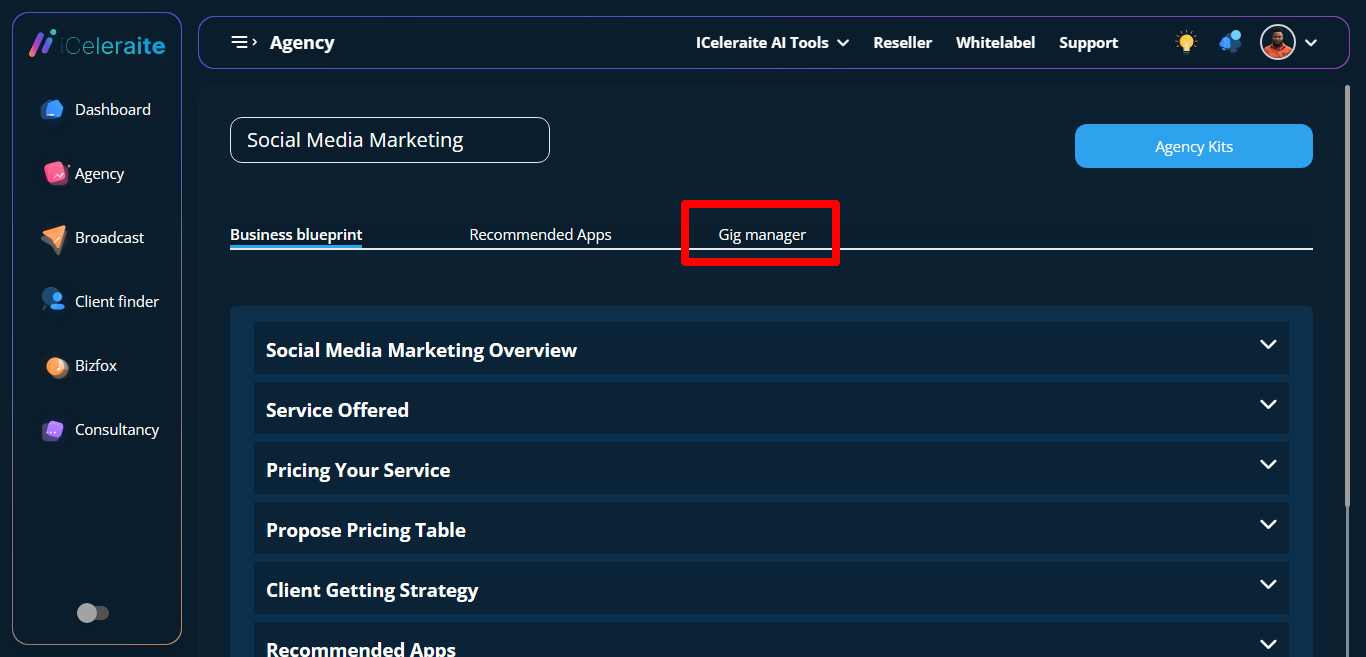
STEP 5: It directs you to a page with several gigs/jobs
STEP 6: Click the like button to add gigs to your favorite list.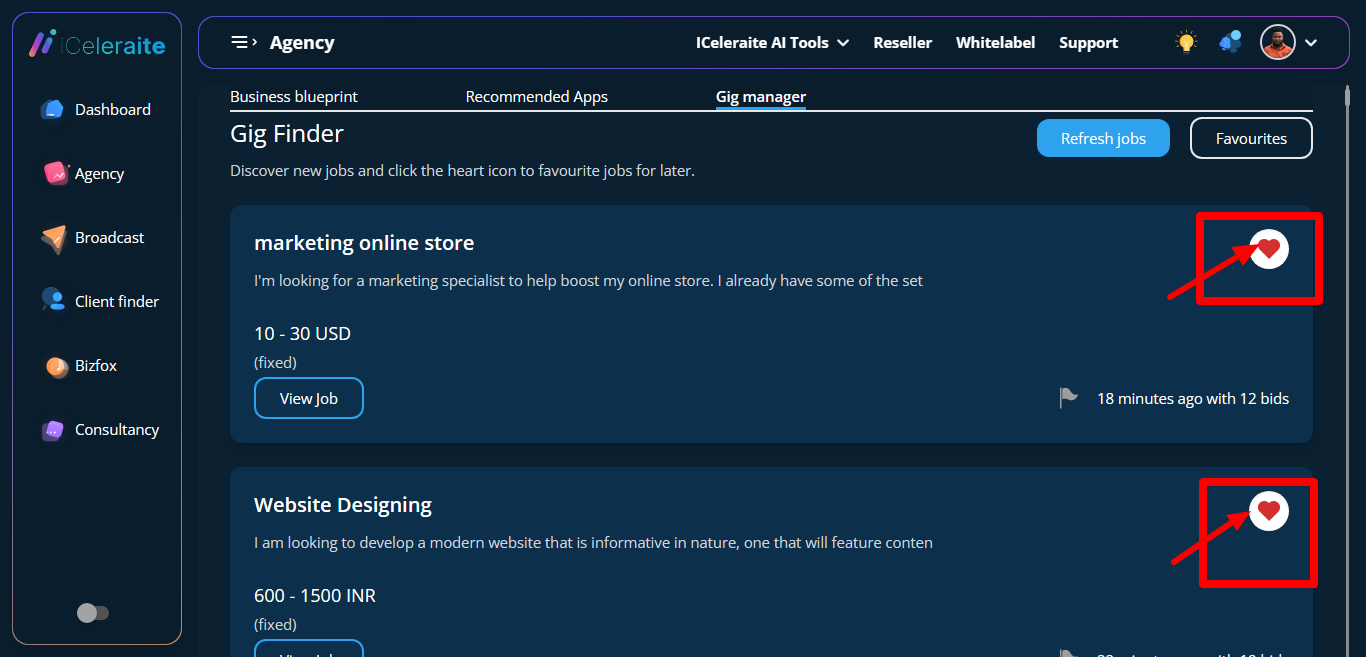
STEP 7: Success message appears shortly after.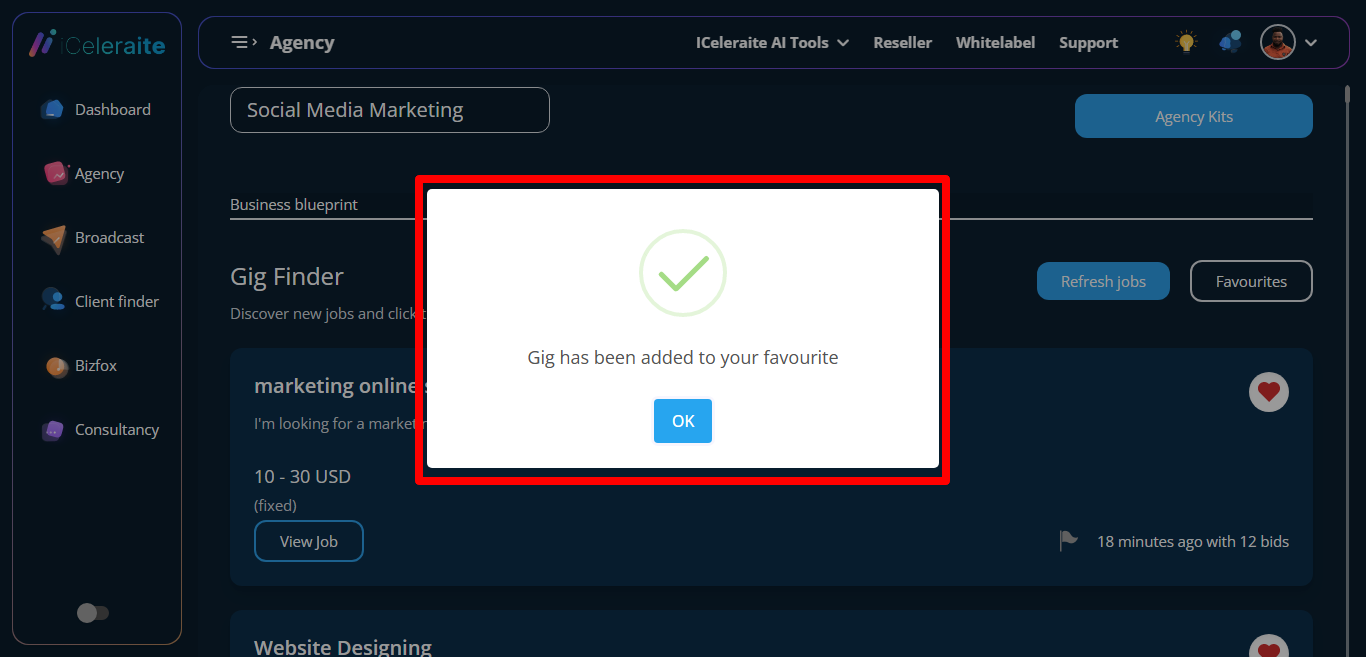
STEP 8: Click on the favourite button to view already saved gigs.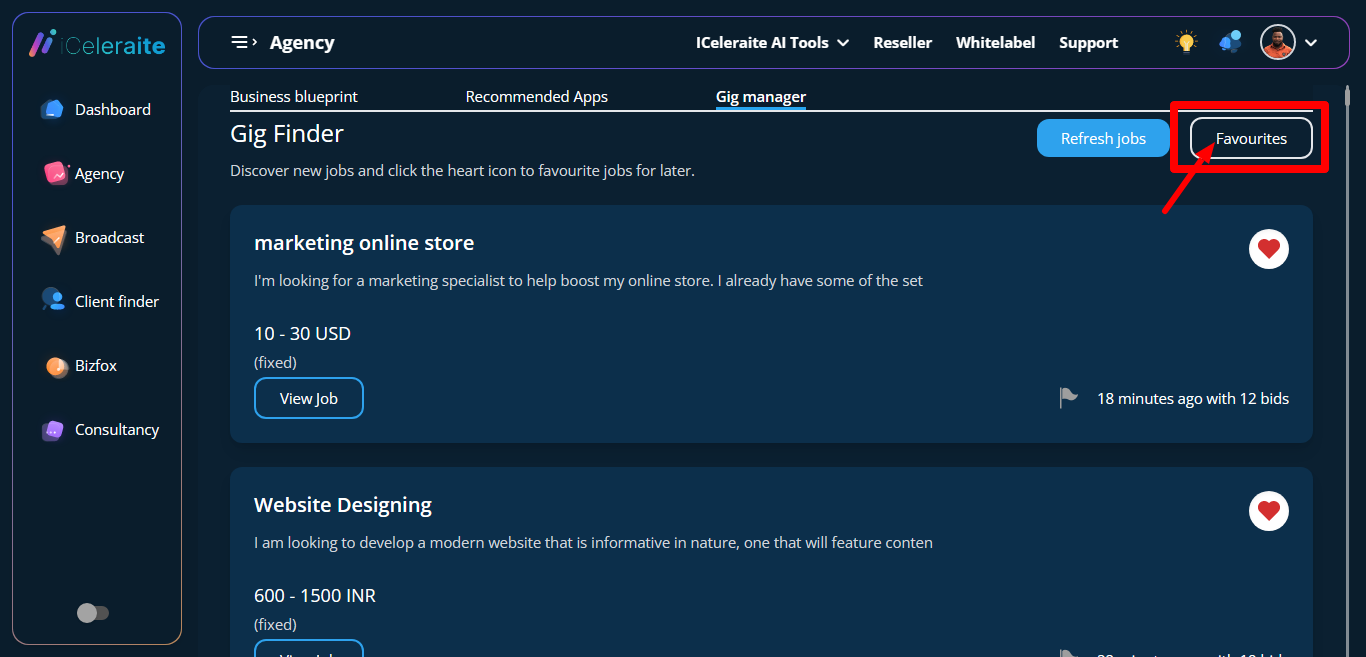
STEP 9: Already saved gigs will appear.
(2)
STEP 1: Click on Iceleriate AI Tools at the top section and a dropdown will appear.
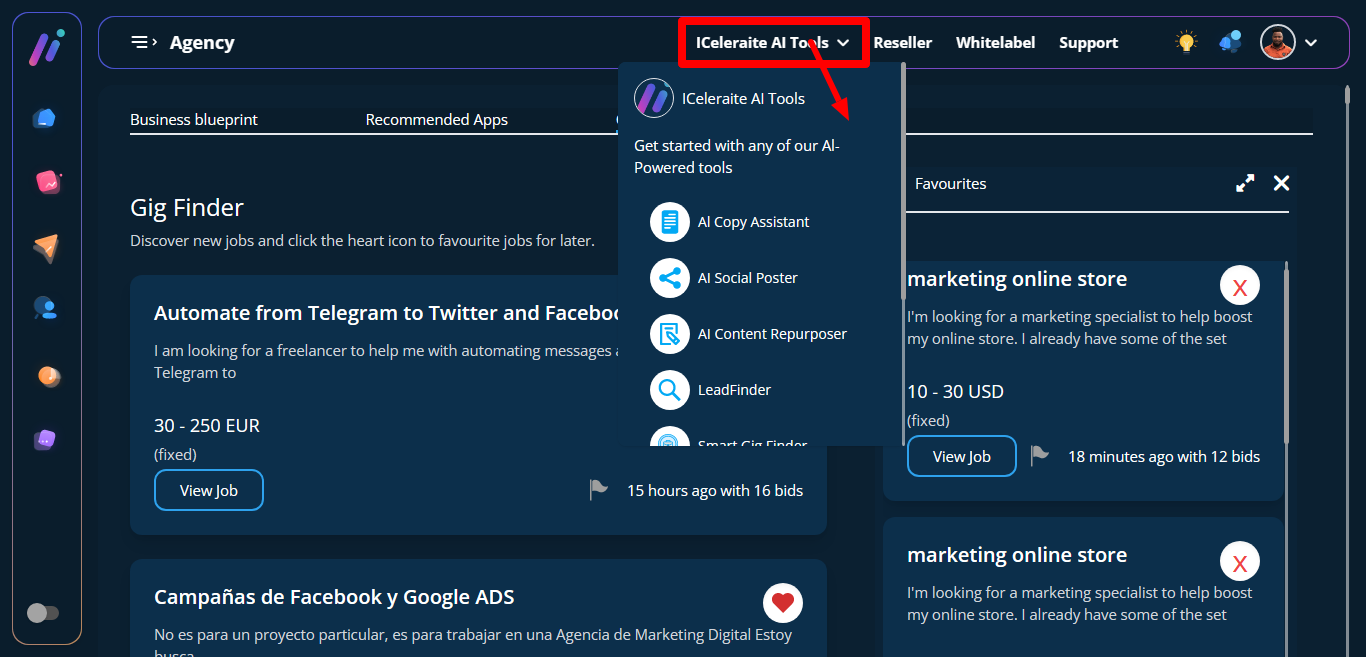
STEP 2: Scroll down to smart gig finder and click on it, then it will direct you to a page with your already saved gigs. Niches can be changed when you click on All Gigs.