
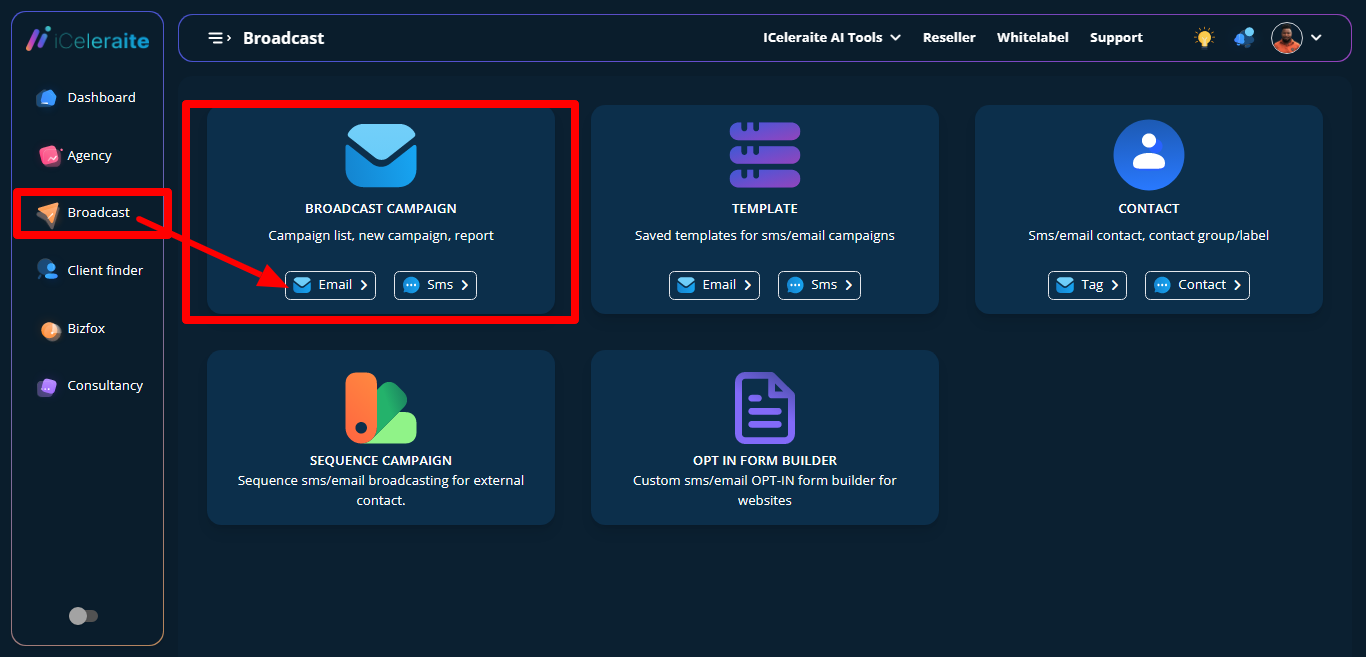
To view email campaign report page, you go to the dashboard campaign page, then click on email on the broadcast campaign card.
A table will appear showing already saved details and other options like create campaign, choose date, search option and all status that serves as filter option.

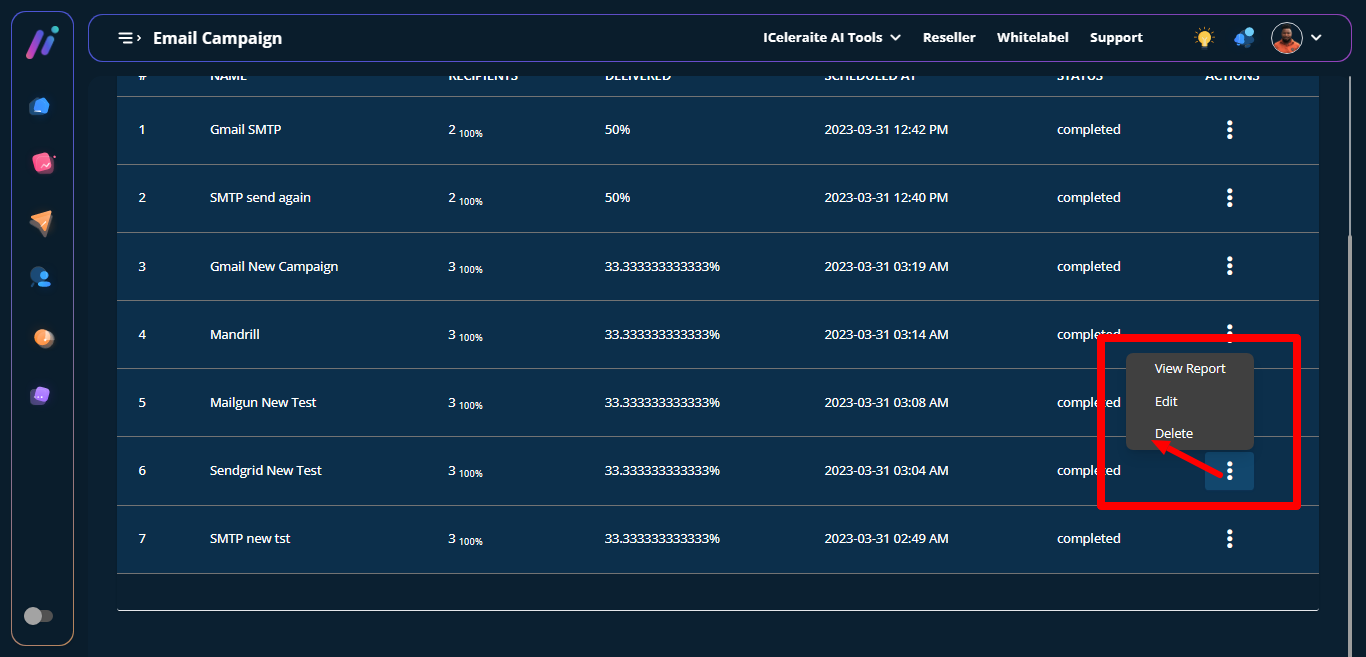
Click on the action icon, then options like view report, edit and delete will come up then on view report.
A page will come up showing the report with options like sendgrid new test ( subject line), email api, sent and status (filter).

How To View Email Campaign Report
Updated on April 11, 2023